
Setup Guide ChatGPT
Connect Lifesight MCP to ChatGPT Codex in 2 minutes.
Before You Start
Ensure you have the following before proceeding:
- An active Lifesight workspace. If you're evaluating Lifesight, book a demo.
- ChatGPT with Custom Connectors enabled (Team, Enterprise, or Plus)
- Lifesight MCP URL: https://mcp.lifesight.io/mcp/
Steps to Connect ChatGPT Codex with Lifesight MCP
ChatGPT (Codex) uses a Personal Access Token (PAT) for authentication rather than OAuth, so there’s one extra step compared to Claude Desktop. It only takes a minute.
- Generate a Personal Access Token
- Log in to the Lifesight platform.
- Navigate to the token generation URL and select your workspace.
https://console.lifesight.io/account/codex-tokens
Token generation URL
- Name your token (e.g. Codex or your project name) and click Generate.
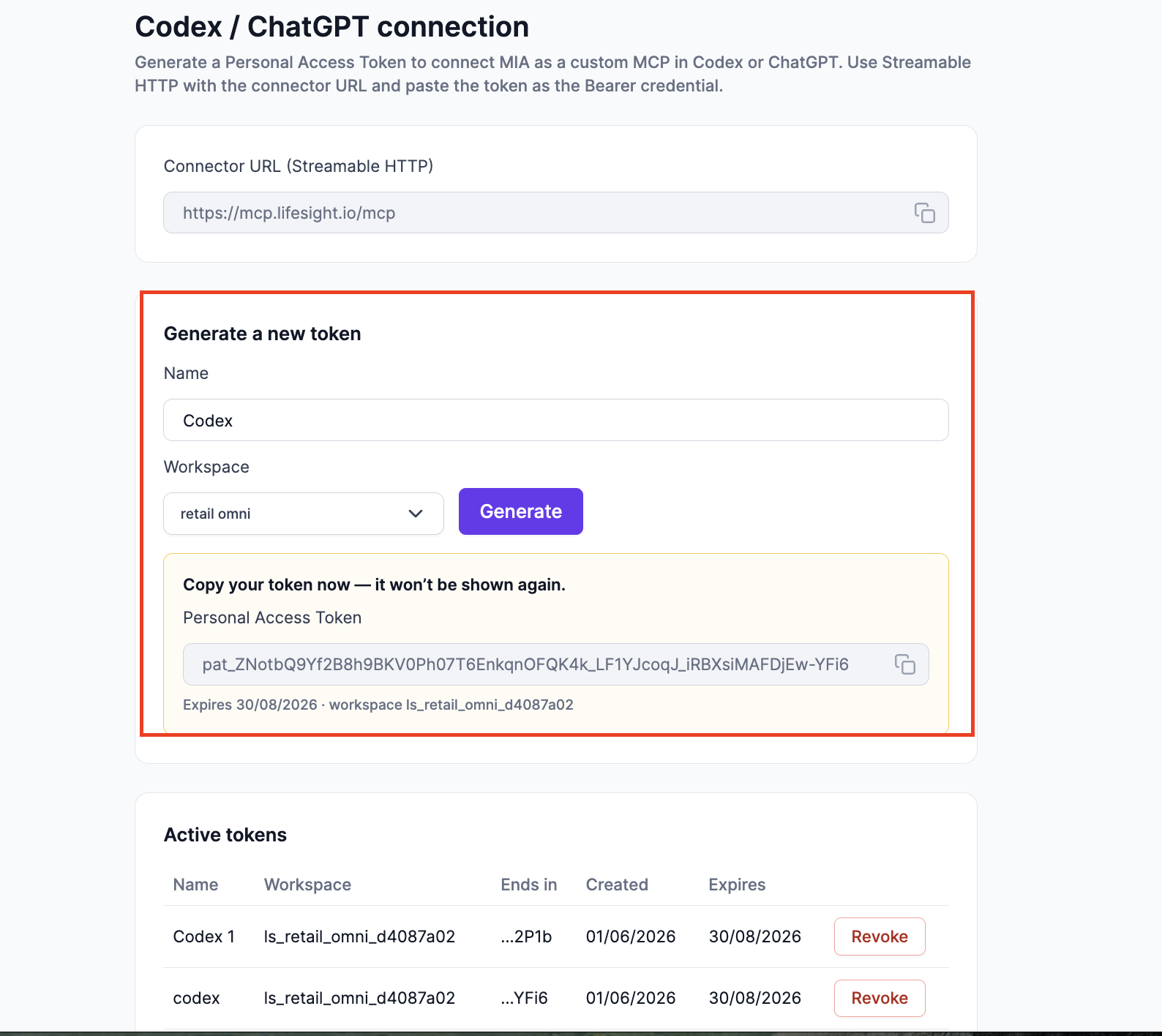
- Copy the generated token straight away, it won’t be shown again.
- If you belong to multiple workspaces, generate a separate token for each one.
- Add the MCP Server in ChatGPT Codex
-
Go to Codex →Settings
-
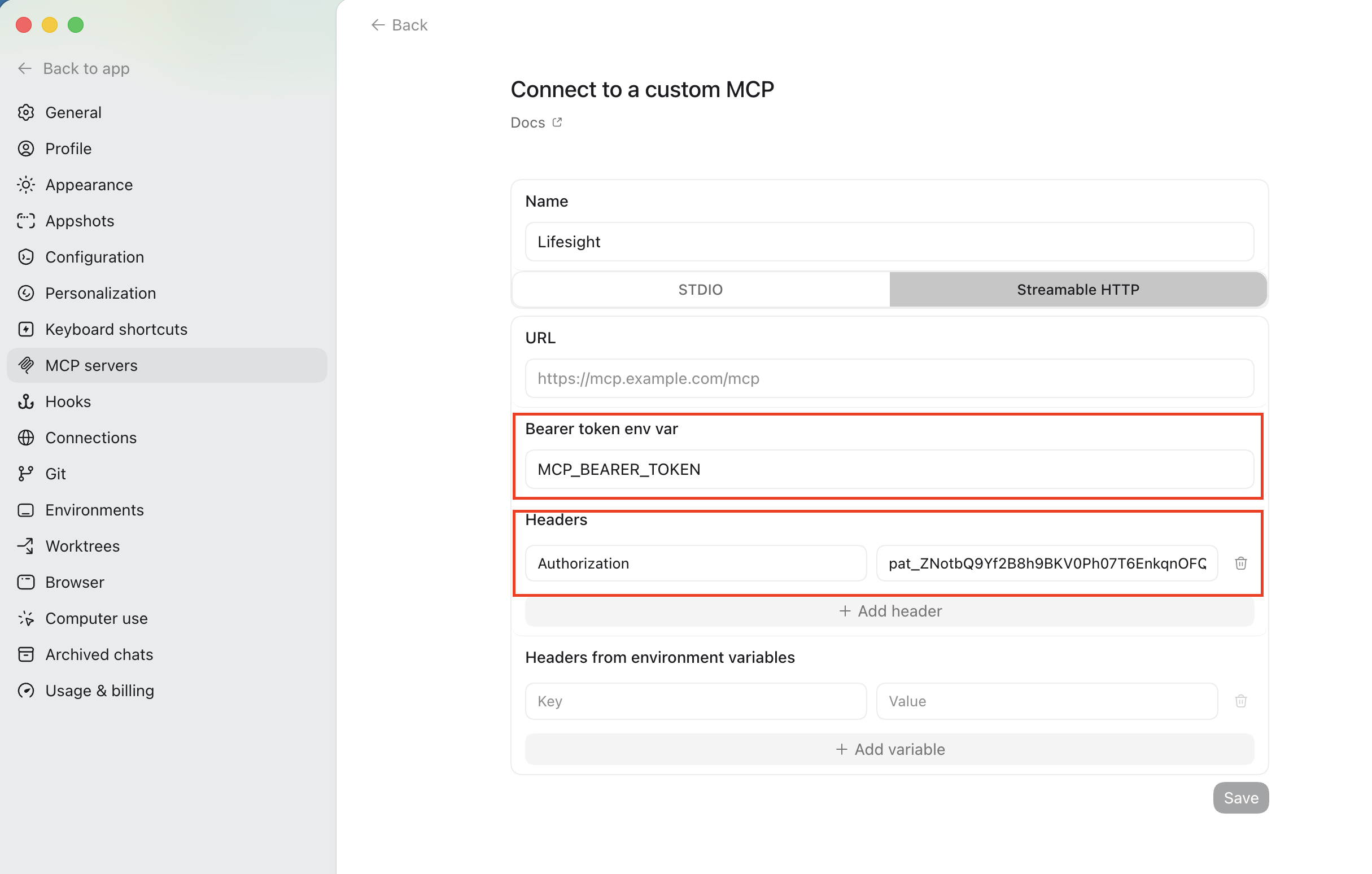
Then go to MCP Server → Add server → Streamable HTTP
-
Fill in: Server name: Any label, e.g. Lifesight
-
Fill in Bearer Token MCP_BEARER_TOKEN
-
- Authorization key: Enter Authorization as the key name, and add your token copied from the Lifesight earlier.
- Click Save to finalize the connection.
- Open a new chat and select the Lifesight MCP server to begin querying your models.
You’re connected! Start a new chat with the Lifesight MCP server selected and ask anything.
| Here are some good first questions to try: |
|---|
| "What’s my [Quarter] budget allocation by channel?” “Which channel drove the highest iROAS last week?” “I have [ $200K] to reallocate, where should it go to maximize revenue?” “Show me how [Ad Channel 1] has been performing compared to [Ad Channel 2] over the last [N days].” |
Verify Your Setup
These three prompts work in both Claude Desktop and ChatGPT. If you get structured output from your account, you’re good to go.
| Prompt | Expected Outcome |
|---|---|
| List every causal model in my workspace. | Markdown table: model names, last-run date, confidence range. |
| What was my best-performing channel last week by iROAS? | Ranked answer with methodology footnote. |
| Find the methodology document for geo-lift testing. | Doc summary with link back to Lifesight. |
Updated 15 days ago
Did this page help you?