
Model Schema: decide what your model gets to see
Define what goes into a model: the outcome you are explaining, the media you think drives it, and the context that explains the rest.
A model schema is a saved answer to the question what should this model look at. It names the outcome you want explained, the paid media you believe influences it, the organic and contextual factors that explain the rest, and how those pieces relate to each other.
It is worth being clear about what a schema is not. It is not the model. Training a model is a separate step. A schema is the recipe, and it can be reused, refreshed and adjusted without starting from nothing each time.
This is also where the earlier tabs pay off. A schema can only offer you fields that Data Transformation mapped, and only tactics that Data Taxonomy assigned. If something you expect is missing here, the fix is usually one tab upstream.
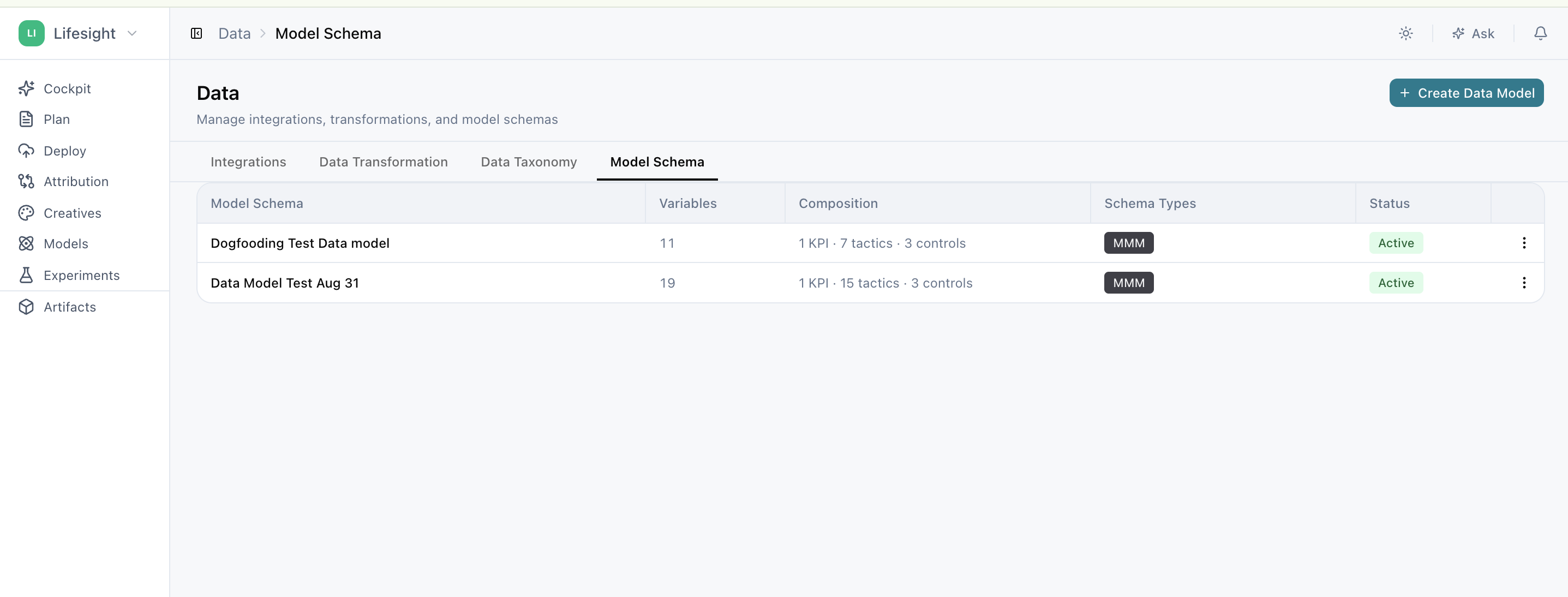
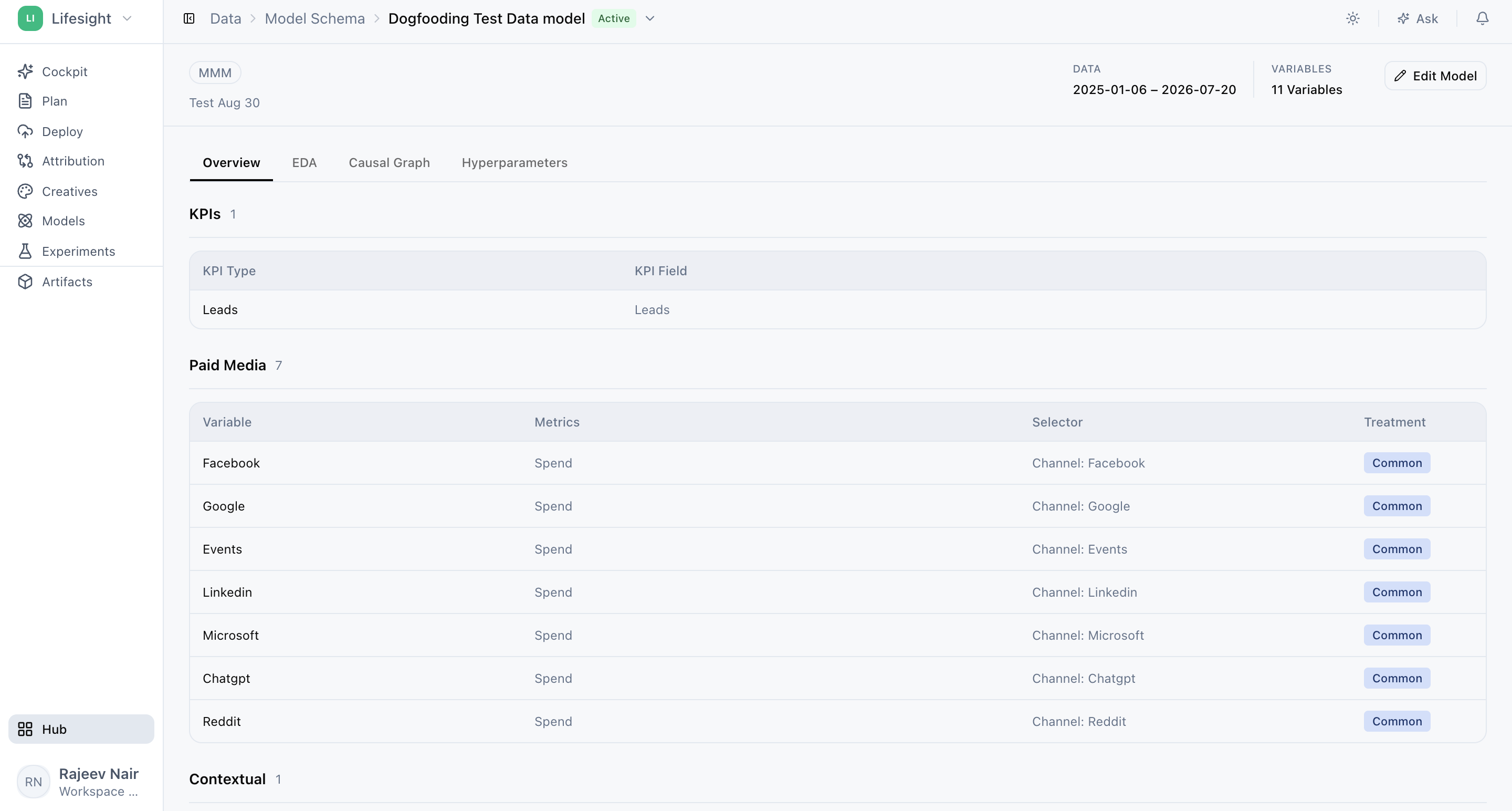
The two kinds of schema
Click Create Data Model and the first step asks what the schema is for. The answer shapes everything after it.
| Use case | Schema type | Read more |
|---|---|---|
| Understand how much each channel contributed, and where the next pound should go | Marketing Mix Modelling / Time Testing Experiments | Build a schema for Marketing Mix Modelling |
| Measure incremental lift by comparing matched test and control regions | Geo Experiments | Build a schema for Geo Experiments |
A schema can serve both. One well defined variable set can power either method, so select both types if you intend to do both. That also makes calibration easier later, because a geo test result can be fed back into a mix model when the two speak about the same KPI and the same tactics.
Create model schema in four steps
Whichever type you pick, the flow is the same.
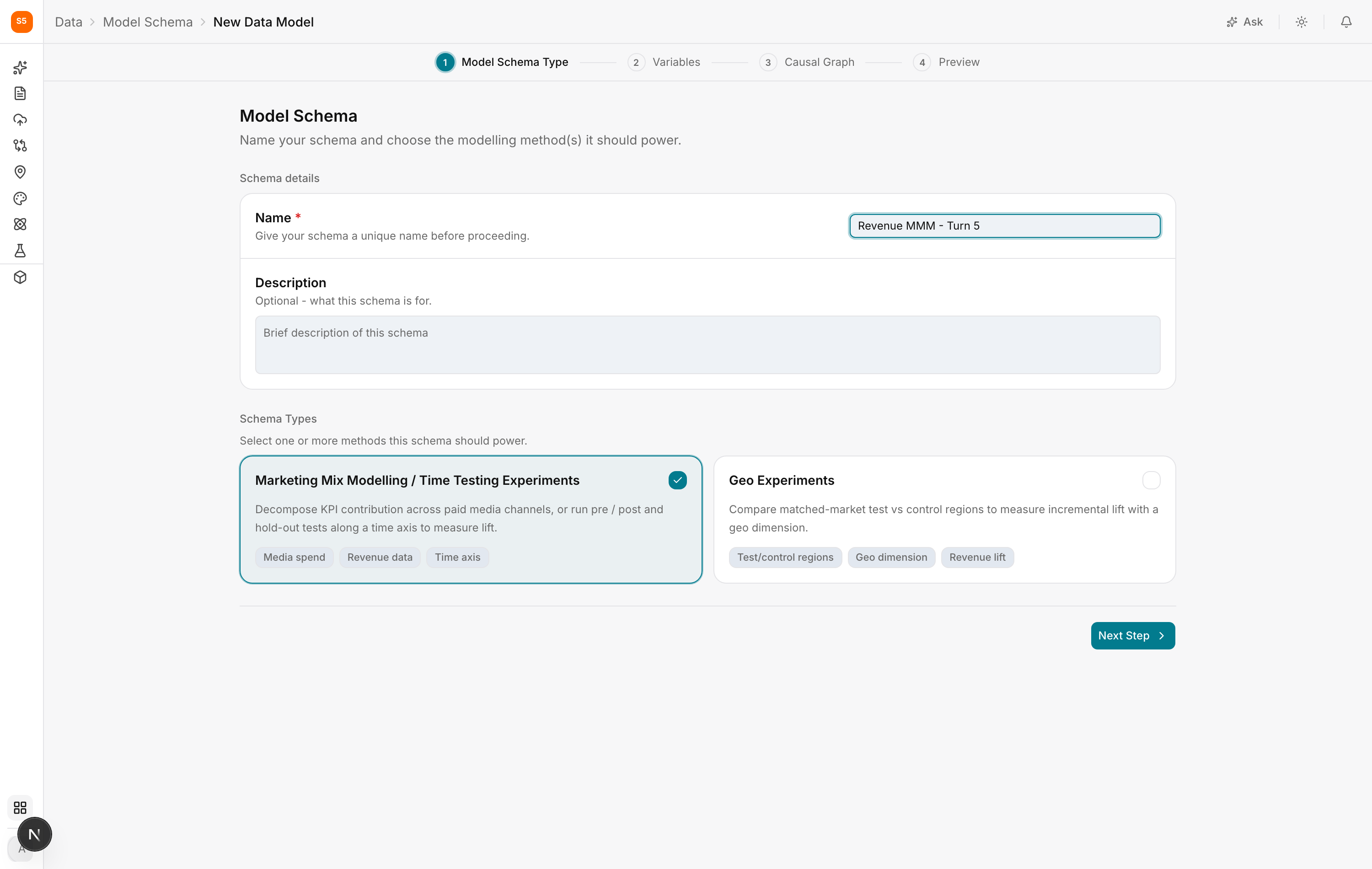
1. Model Schema Type. Name the schema and choose the method or methods it should power. Name it after the question it answers rather than the method, because Revenue MMM UK is more useful in six months than Model 3.
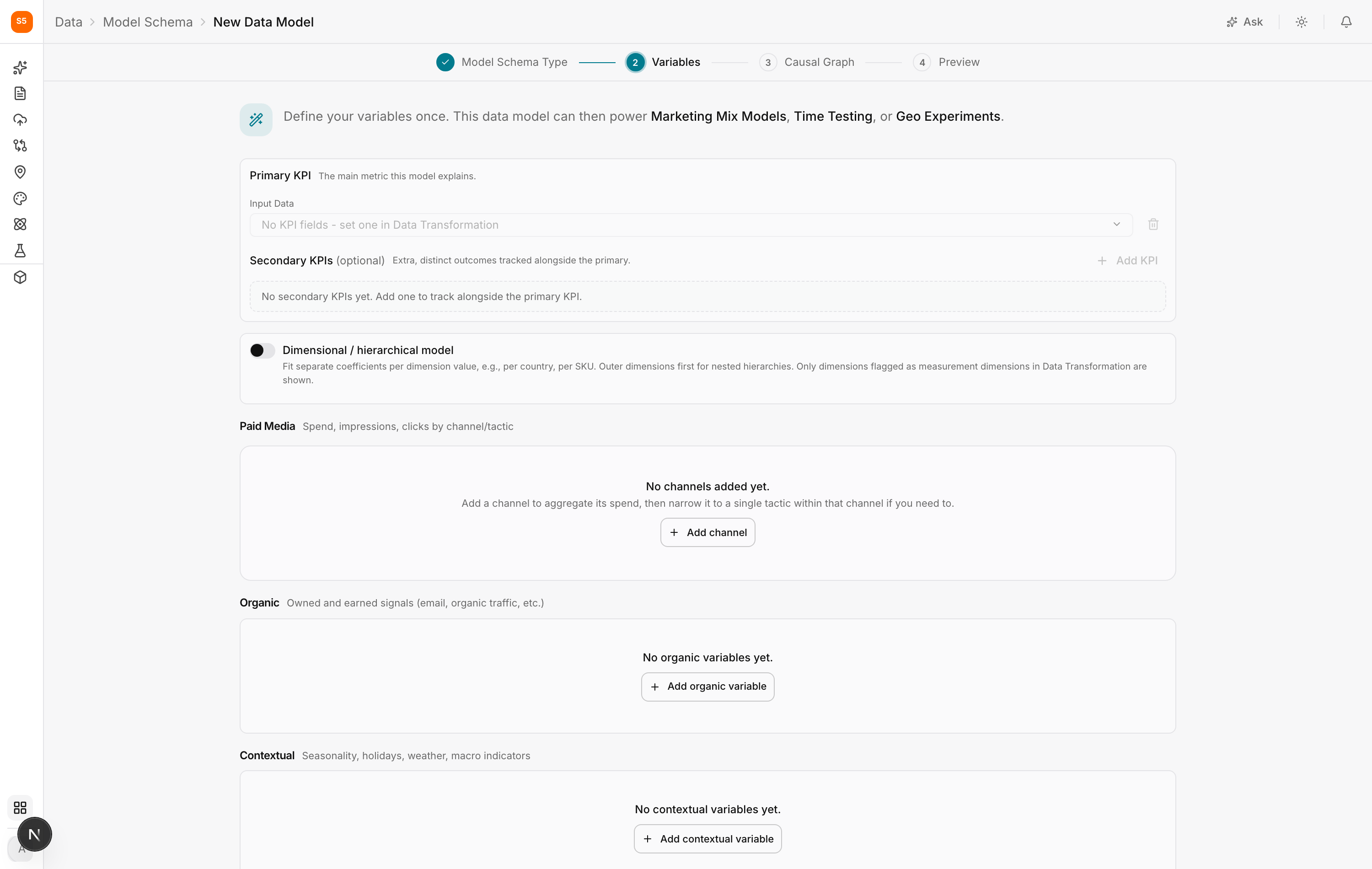
2. Variables. The substantive step, organised into sections: the primary KPI, optional secondary KPIs, an option for dimensional or hierarchical modelling, then Paid Media, Organic and Contextual variables.
3. Causal Graph. Describe how the variables relate, so the model can distinguish something that causes your KPI to move from something that merely moves at the same time.
4. Preview. A summary of everything the schema contains before you commit.
The use-case pages above walk through each step with the choices that matter for that method.
After the schema exists
The schema appears in the Model Schema list, where you can open it to see its composition grouped by category: dimensions first, because they govern how everything below is read, then KPIs, paid marketing, contextual and organic.
From there a schema can be used to train models, refreshed as new data arrives, and edited when your marketing changes. Adding a new channel next quarter means editing the schema rather than rebuilding from scratch.
Frequently asked questions
A field I need is not in the list. It has not been mapped, or it has been mapped to the wrong category. Go to Data Transformation and check the field.
A tactic I need is not offered. It has not been created or assigned in Data Taxonomy.
How many variables should a model have?
Fewer than you think. Every variable needs enough data behind it to estimate its effect. Two years of weekly data is around 100 observations, and thirty variables will overfit.
Can I have more than one schema?
Yes, and you often should. Total revenue and new customer acquisition are different questions deserving different variable sets.
Do I need to redo this when new data arrives?
No. The schema keeps reading the sources it was built on. You revisit it when your marketing changes.
Updated about 1 hour ago