
Build a geo experiment that proves incremental impact
Set up your treatment and control groups in a few steps and get a clear read on lift
A well-designed geo experiment gives you results you can act on. This guide walks you through setting one up in the Experiments workspace, from choosing the marketing change you want to test to selecting the markets that will give you a reliable read on incremental lift.
The choices you make during setup, like which regions go into the treatment and control groups and how long the test runs, determine how confident you can be in the outcome. Lifesight guides you through each step, so your experiment is built to detect real impact and support the budget decisions that follow.
Create a Geo Experiment from the Experiments workspace to measure the incremental effect of a marketing change across selected geographic markets.
Get ready to build
Having the right inputs ready before you start makes setup faster and helps you design a stronger test.
Prepare your data
Prepare a CSV with:
- A date column
- A geographic-market column
- The primary KPI you want to measure (the main outcome, such as revenue, orders, or new customers)
Know your test parameters
You should also know:
- The channel or tactic you want to test (the way a channel is used, such as prospecting or retargeting)
- The expected incremental efficiency
- Any markets that must be included or excluded, for example, markets where a regional promotion is already planned
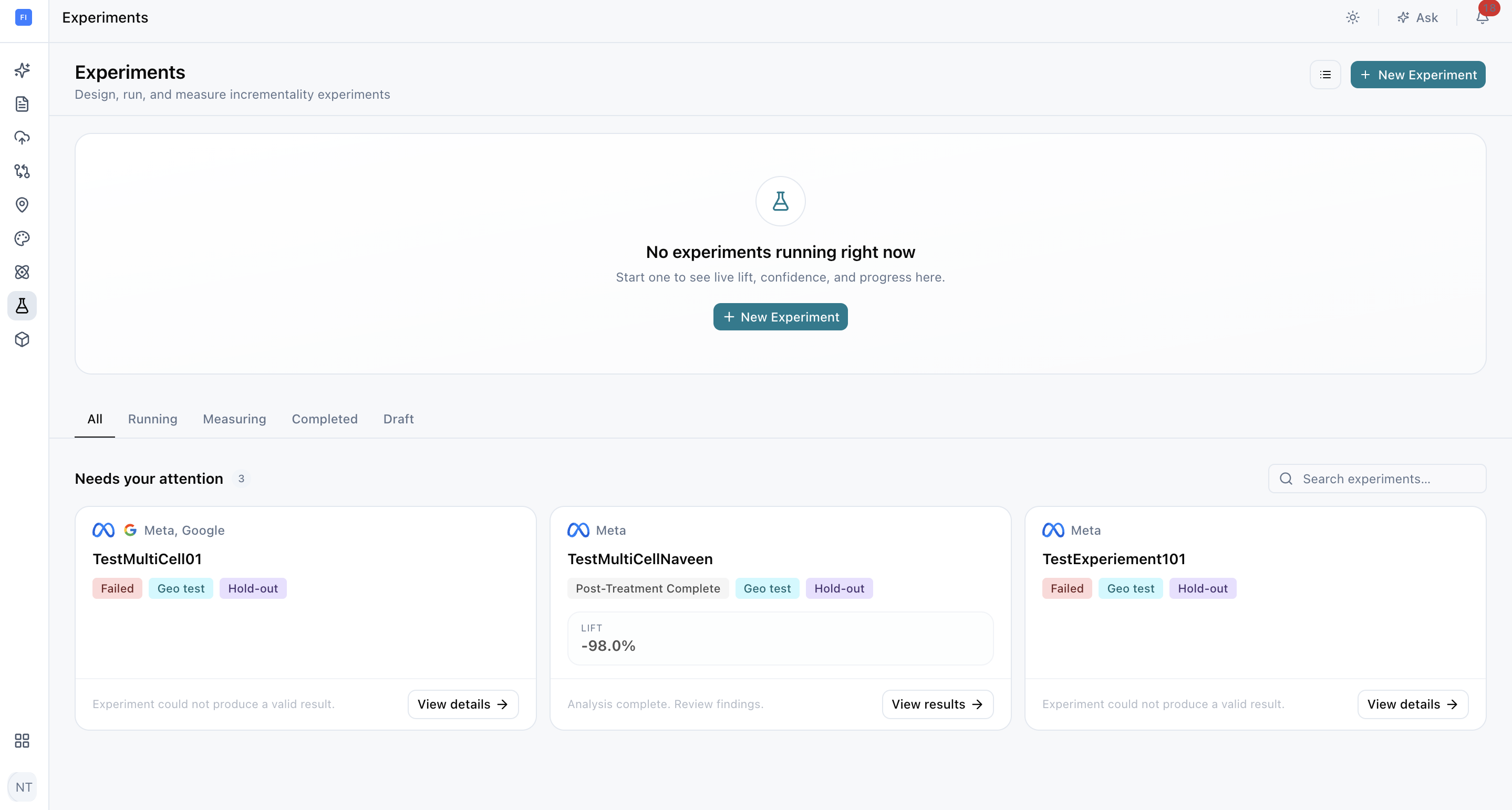
Start your experiment
- Select Experiments from the sidebar.
- Select New Experiment.
- Choose Geo Testing.
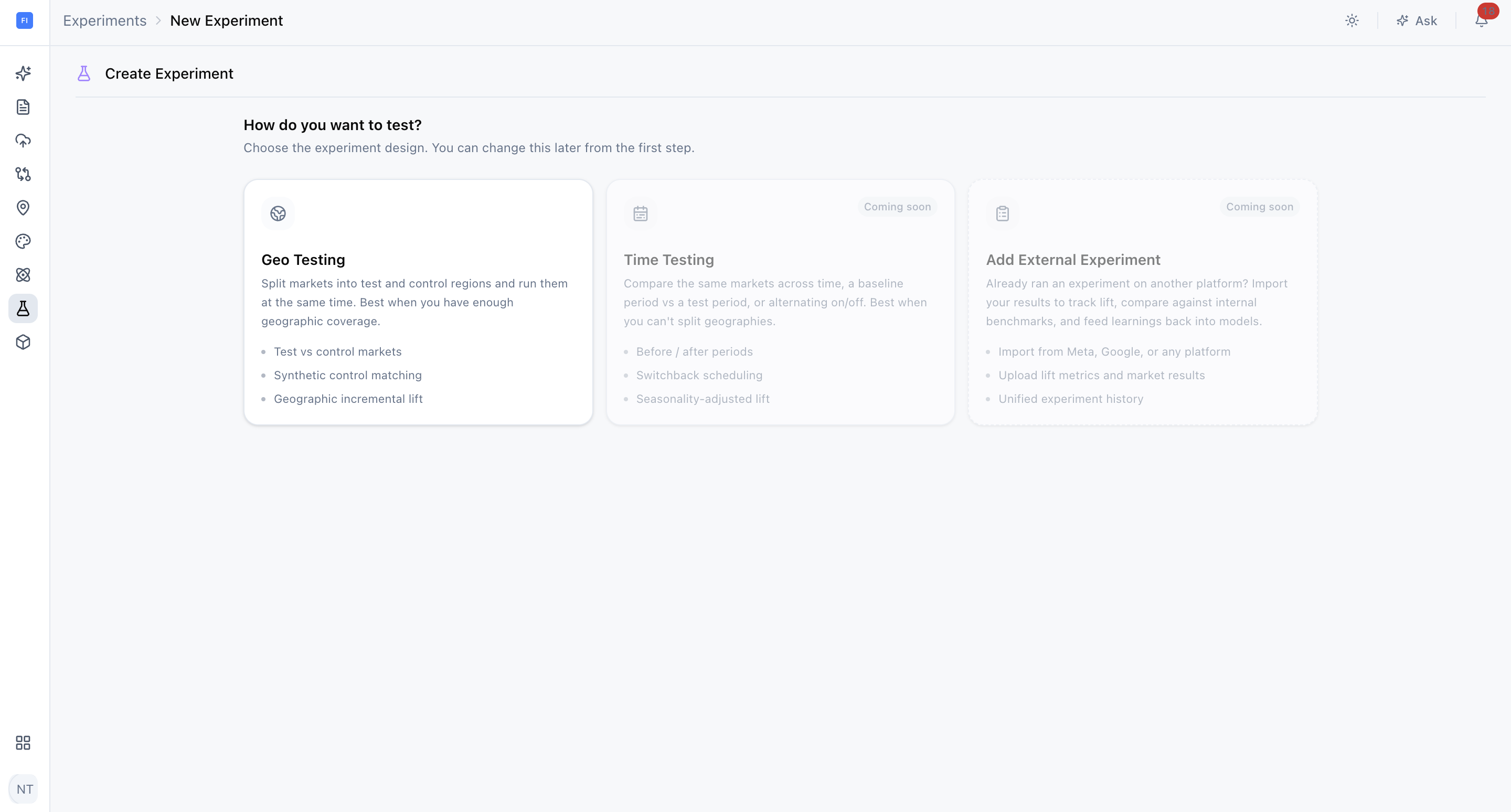
The creation workflow has three steps: Goal, Data, and Design. You can save an incomplete experiment as a draft and resume it from the Experiment List, so you don't need to finish setup in one sitting.
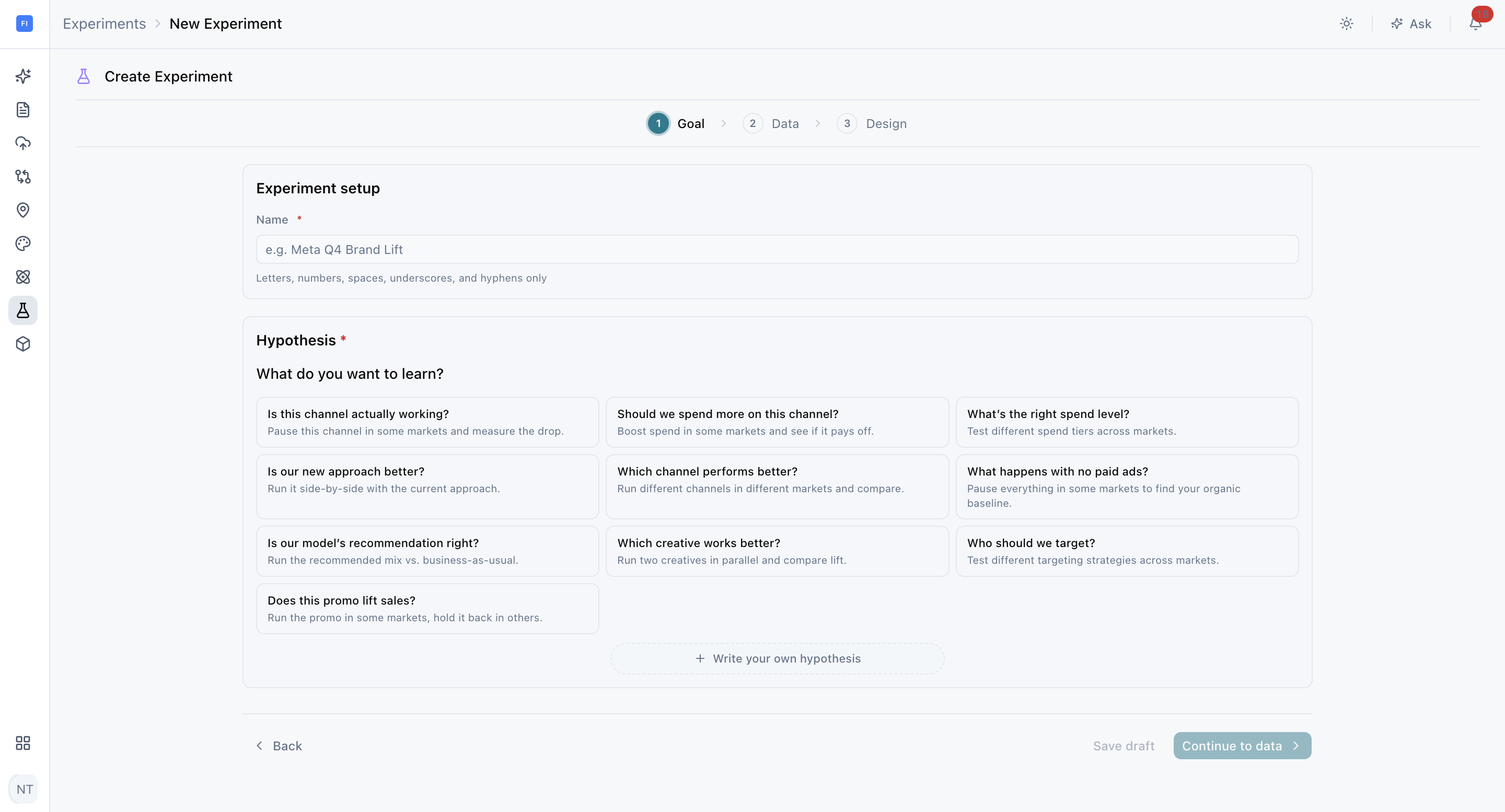
1. Define what you want to prove
Name and hypothesis
Enter a unique experiment name, then select a saved hypothesis or write your own. A clear hypothesis states what you are changing, where you expect an effect, and which KPI should respond. For example: "Pausing branded search in selected markets will not reduce revenue, because those customers would have purchased anyway."
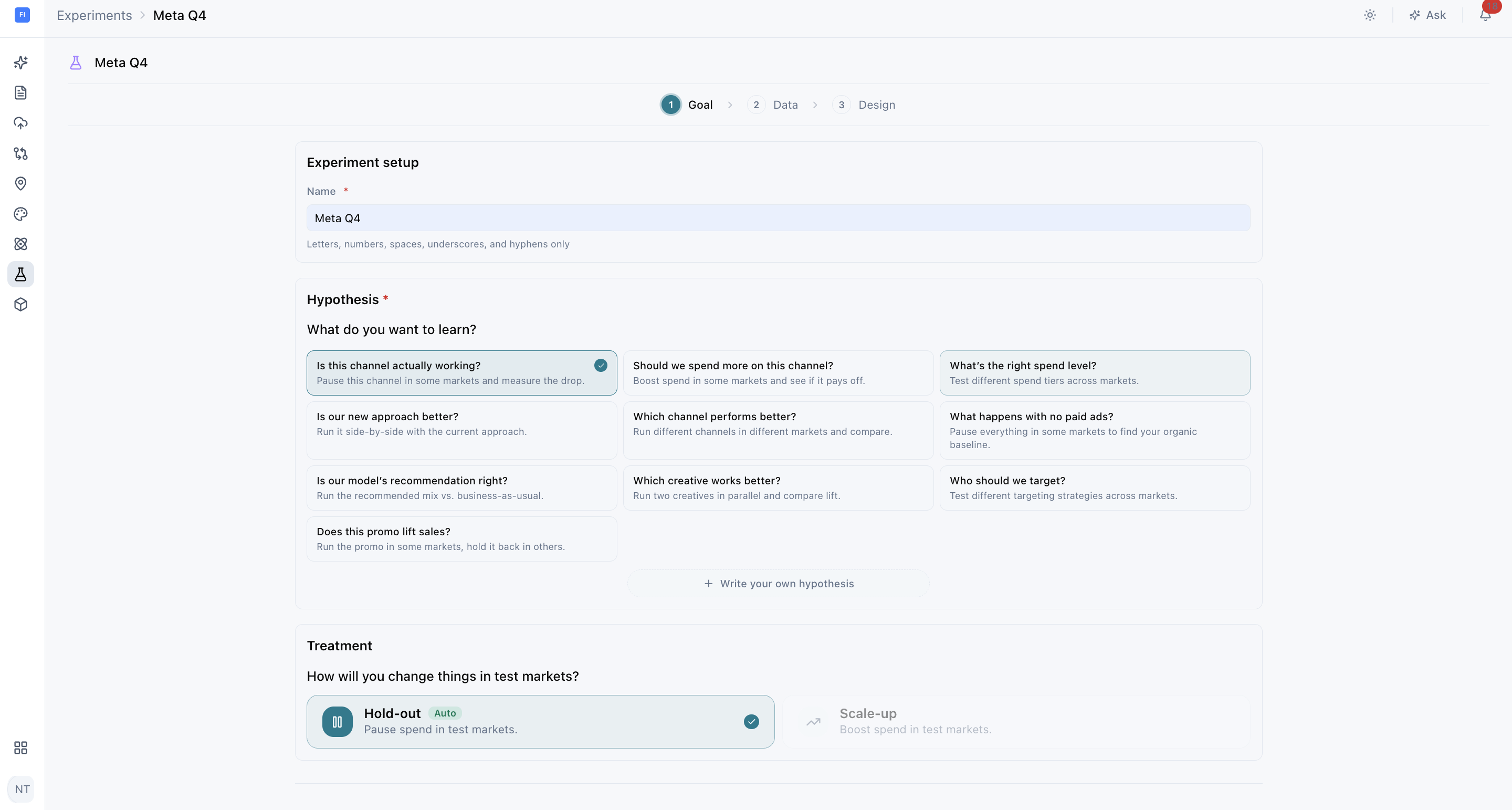
Treatment type
- Hold-out: pause selected media activity in the test markets to measure what would have happened without it. Use it to confirm whether an existing channel is truly driving results.
- Scale-up: increase media activity in the test markets to measure the incremental response from additional investment. Use it to find out whether spending more would pay off.
2. Add your data
What to configure
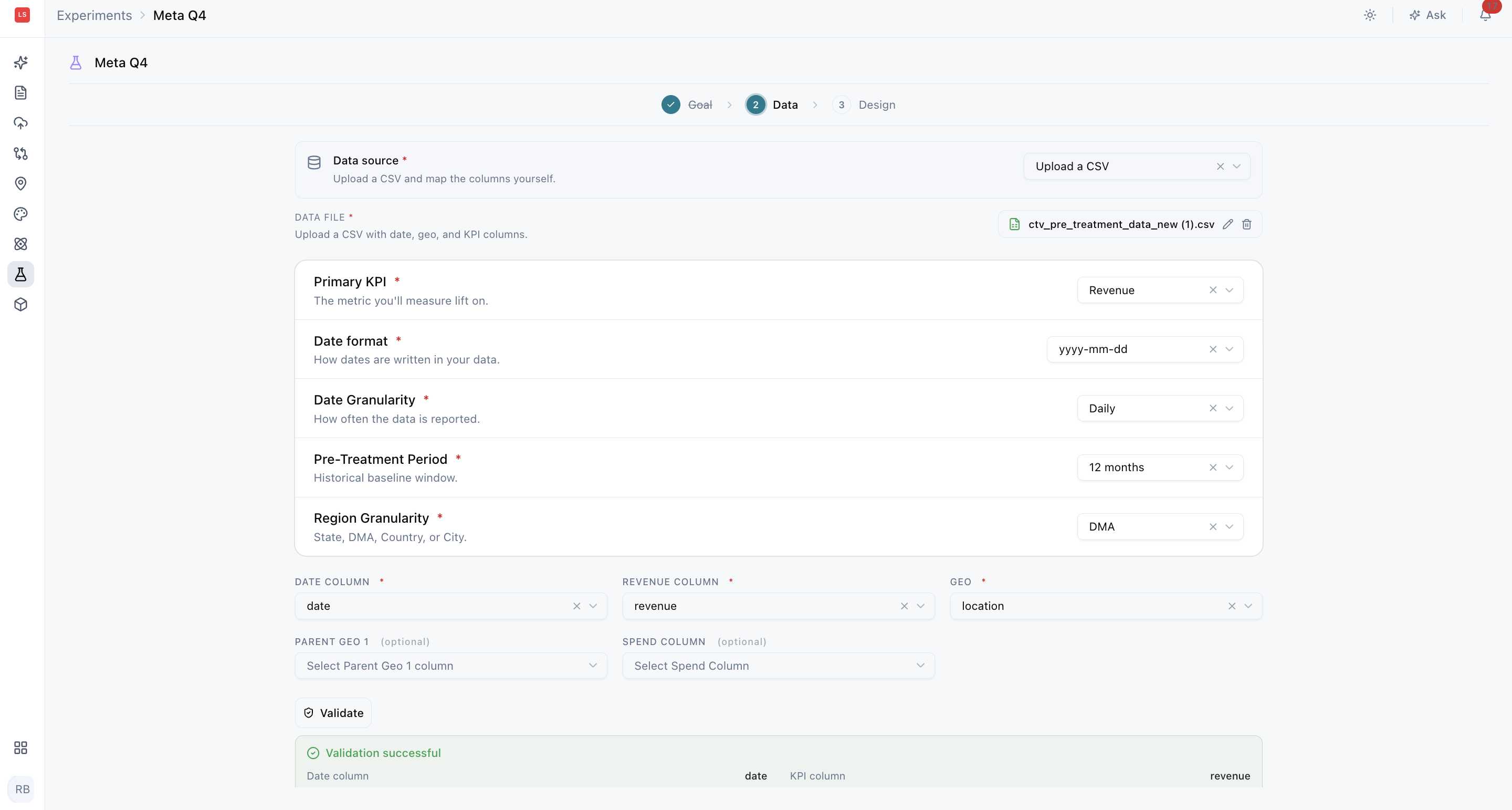
Upload the experiment CSV, then configure:
- Primary KPI
- Date field and date format
- Daily or weekly data granularity (how often your data is recorded)
- Geographic field and region granularity (the level of geography, such as state, DMA, or city)
- Pre-treatment period
- Optional spend and secondary KPI fields
Choosing the pre-treatment period
The pre-treatment period (the stretch of historical data before the test begins) gives Lifesight the history needed to build a synthetic control (a benchmark built from comparable markets that shows how your test markets would have performed without the change).
Use a continuous period that represents normal business behavior and includes enough variation to distinguish test markets from their controls. Avoid periods distorted by unusual events, such as a stock-out or a one-time promotion.
See Geo test data schema for file requirements and formatting guidance.
3. Design a test that can detect impact
Create test cells
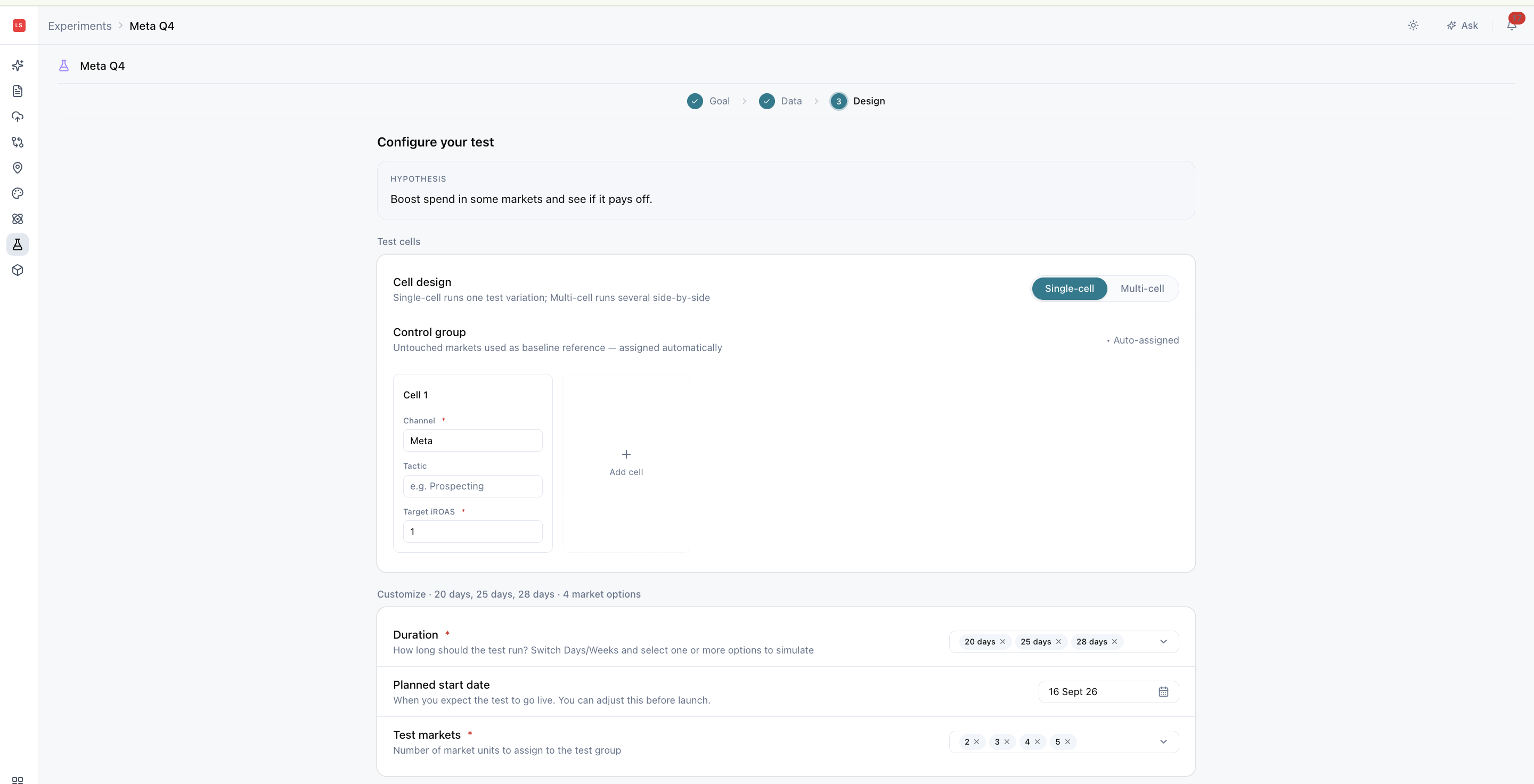
Create one or more test cells. Each cell represents a treatment that will be measured within the experiment. For example, you could test Meta prospecting in one cell and YouTube in another.
For each cell, enter:
- A clear cell name
- Channel and tactic
- Target iROAS or iCPA (incremental cost per acquisition)
- Candidate test durations
- Candidate numbers of test markets
Advanced settings
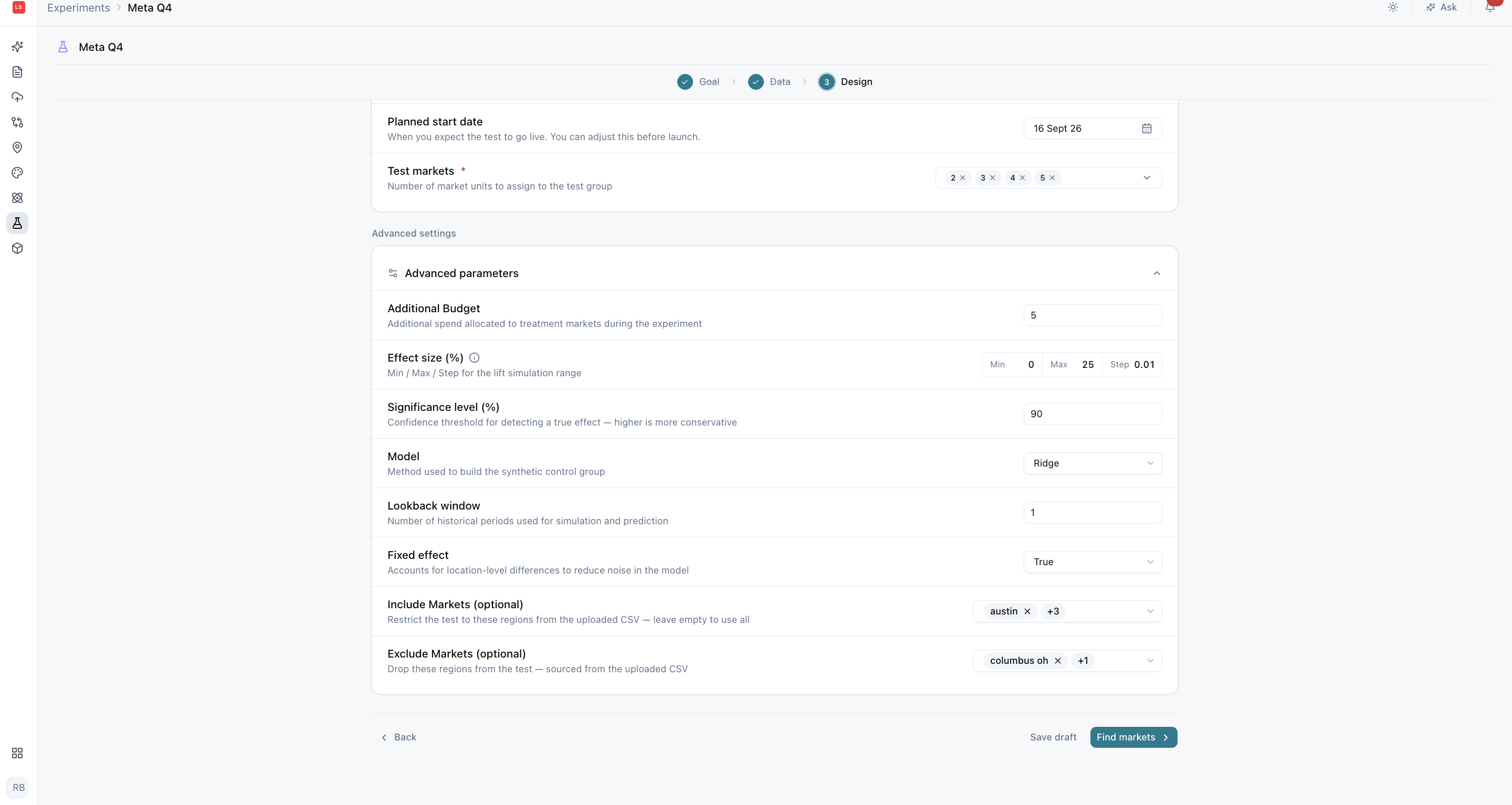
Advanced settings can include:
- Lift model
- Lookback window (how much historical data is used to build the control)
- Fixed effects (adjustments for consistent differences between markets)
- Significance level (the threshold for how confident the result needs to be)
- Additional budget
- Expected effect range
- Markets to include or exclude
Set realistic targets
Use realistic target efficiency and effect assumptions. An aggressive target can make a design look inexpensive while reducing the chance that the expected effect can be detected, leaving you with a test that costs less but can't give you a clear answer.
Pick the strongest market combination
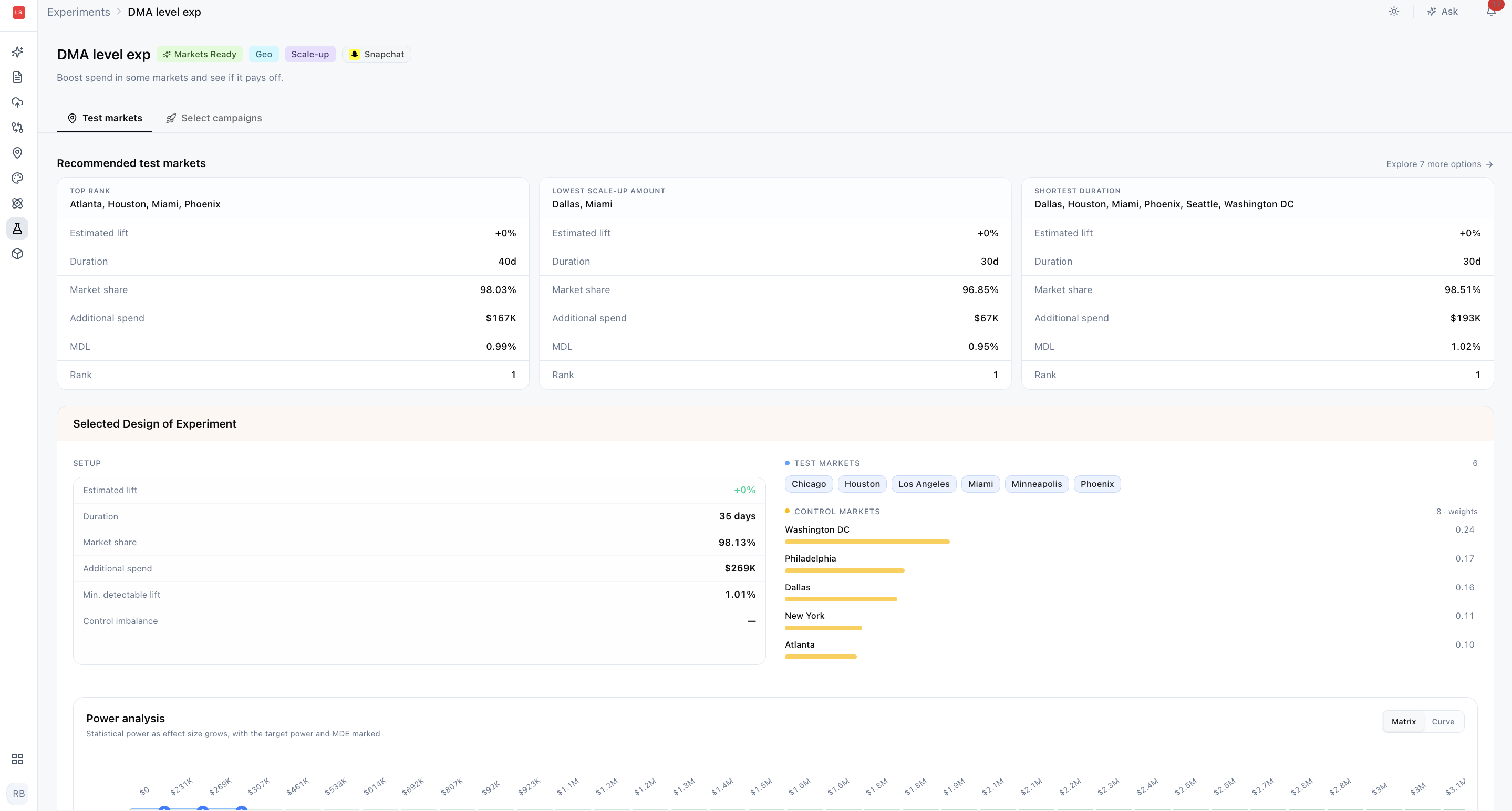
Select Find markets to submit the design. Lifesight evaluates candidate test markets and builds a weighted synthetic control for each recommendation.
What to review
- Synthetic-control fit: how closely the control reproduces the test markets before treatment. A closer pre-treatment fit provides a more credible baseline.

- Statistical power: the likelihood that the design can detect an effect of the planned size when the effect is real. Higher power is preferable.
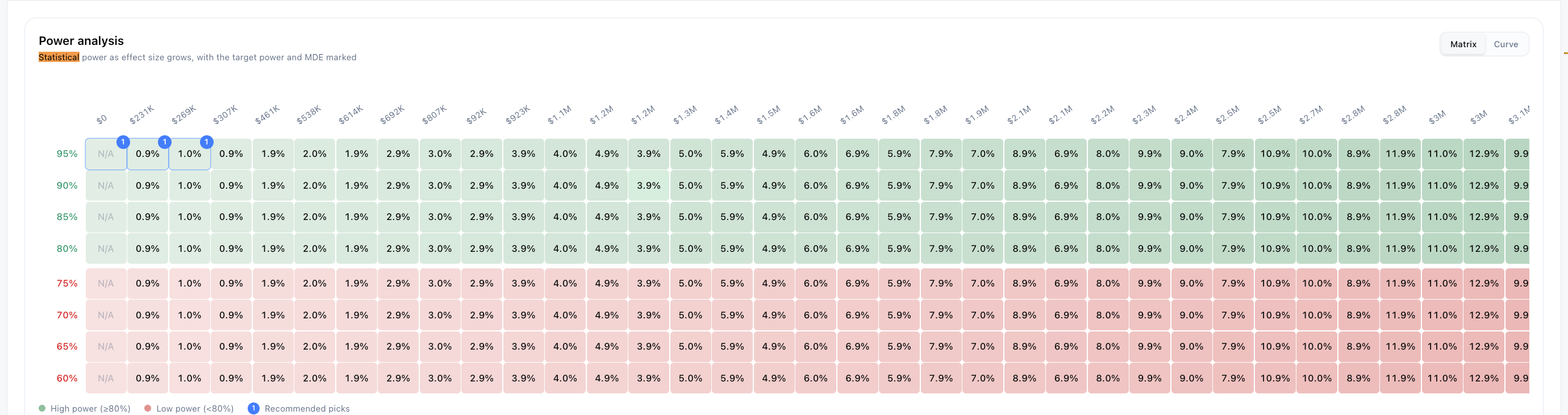
- Minimum Detectable Lift: the smallest lift the design is expected to detect reliably. Lower values allow the experiment to identify smaller effects.
- Estimated investment: the additional or withheld spend associated with the design.
- Control weights: how much each control market contributes to the synthetic-control baseline.
How to choose
Choose a recommendation that balances statistical quality with operational feasibility. Avoid selecting a market combination on investment alone. The cheapest option is only a good choice if it can still detect the effect you're looking for.
Launch your experiment
Select campaigns
After selecting the test markets, choose eligible campaigns for each cell.
- For a Hold-out: select the campaigns or ad sets to exclude from the test markets.
- For a Scale-up: select the control campaigns that your team will duplicate into test campaigns.
Schedule the test
Choose the start date and deployment method, then promote and schedule the experiment when every cell is ready.
Note: Automatic campaign scheduling may not be available for every workflow. With Manual deployment, your team must apply the planned changes in the advertising platform on the scheduled date.
Final checklist
Before scheduling, confirm that:
- The hypothesis and primary KPI match the business decision.
- The test and pre-treatment windows are correct.
- The selected markets have an acceptable fit, power, and MDE (Minimum Detectable Lift).
- Campaign ownership and deployment steps are clear.
- No unrelated market-level activity is expected to distort the test, such as a regional sale or a local TV campaign in a test market.
Frequently Asked Questions
What data do I need to create a geo experiment?
A CSV with a date column, a geographic-market column, and the primary KPI you want to measure. Spend and secondary KPI fields are optional. See Geo test data schema for full requirements.
Can I save my experiment and finish it later?
Yes. You can save an incomplete experiment as a draft and resume it from the Experiment List.
What makes a good hypothesis?
A clear hypothesis states what you are changing, where you expect an effect, and which KPI should respond.
Should I choose Hold-out or Scale-up?
Choose Hold-out to measure what an existing activity is contributing by pausing it. Choose Scale-up to measure whether additional investment drives more results.
How long should my pre-treatment period be?
Use a continuous period that represents normal business behavior and has enough variation to distinguish test markets from their controls. Avoid periods affected by unusual events.
What is a test cell?
A test cell represents a single treatment measured within the experiment. You can create one or more cells in the same experiment.
Why shouldn't I set an aggressive target iROAS or iCPA?
An aggressive target can make a design look inexpensive while reducing the chance of detecting the expected effect. Realistic assumptions give you a test that can produce a clear answer.
How do I choose between market recommendations?
Review synthetic-control fit, statistical power, Minimum Detectable Lift, estimated investment, and control weights together. Choose the option that balances statistical quality with operational feasibility, rather than the lowest investment alone.
What does Minimum Detectable Lift mean?
It is the smallest lift the design is expected to detect reliably. Lower values mean the experiment can identify smaller effects.
Will Lifesight change my campaigns automatically?
Automatic campaign scheduling may not be available for every workflow. With Manual deployment, your team must apply the planned changes in the advertising platform on the scheduled date.
What should I avoid while the test is running?
Avoid unrelated market-level activity, such as regional promotions or local campaigns in test markets, that could distort the result.
Updated about 3 hours ago