
Connect your Data
Bring all your marketing and business data into Lifesight, integrate your sources and shape it into the inputs your models run on.
Every number Lifesight shows you starts somewhere else: a row in Google Ads, a line in a Shopify order, a column in someone's spreadsheet. The Data module brings all of it together, maps it to one set of definitions, and keeps it current, so your team works from one set of numbers instead of stitching them together by hand.
It is the foundation of the platform, and it connects to a wide range of sources and destinations. Centralizing your marketing, business, and customer data removes silos, improves accuracy, and gives your team one current view to work from.
Nothing downstream can be better than the data underneath it. A media mix model that reports the wrong revenue is not a modelling problem. It is a data problem, and it gets solved here.
This guide walks you through connecting your sources, managing consent, and getting your data ready to use.
This module was previously called Data OS. It is now simply Data. The capabilities have not been removed, only renamed and reorganised.
How does data works in Lifesight
Data is organised into four sections, each handling one stage of the work in sequence.
| Where | What it does | The question it answers |
|---|---|---|
| Integrations | Brings the data in | Where does our data come from, and is it arriving? |
| Data Transformation | Puts every source in the same language | Does "revenue" here mean the same thing as "revenue" there? |
| Data Taxonomy | Groups it the way the business thinks | Which campaigns belong to which tactic (prospecting, retargeting, brand)? |
| Model Schema | Prepares it for a model | Which fields go into a given model, and how? |
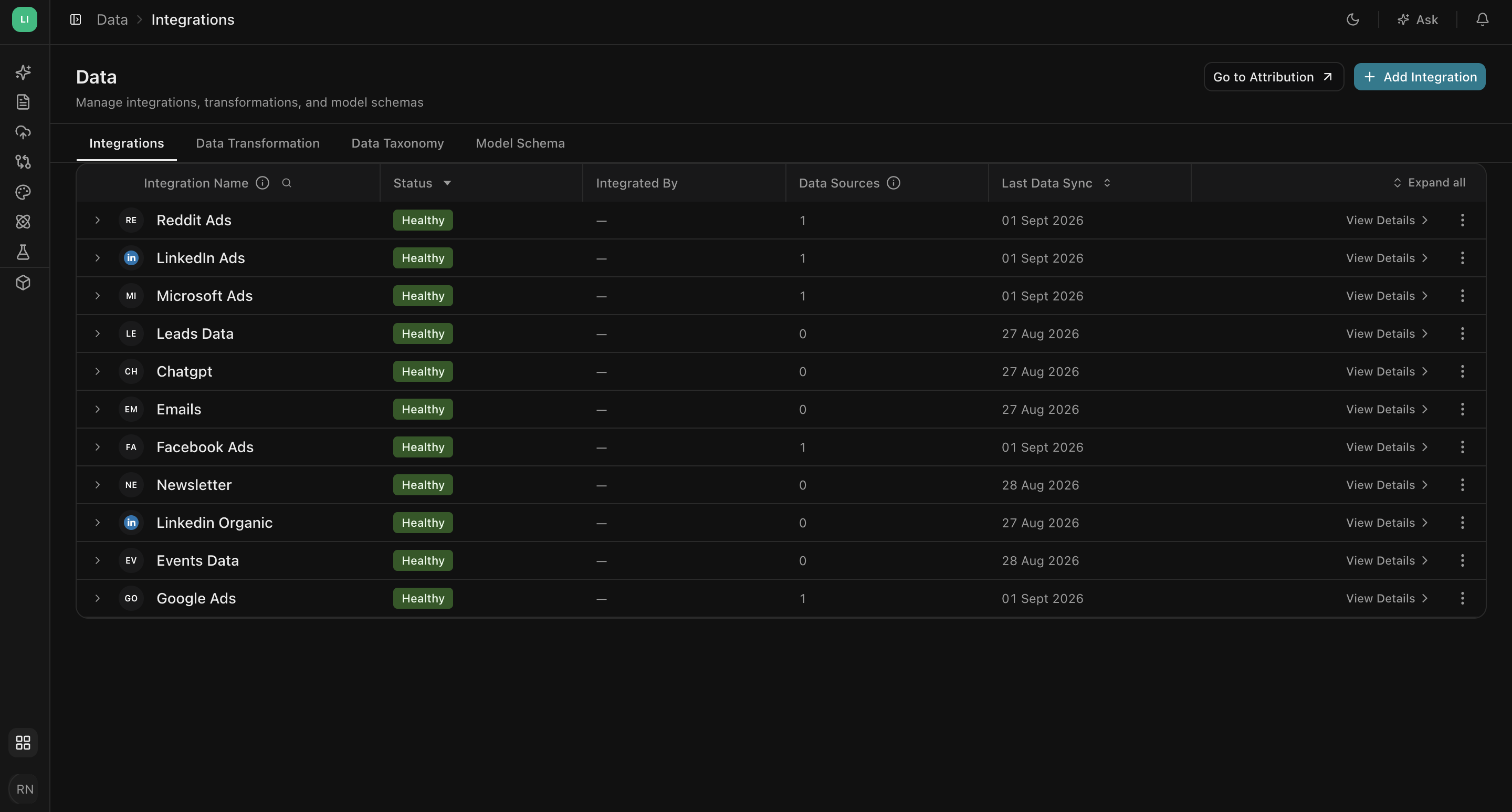
You will find these as four tabs across the top of the Data page, in the order you work through them.
How the four steps fit together
Data setup looks like one big task. Splitting it into four keeps each decision where it belongs, and it means you rarely have to redo work.
Integrations is about access and plumbing. You are answering a yes or no question: is Lifesight allowed to read this account, and is the data flowing. Once a source is connected and healthy, you mostly stop thinking about it.
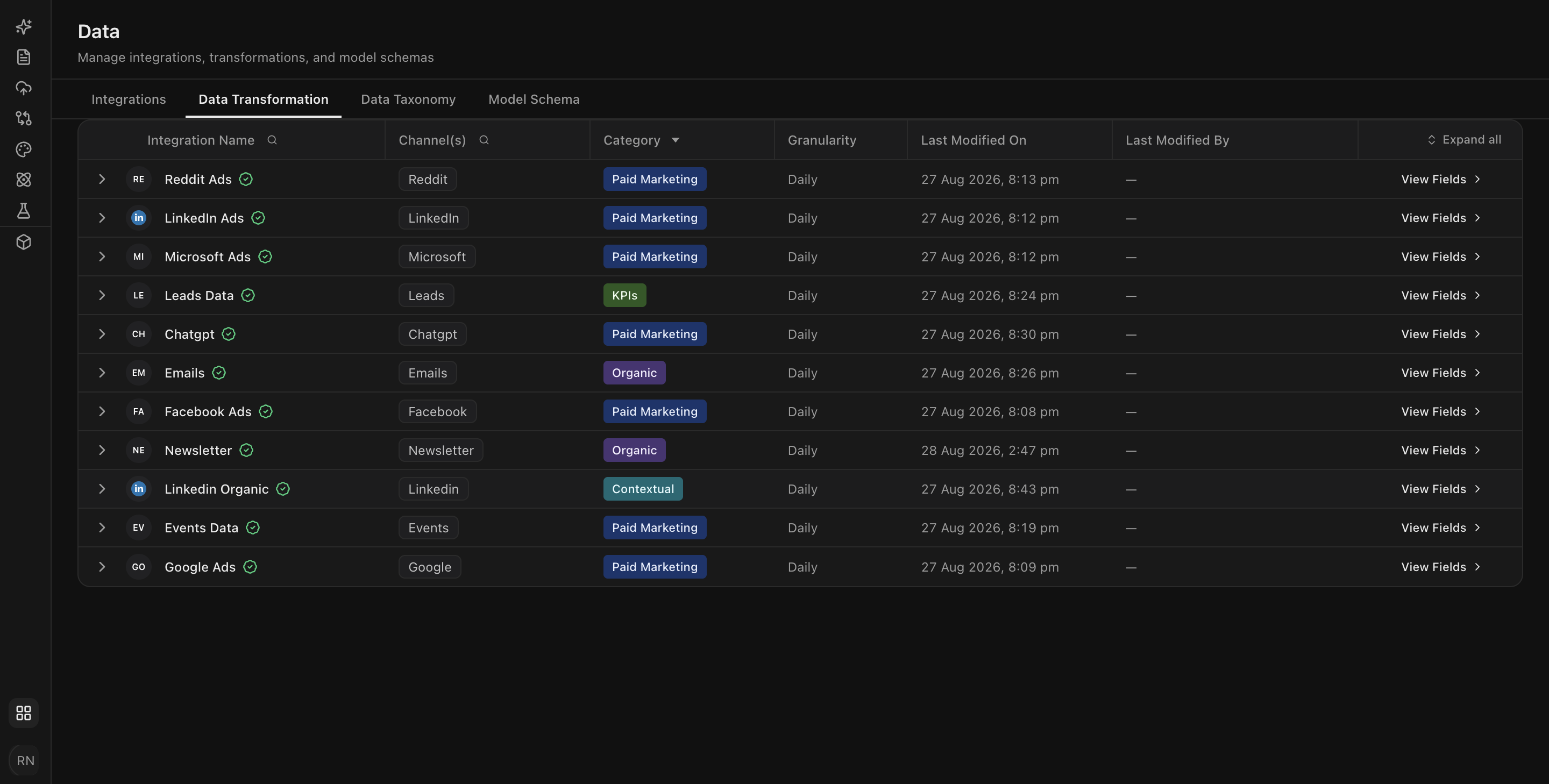
Data Transformation is about meaning. Google calls a column cost. Meta calls it spend. Your spreadsheet calls it Media Investment. All three are the same idea, and a model needs them to be the same field. This tab is where you say so, once, and every source that lands afterwards inherits the same vocabulary.
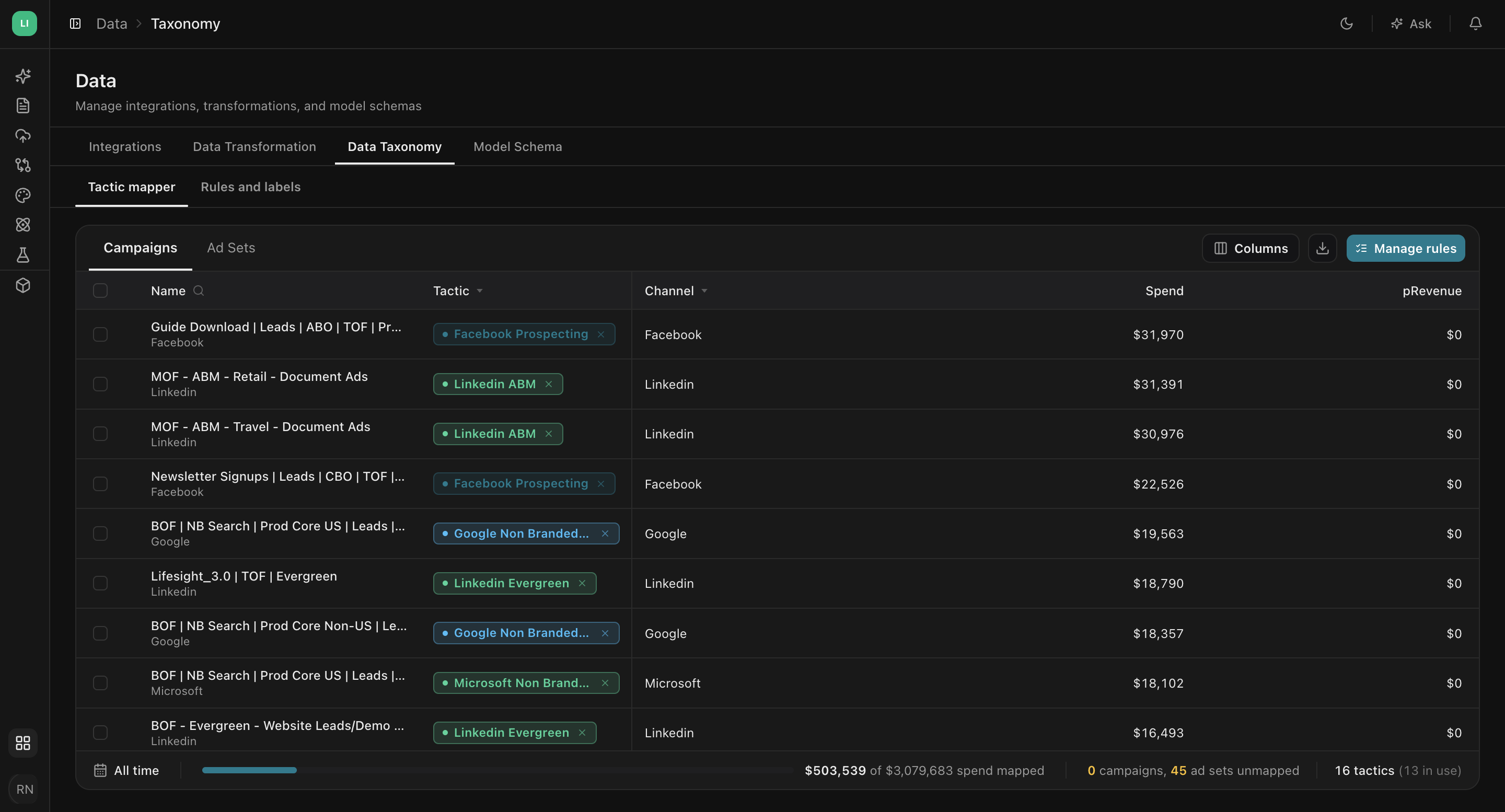
Data Taxonomy is about grouping. Two campaigns can both be Google Ads spend and still be doing completely different jobs, one defending your brand terms and one prospecting for new customers. Averaging them together hides the thing you most want to know.
This tab is where you sort campaigns into tactics(a tactic being the group you plan and budget by, like brand search, prospecting, or retargeting) that reflect how you actually run marketing.
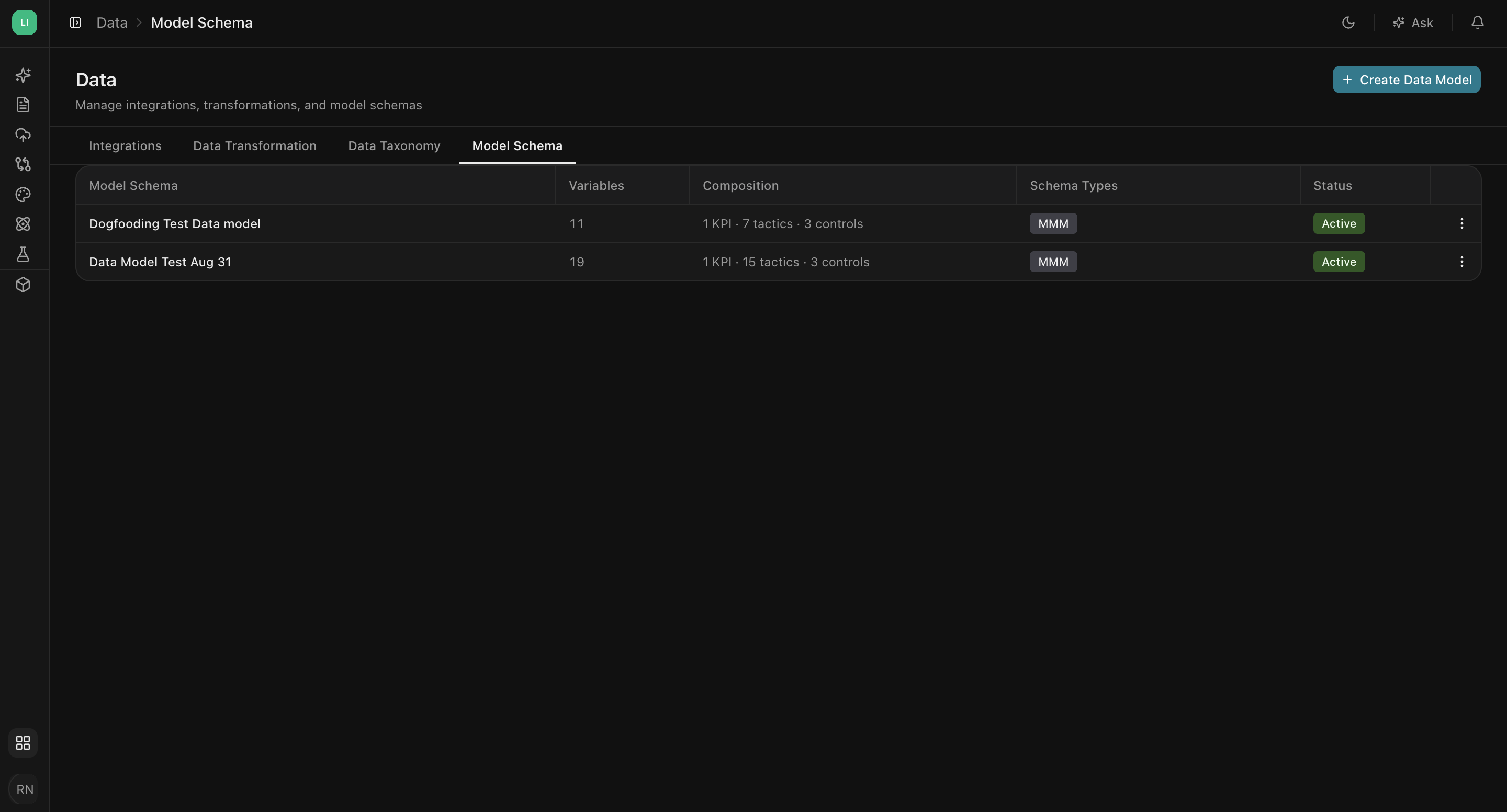
Model Schema is about a specific question. You do not model everything at once. You pick an outcome, pick the media that plausibly drives it, add the context that explains the rest, and leave out the noise. This tab is where you define that selection and save it so it can be reused and refreshed.
An analogy if it helps. Integrations is getting the ingredients into the kitchen. Transformation is realising that "castor sugar" and "superfine sugar" are the same thing. Taxonomy is separating the baking ingredients from the savoury ones. Schema is picking the recipe you're making tonight.
Getting set up in order
The tabs after Integrations stay locked until you have at least one active integration. That is deliberate. There is nothing to map, group, or model until data is arriving. If you hover a locked tab it will tell you the same thing.
A sensible first pass looks like this.
- Connect one source you know well. Your largest ad platform is usually the right choice, since a wrong number will stand out to you immediately. To see how to connect each of your sources, go to Integrations.
- Wait for the first sync. The initial pull covers your full history, so it takes longer than later refreshes. The integration shows as Healthy once it completes.
- Review your fields in Data Transformation. Most columns from a native platform are mapped for you. Confirm that the ones that matter (spend, revenue, the date column) landed on the right Lifesight fields, and correct anything that did not.
- Connect your remaining sources. With a known-good setup to compare against, the rest go faster.
- Assign tactics in Data Taxonomy. Start with the campaigns carrying the most spend. There is no need to classify everything on day one.
- Build a Model Schema last. It is defined around a specific question, so it comes once you know what you want to measure.
Steps 1 to 4 are usually one sitting. Steps 5 and 6 benefit from a conversation with whoever runs the campaigns, because they involve judgement about how your marketing is actually organised.
From connected source to model-ready data
A closer look at what sits behind each one, and what you have once it is done.
Integrations
The catalogue of sources Lifesight can read, the wizard that connects them, and the health view that tells you whether they are still working. Sources fall into three groups: native platform connectors that authenticate with a sign in or an API key, files and spreadsheets you upload or link, and data warehouses you point at your own tables.
Data Transformation
A list of your connected sources, and behind each one, the columns it produces. For every column you decide two things: which Lifesight field it becomes, and where its value comes from. A field can take its value from a column in that source, or it can be a fixed value stamped on every row from that source. Those two options cover the large majority of real setups.
Data Taxonomy
A table of your campaigns with the spend behind each one, and a tactic column you fill in. You can assign tactics by hand for a handful of campaigns, or write rules that assign them automatically based on the campaign name or any other dimension. Rules are the sane choice at scale, because new campaigns get classified the moment they appear.
Model Schema
A guided flow that captures what a model is made of: the outcome you are explaining, the paid media you think drives it, the organic and contextual variables that explain the rest, and the causal relationships between them. Save it once and it becomes a reusable definition rather than a one off setup.
Quick example
A retailer selling truck and car accessories wants to know how much of last year's revenue their paid media actually caused.
They start in Integrations, connecting Google Ads and Meta Ads and selecting the five ad accounts that carry their spend. Both show as Healthy once the first sync completes, which takes a few hours because it pulls a full year of history.
In Data Transformation they open Google Ads and look at the fields. spend, clicks, and impressions are already mapped. attributed_revenue is mapped to Attributed Revenue, which is what they want. They notice their Meta account reports currency in USD while a small regional account reports in CAD, so they leave that one out for now rather than mixing currencies.
In Data Taxonomy they find 300 campaigns and, rather than working through them one by one, write three rules: names containing Brand become Paid Search Brand, names containing Non Brand become Paid Search Non-Brand, and anything on Meta with Prospectingin the name becomes Paid Social Prospecting. That covers most of their spend in a few minutes, and the long tail gets assigned by hand later.
In Model Schema they create a schema called Revenue MMM, set the primary KPI to Revenue, add Google and Meta as paid media channels split by tactic, and add a contextual variable for promotional periods. That schema is what their media mix model runs on.
Frequently Asked questions
What happens if I map something wrong?
You change it and save. Mappings are definitions, not one-way imports, so a correction applies going forward and to the historical data already held.
How long does the first sync take?
Longer than later refreshes, because the initial pull covers your full history. The source shows as Healthy once it completes.
Why are the later sections locked when I first arrive?
There is nothing to map, group, or model until data is arriving. Once you have one active integration, the rest unlock. Hover over a locked one and it tells you the same thing.
Do I have to finish one section before starting the next?
For your first source, broadly yes. After that the order matters less. Connecting a new integration later sends you back to Data Transformation to check its fields, but you are not starting over.
Do I have to classify all my campaigns before I can model anything?
No. Start with the campaigns carrying the most spend and leave the long tail for later. Rules based on campaign name handle the bulk of it, and anything new gets classified the moment it appears.
What if my campaign names are inconsistent?
Rules will get you part of the way, and the rest can be assigned by hand. This is the part worth doing with the person who names the campaigns, since they know what the conventions were meant to mean.
Can I connect sources other than ad platforms?
Yes. Alongside native platform connectors, you can upload or link files and spreadsheets, or point Lifesight at tables in your own data warehouse.
What if my accounts report in different currencies?
Mixing currencies distorts your spend figures. Either standardize before the data arrives, or leave the mismatched account out until you have.
Do I need a separate Model Schema for every question?
A schema is defined around one outcome, so a different question usually means a different schema. Each one is saved and reusable, so you build it once and refresh it rather than starting again.
Who on my team should own this?
Integrations usually sits with whoever has admin access to the ad accounts. Data Transformation and Model Schema suit an analyst. Data Taxonomy works best with the person who names the campaigns.
Related Articles
Connect your data with Integrations
Updated about 1 hour ago