
Meta Ads
Brings Facebook and Instagram spend into Lifesight, so prospecting and retargeting are measured separately rather than averaged into one figure.
Meta covers Facebook and Instagram, and for most consumer brands it is where demand gets created rather than merely captured. That makes it one of the harder channels to measure with clicks alone, because a lot of its effect shows up later and somewhere else.
Connecting Meta gives Lifesight the granular data needed to model that properly, and to keep prospecting and retargeting apart, which is usually the single most important distinction on the platform.
What Lifesight brings in
Lifesight reads the full Meta hierarchy:
- Ad Account - the account holding the spend
- Campaign - where the objective is set
- Ad Set - where audience, budget and schedule live, and where prospecting and retargeting usually diverge
- Ad - the individual creative
The data pulled includes:
| Category | Data points |
|---|---|
| Performance metrics | Spend, Impressions, Reach, Frequency, Clicks, Click Through Rate, Video Views |
| Conversion metrics | Purchases, Add to Cart, Leads, Conversion Value, Attributed Revenue |
| Cost metrics | Cost Per Click, Cost Per Mille |
| Hierarchy dimensions | Account Name, Campaign Name, Ad Set Name, Ad Name |
| Targeting dimensions | Country, Region, Device, Placement, Objective |
Because Meta reports at ad set level, you can classify prospecting and retargeting separately in Data Taxonomy even when they share a campaign.
Before you start
You need a Facebook account with access to the Meta ad accounts you want to sync, granted through Meta Business Manager. Read access to the ad account is enough.
If your agency runs the account, make sure your own user has been granted access in Business Manager first, or the accounts will not appear.
Connecting Meta Ads
- Go to Data > Integrations and click Add Integration.
- Search for Meta Ads and click Connect on the tile.
- On the Authenticate step, click Sign in.
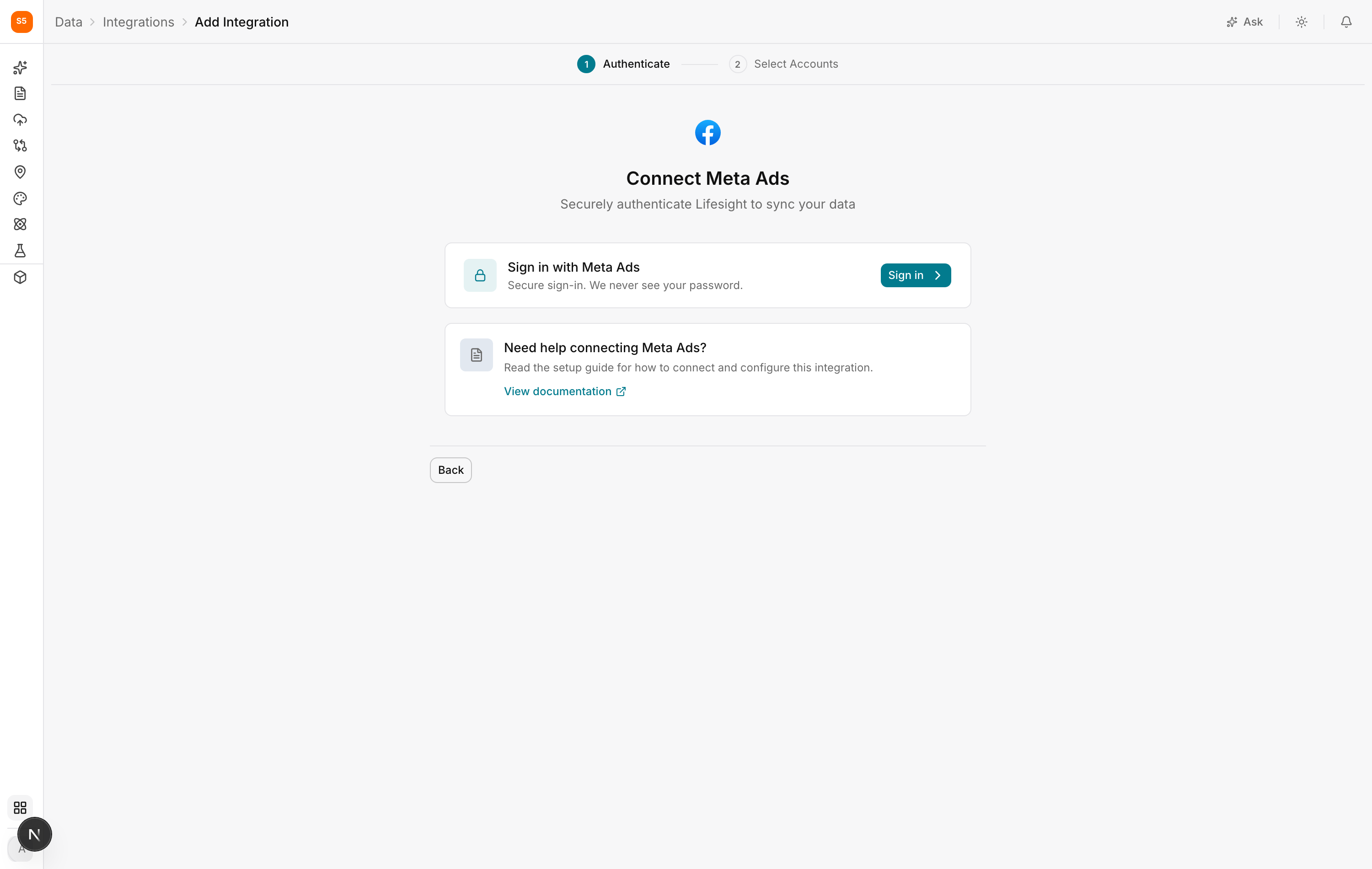
- Log in with Facebook and approve the permissions. Lifesight requests read access to advertising data only.
- On the Select Accounts step, tick the ad accounts you want to sync.
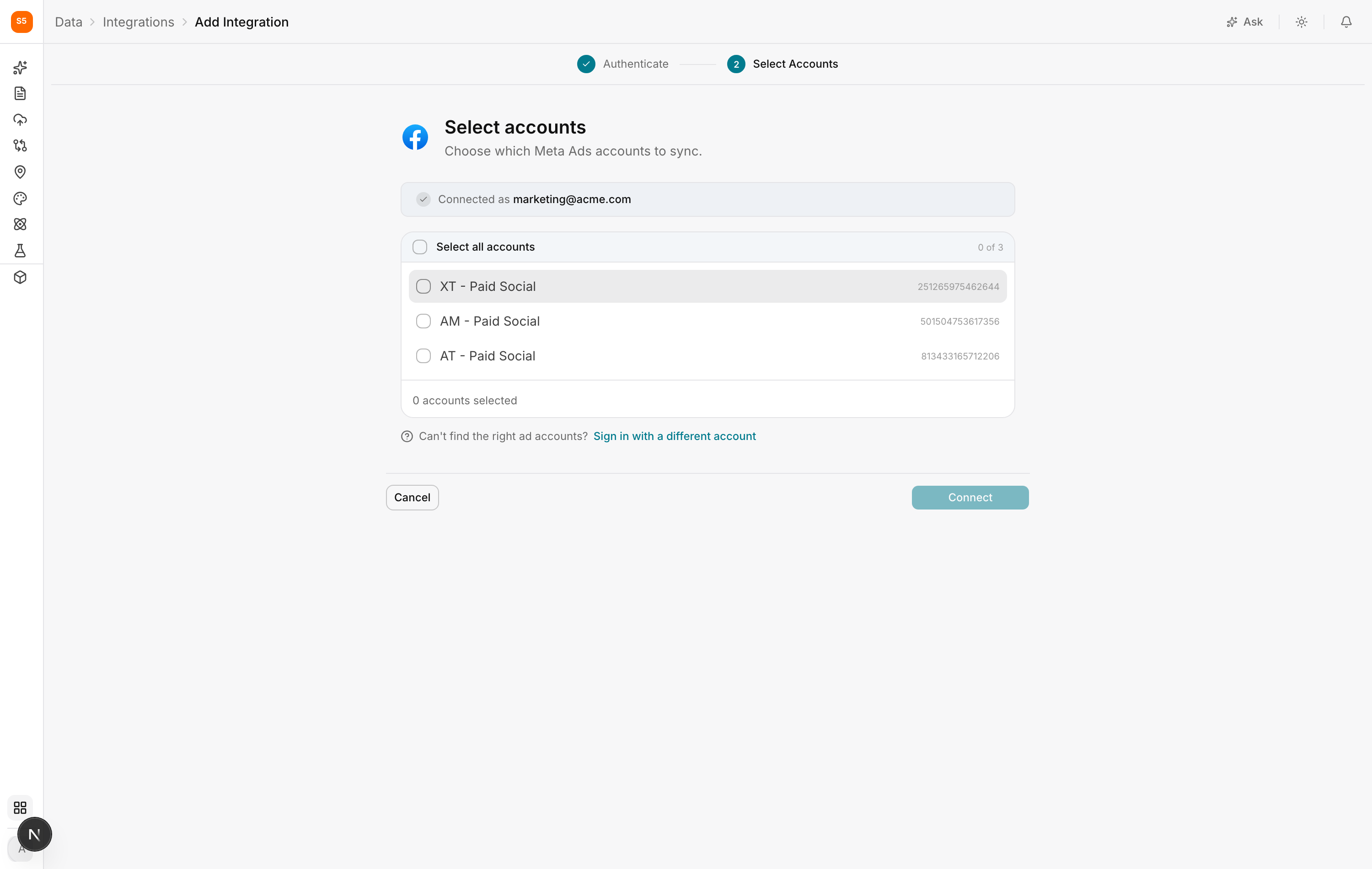
- Click Connect.
The first sync covers your history and can take some time. The status moves to Healthy once it is done.
After connecting
Open Data > Data Transformation, find Meta, and check the field mappings. Pay particular attention to which revenue field you are using. Meta reports conversion value on its own attribution window, and you should be deliberate about whether that is the number you want a model to explain.
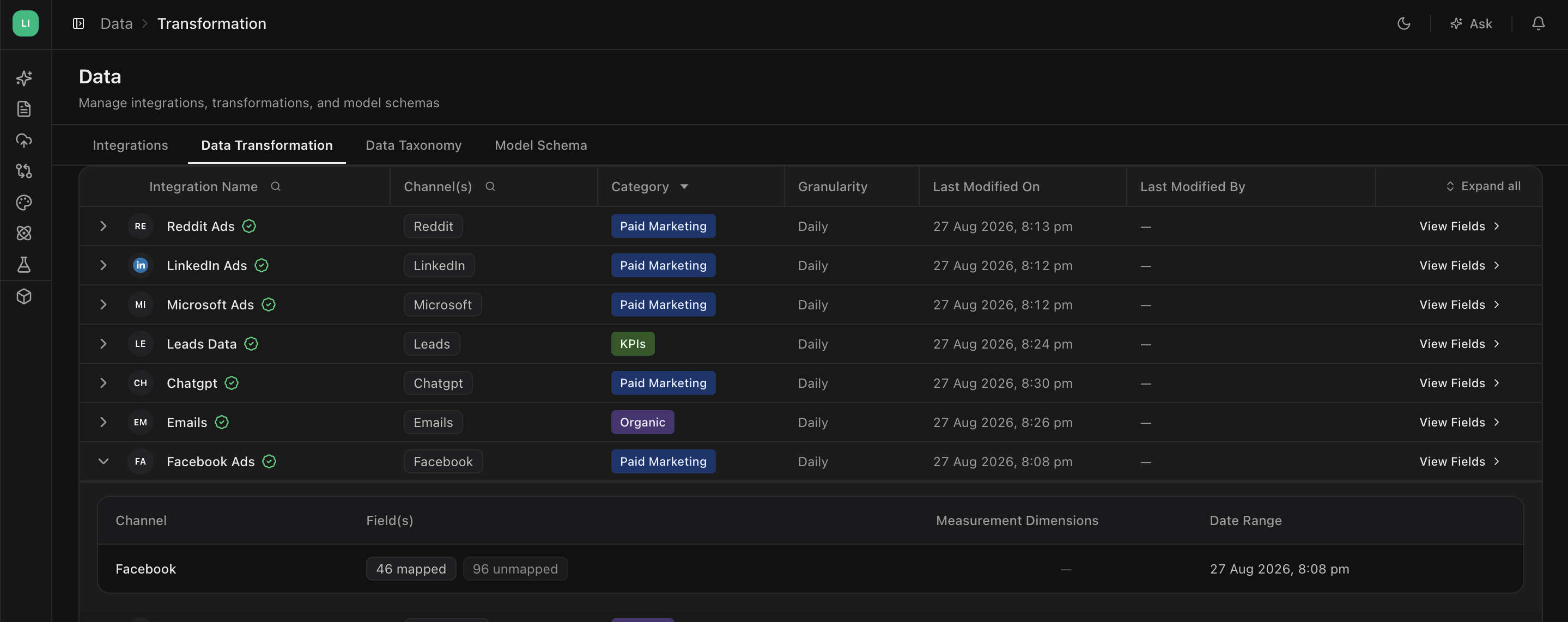
Then open Data > Data Taxonomy. Meta is the clearest case for working at Ad Sets level, because prospecting and retargeting audiences frequently sit inside one campaign. Splitting them is what lets a model tell you whether retargeting is genuinely adding incremental sales or being paid for sales that were going to happen anyway.
Troubleshooting
My ad accounts are not listed
Access has not been granted to your Facebook user in Business Manager. Ask the account admin to add you, then sign in again.
Numbers differ from Ads Manager
Expect this. Meta attributes conversions on a click and view window and back-dates them, and its default reporting window may not match the one you are comparing against. Spend and impressions should line up closely. Conversion counts often will not, and that is a difference in question rather than an error.
The integration went to Reconnect
Meta access tokens expire periodically, and a password change or permission change at Business Manager will end them early. Open the integration and sign in again.
Some campaigns are missing
Check that every relevant ad account was selected. It is easy to miss an account used for a single product line or region.
Next up
Connect your:
- Google ads
- Microsoft ads
- Snapchat ads
Updated about 1 hour ago