
Onboarding new clients/brands
Lifesight Agency Setup and Workspace Management
When an agency signs a contract with Lifesight, the agreement includes the number of brands or clients who will use Lifesight to measure and optimize their marketing efforts. This document outlines the steps for agencies to manage workspaces, ensure data compliance, and effectively onboard brands to the Lifesight platform.
Steps for Agency Setup
1. Contract Agreement
The agency signs a contract with Lifesight, which specifies the number of brands/clients that will be onboarded to the platform for marketing measurement and optimization.
2. Data Privacy Compliance
The agency collaborates with each brand to determine how and where they would like to store their data privacy compliance information. This information is shared with Lifesight to ensure the platform is set up to meet the specific data localization requirements of each brand.
3. Workspace Setup
Based on the number of brands/clients agreed upon in the contract, the Lifesight team sets up the platform with access to the designated number of workspaces. Each workspace is tailored according to the agency's requirements and data localization laws.
Note: Lifesight provides white-labelling upon request to agencies that require custom branding.
Agencies can create and manage individual workspaces for each brand onboarded to Lifesight, providing centralized management for data integration, analytics, and optimization.
Creating Additional Workspaces
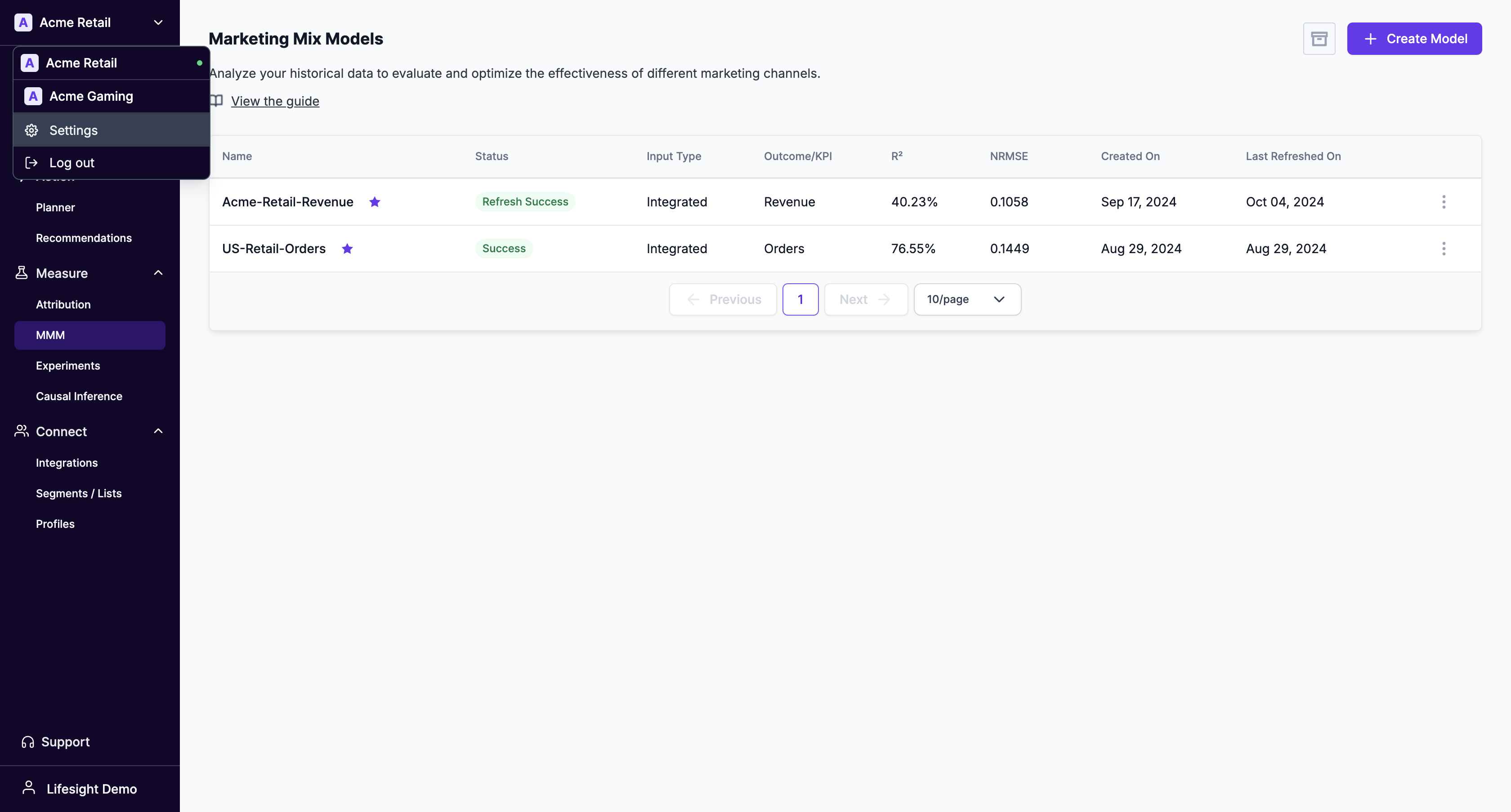
Once the initial workspaces are created, agencies can add more as needed. To do this, navigate to the left-hand menu:
- Click on
Workspace name > Settings
Example: The screenshot below shows two active workspaces for Acme Retail and Acme Gaming.
Client Setup Process
Once the workspaces are created, agencies can follow the steps below to invite clients and manage their access:
-
Inviting Users to a Workspace
- After creating a workspace for a brand or client, open the specific workspace and navigate to
Settings. From there, you can invite users to the workspace and manage their roles and permissions.
- After creating a workspace for a brand or client, open the specific workspace and navigate to
-
Setting Up Data Integrations
- Guide clients through the data integration process. Ensure that all relevant data sources are correctly connected to the platform for seamless tracking and optimization.
-
Defining Brand/Client Outcomes
- Work with clients to set clear KPIs, such as conversion rates, ROI, and marketing efficiency metrics. This helps define the objectives Lifesight will optimize for.
-
Showcasing Marketing Performance Improvements
- Use Lifesight's transparent dashboard to show brands their marketing performance before and after using the platform. This data-driven approach helps build trust and credibility, enabling agencies to demonstrate business outcomes and gain more marketing budget from their clients.
Updated over 1 year ago