
About the platform
Learn about our workflow and how to use it
Lifesight’s platform UI is designed for easy and intuitive navigation. This guide provides a detailed breakdown of the key components within the platform to help you understand its structure and navigate effortlessly.
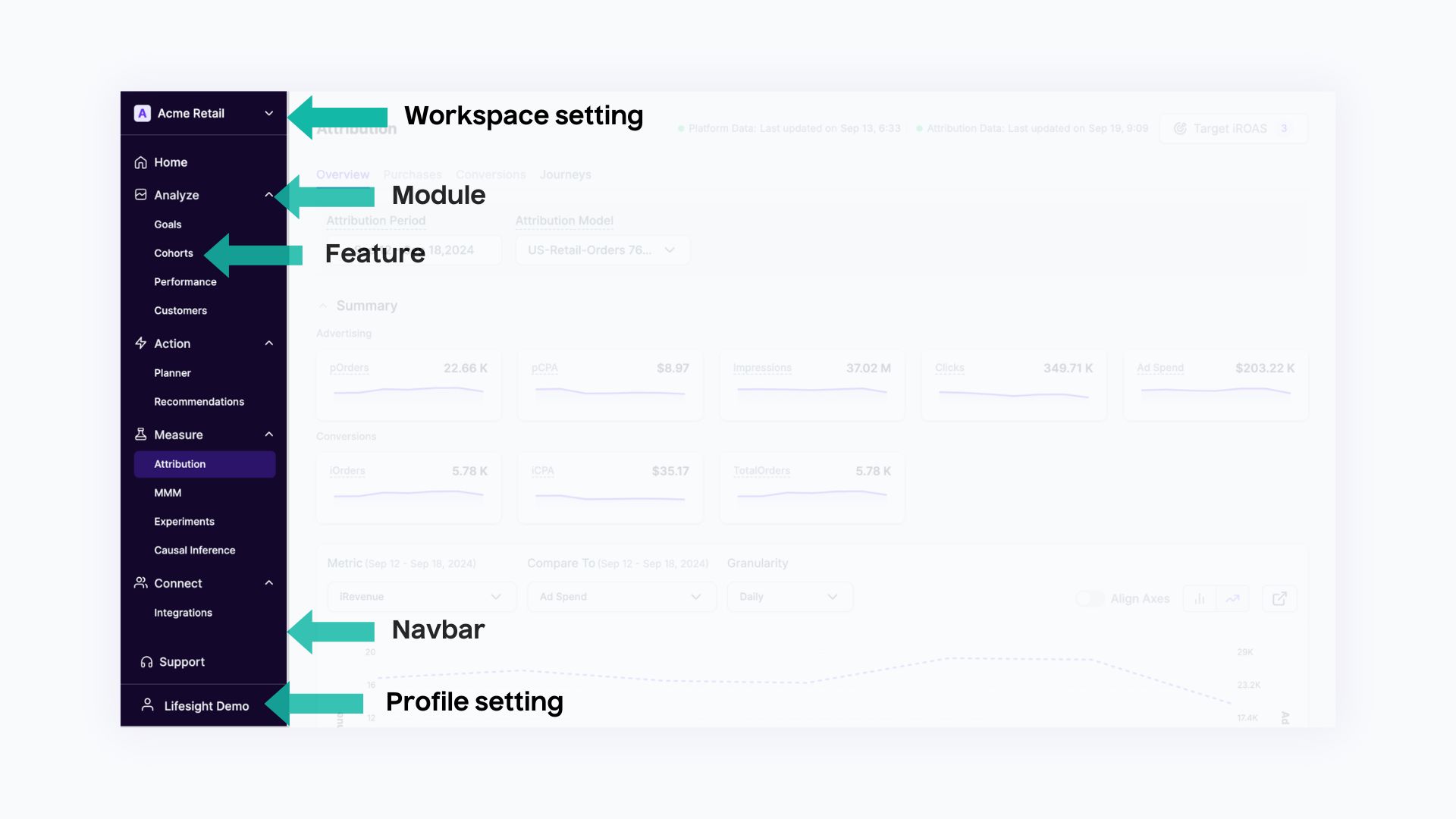
Navigation Bar
The Navigation Bar is located on the far-left side of the platform. It offers quick access to the primary sections, such as:
- Home: The dashboard and high-level summaries.
- Analyze: Deep dive into performance metrics.
- Connect: Integration options and connection management.
The navbar is the central hub for all navigation within the platform.
Settings
Located at the top left corner of the platform, the Workspace Setting allows you to switch between different workspaces. This feature is particularly useful for agencies managing multiple brands or clients. The workspace dropdown helps organize and control access to different projects under one platform.
Modules
On the left-hand side, you will find the Module section. There are currently 4 modules in Lifesight:
- Connect - This module takes care of all integrations and manages customer profiles and consent to stay privacy compliant. It is primarily used by Data teams to connect all their data sources to a build a unified view.
- Measure - This module such as MMM, Experiments, and Causal Attribution are used to triangulate your marketing truth. It is mostly used by data scientists and marketing scientists to create complex models and do forecasting and predictions based on business data.
- Analyze - This allows you to plan and compare various marketing scenarios and get AI-powered optimization recommendations based on your business goals.
- Action - This lets you view your overall Goal progress and view various customer cohorts to understand the most profitable customers.
Account
At the bottom of the navigation bar, you will find the Account. This area allows you to manage your account details, update preferences, and access support options. It also gives you access to logout and switch between accounts or profiles if needed.
Updated over 1 year ago