
Experiments
Learn how to navigate and use Experiments in Lifesight
The Experiments dashboard gives you an overview of all the experiments run on Lifesight.
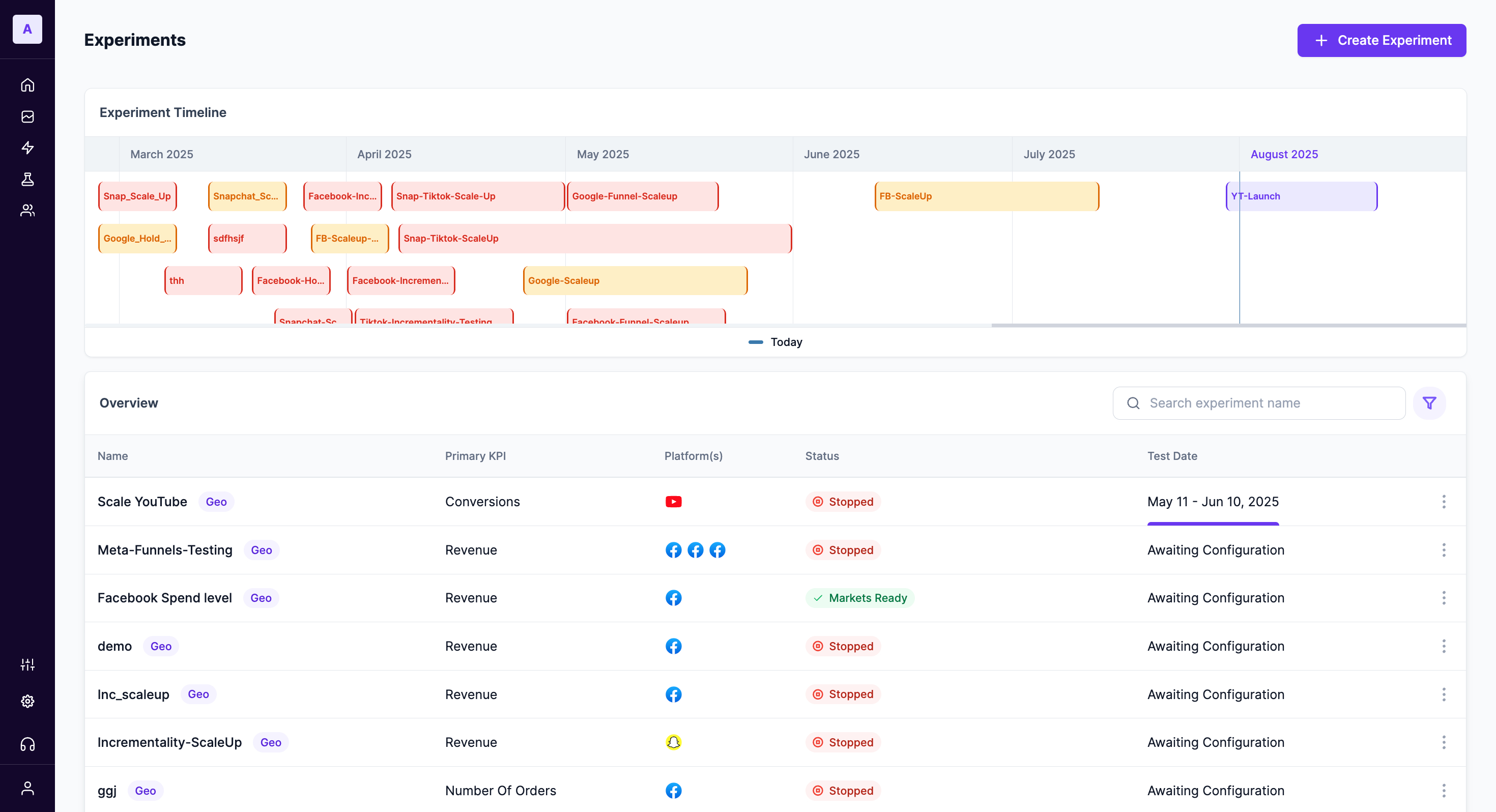
Key Components
- Name - The name of the Experiment you set while creating an experiment
- Outcome/KPI - Mentions the outcome KPI the experiment was run for (could be Revenue, Conversions, Store Lift, etc)
- Platform - Mentions the platforms on which the experiment was run.
- Status - Indicates the current stage of the experiment.
- Test Date - Shows the planned or executed period for the experiment
Experiment status in Lifesight
| Icon | Indication | Description |
|---|---|---|
 | Finding Markets | Identifying suitable markets for the experiment. |
 | Awaiting Data | Waiting for data collection to begin or complete. |
 | Markets Ready | Markets have been successfully set up for the experiment. |
 | Completed | The experiment has finished running and results are available. |
 | Running | The experiment is currently active and collecting data. |
Updated about 1 year ago
Did this page help you?