
Merging Models
Unify models for a single truth
The Lifesight UMM Platform allows you to combine multiple Marketing Mix Models (MMMs) into a single, unified view. This process, known as Model Merging, is a powerful feature that helps you create a holistic and comprehensive understanding of your marketing performance across different business units, regions, or product lines.
Why Merge Models?
Traditional marketing measurement often operates in silos, where different models provide separate, and sometimes conflicting, insights. By merging models, you can:
- Create a Single Source of Truth: Unify disparate datasets and methodologies to create a single, reliable framework for actionable steering.
- Achieve a Holistic View: Combine insights from various channels, like on- and offline activities, to understand their cross-channel impact and interaction effects.
- Enhance Accuracy: Blend data at a technical level rather than just comparing high-level insights. This leads to more accurate, granular, and unbiased performance estimates.
- Improve Budget Allocation: Make more informed and effective budget decisions based on a comprehensive view of performance, which can lead to a significant increase in sales uplift.
- Save Time and Resources: Merging existing, validated models is significantly faster than building a single, complex model from scratch that includes all the same features and predictor variables.
Prerequisites for Merging
Before you begin, please ensure the following conditions are met:
- Successful Models: All models selected for merging must have a
Successstatus. The platform will not allow you to merge models that are in progress, have failed, or are still being processed. - Compatible KPIs: All models selected for merging must share the same
Outcome/KPI. This is a mandatory requirement. The platform will not allow you to merge models with different KPIs, as this would produce an invalid analysis.
Model Selection PreconditionA shared outcome KPI (eg: Revenue, Orders, etc.) is a mandatory requirement for merging models. While selecting models for merge, ensure all models you intend to combine are aligned to the same KPI. This ensures the validity and accuracy of the resulting unified model.
How to Merge Models: A Step-by-Step Guide
Follow these steps to merge your Marketing Mix Models.
Step 1: Navigate to the Marketing Mix Models Page
From the main navigation menu, select "Marketing Mix Models" to view the list of all available models in your account.
Step 2: Initiate the Merge Action
In the top-right corner of the page, click the Merge Model button.
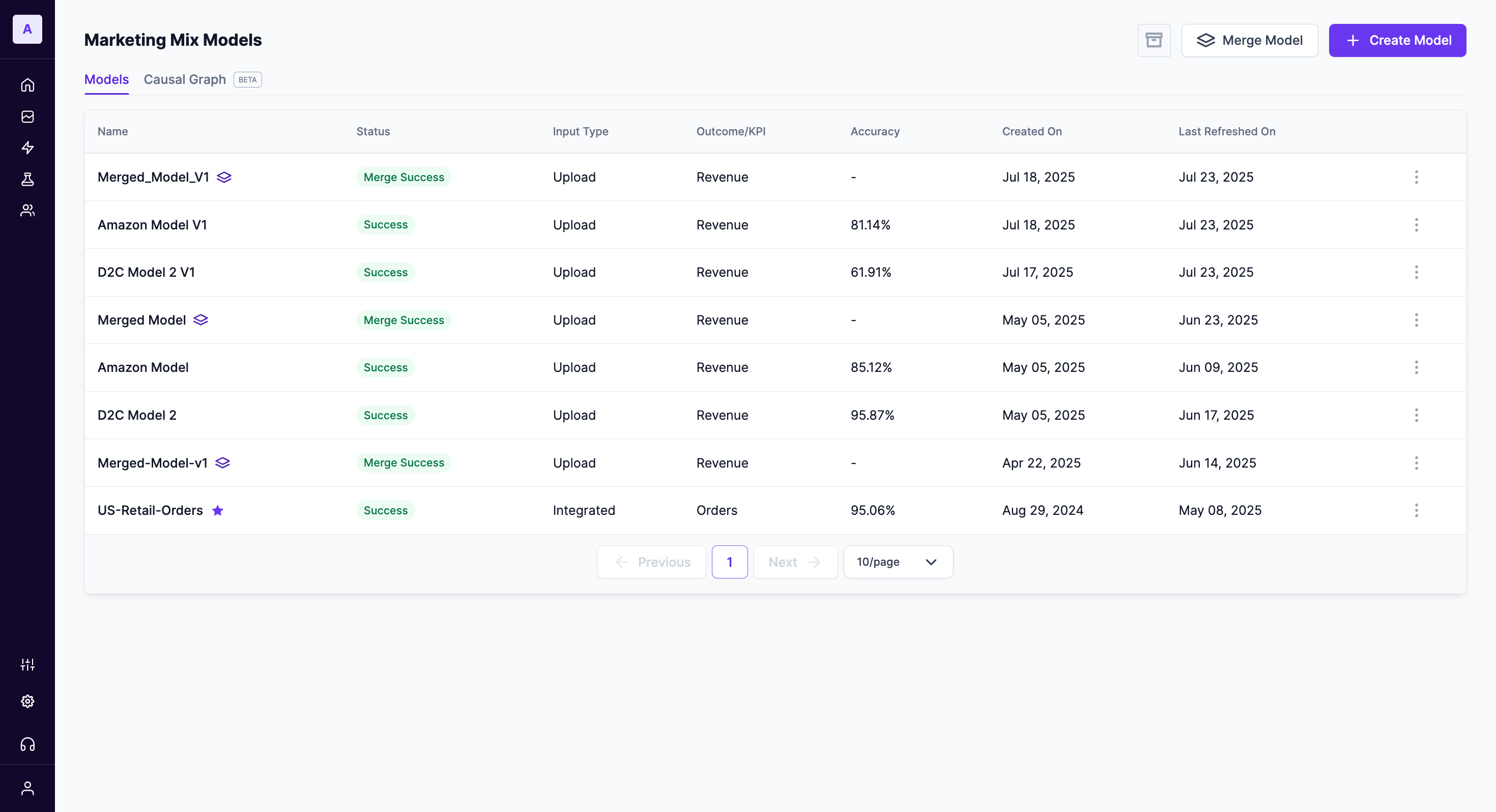
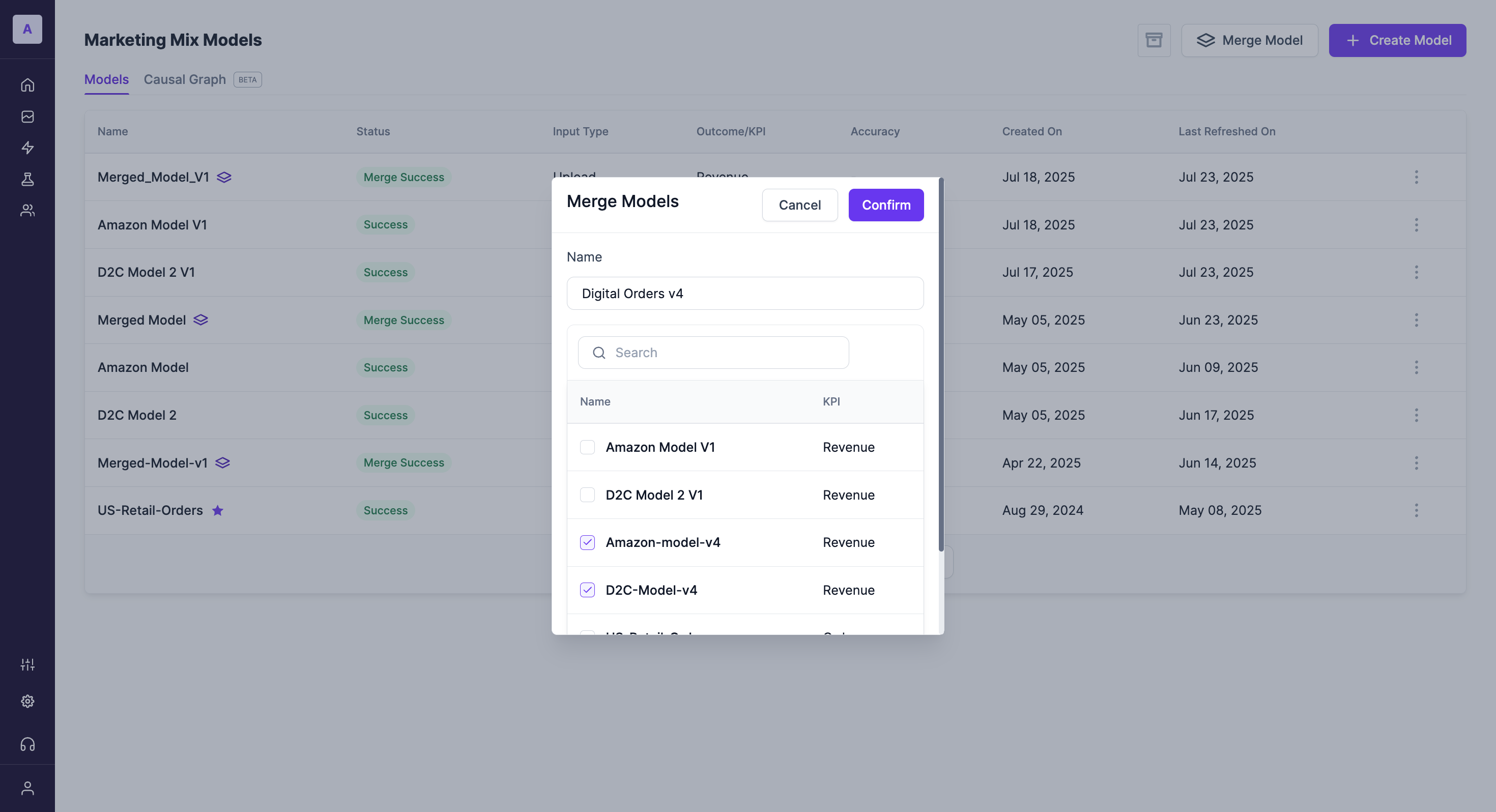
Step 3: Select and Name Your New Model
A modal window titled "Merge Models" will appear. Here, you will configure your new unified model:
- Name: Provide a descriptive name for your new merged model in the
Namefield. - Select Models: Use the checkboxes to select two or more models, with the same KPI, from the list. You can use the search bar to find specific models.
- Confirm: Once you have named your new model and selected the models to merge, click the
Confirmbutton.
Step 4: Monitor the Merging Process
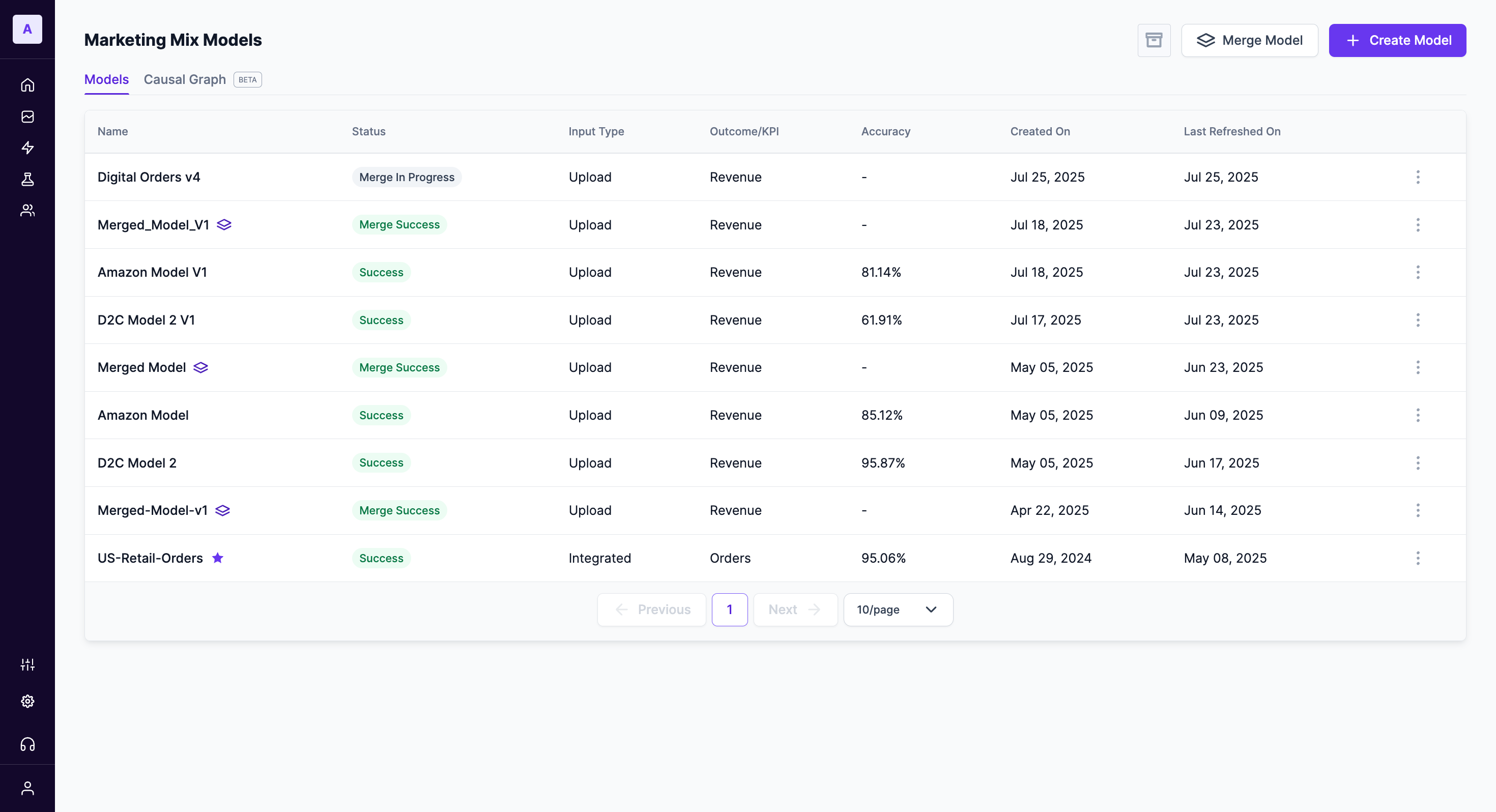
After you confirm, the platform will begin the merging process. You can monitor its status from the main "Marketing Mix Models" list:
Merge In Progress: This status indicates that the platform is actively combining the models. This process may take some time depending on the size and complexity of the models selected.Merge Success: This status confirms that the models have been successfully unified. Your new model is now complete and ready for analysis.
What if a Merge Fails?If the status shows
Merge Failed, it indicates an issue during the process. Please verify that all selected models met the prerequisites, especially the requirement for a shared KPI. If the issue persists, contact our support team for assistance.
Best Practices for Model Merging
- Start with a Clear Goal: Define what you want to achieve by merging models. Are you trying to get a complete view of digital and retail sales? Or understand performance across different countries? A clear objective will guide your model selection.
- Maintain Data Consistency: For the most accurate results, ensure that the underlying data, such as date ranges and event definitions, is consistent across the models you plan to merge.
- Iterate and Learn: Model merging is part of a continuous learning process. Use the insights from your merged models to refine your strategies, and use those learnings as a basis for new prior beliefs in future analyses.
Updated about 1 year ago