
Manual Changes
Make budget and bid target changes to your campaigns across ad platforms
You can make manual adjustments to the budgets of your campaigns or ad sets directly within the Optimizer's Campaigns tab. These changes are treated as one-time interventions, allowing you to fine-tune spending based on immediate market needs or specific campaign knowledge.
- For Campaign Budget Optimization (CBO) campaigns, you can edit the budget at the campaign level.
- For Ad Set Budget Optimization (ABO) campaigns, you can edit the budget at the ad set level.
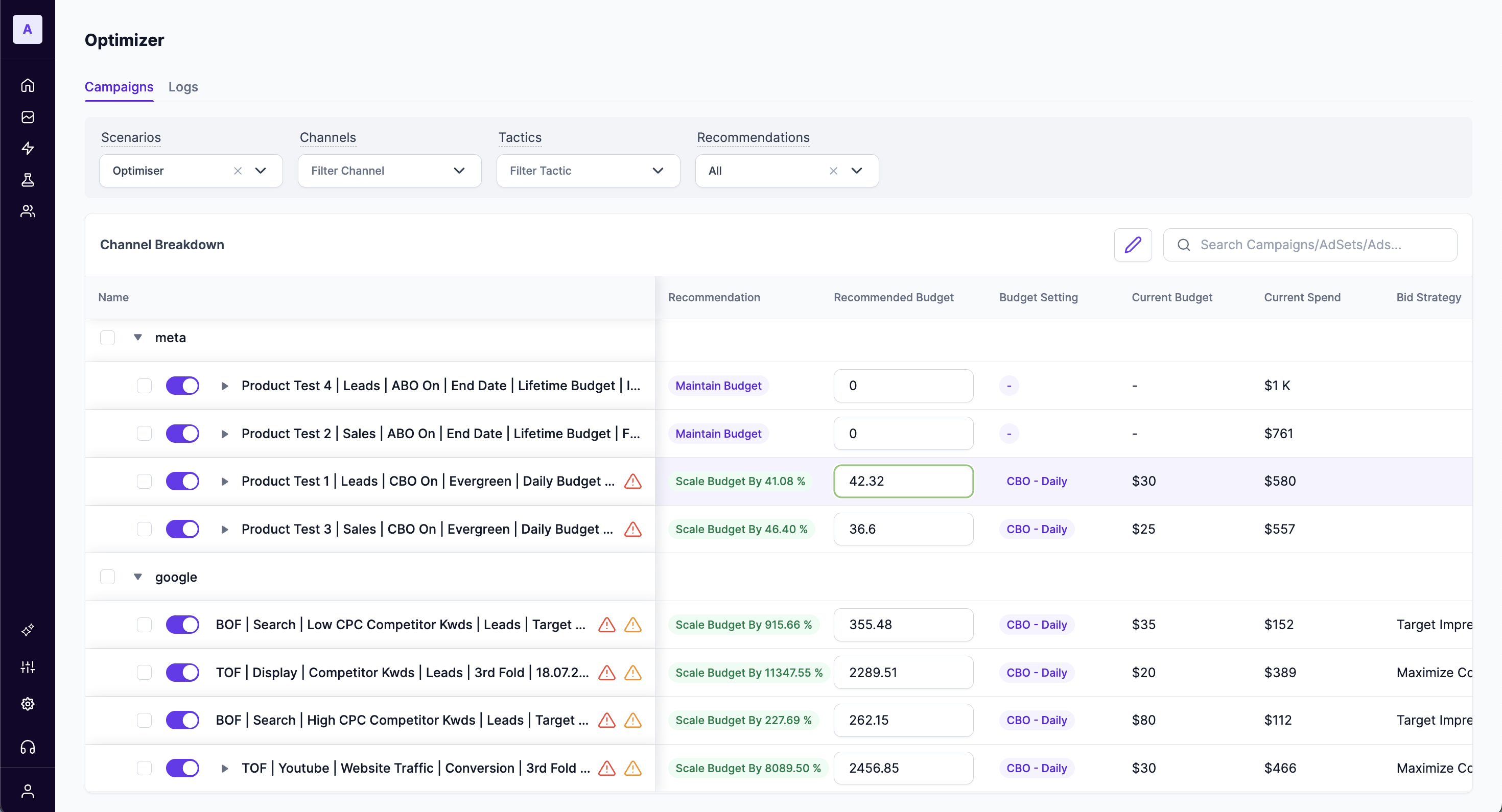
How to Make a Manual Budget Change
To manually adjust a budget, follow these steps:
- Navigate to the Optimizer module from the left-hand menu.
- Ensure you are on the Campaigns tab.
- In the Channel Breakdown table, locate the campaign or ad set you wish to modify.
- Click the pencil icon next to the
Recommended BudgetorBid Strategyvalues. - Enter your new desired budget or bid amount in the editable field and confirm the change.
Warning: Overriding Automated RecommendationsMaking a manual change to a campaign's or ad set's budget will override the automated changes recommended by the Optimizer. This action is recorded as a manual intervention, and the platform will prioritize your manual setting over its own recommendation for that specific item.
Tracking Changes in the Logs Tab
All manual interventions are recorded for full transparency and historical tracking. To review any manual changes you have made, check the Logger tab.
Updated 11 months ago