
UTM Tags
Setting up UTMs for accurate attribution. Use the recommended UTMs for accurate attribution data
UTM tracking parameters are unique codes attached to URLs that monitor the performance of marketing efforts. By using Lifesight's recommended tracking parameters in your Ads Manager and promotional content, you provide valuable feedback to the Lifesight Pixel about which ads visitors engage with.
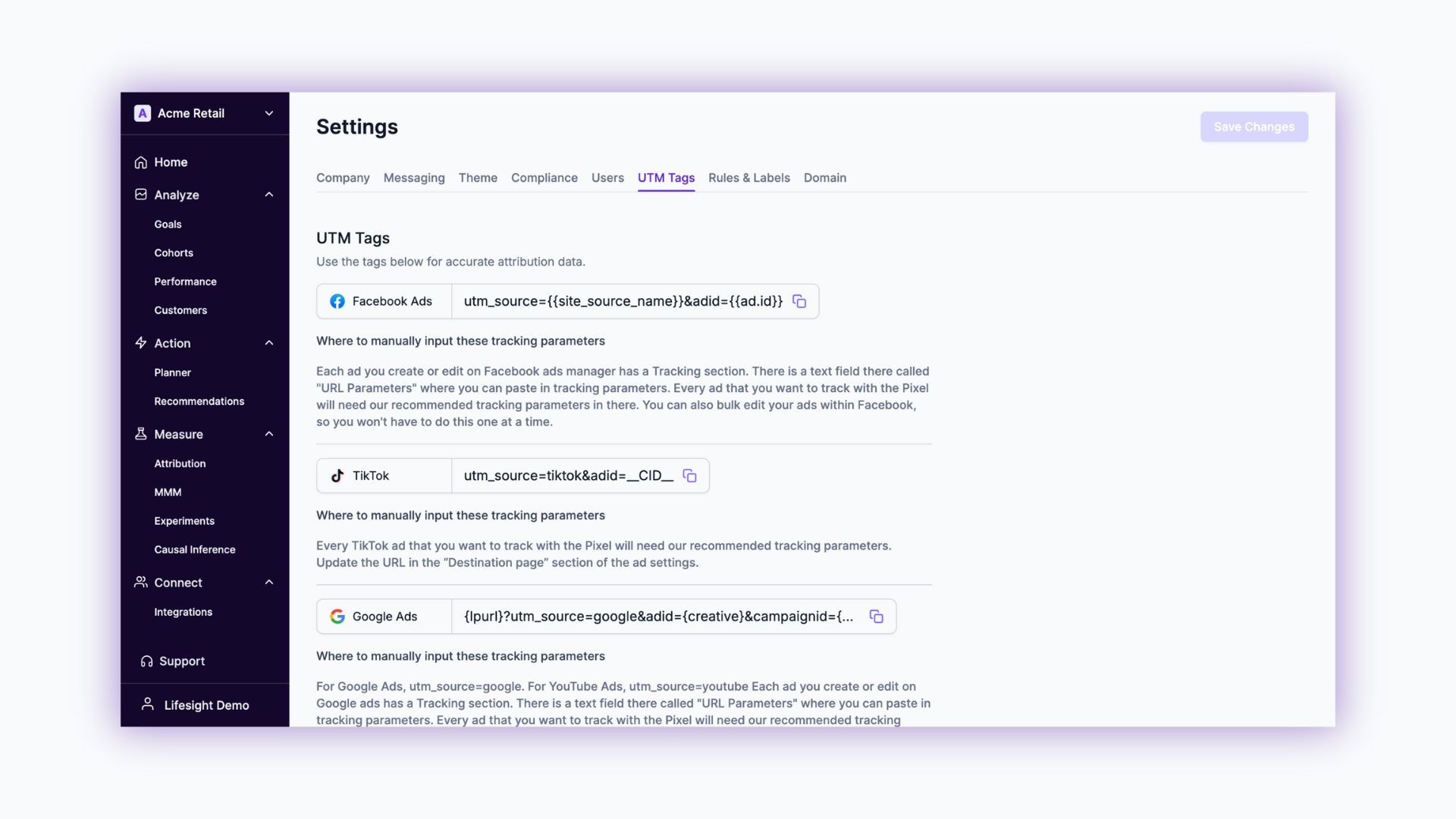
To maximize Lifesight's potential, it's essential to implement the correct tracking parameters. Dynamic values automate these parameters based on ad setup and delivery information. Below are the recommended parameters for various platforms.
Facebook Ads
UTM Tags:
utm_source={{site_source_name}}&adid={{ad.id}}Where to Input These Tracking Parameters:
- Navigate to the Tracking section when creating or editing an ad in Facebook Ads Manager.
- Paste the UTM parameters into the URL Parameters text field.
- For bulk edits, use the bulk editing feature in Facebook Ads Manager to apply these parameters to multiple ads simultaneously.
TikTok
UTM Tags:
utm_source=tiktok&adid=__CID__Where to Input These Tracking Parameters:
- Go to the Destination Page section in your TikTok ad settings.
- Update the URL by appending the recommended UTM tags.
- Ensure every ad intended for Pixel tracking includes these parameters.
Google Ads
UTM Tags:
{lpurl}?utm_source=google&adid={creative}&campaignid={campaignid}Where to Input These Tracking Parameters:
- In Google Ads, access the Tracking section while creating or editing an ad.
- Insert the UTM parameters into the URL Parameters field.
- For YouTube Ads, replace
utm_source=googlewithutm_source=youtube. - Apply these tags to every ad you wish to track with the Pixel.
Snapchat
UTM Tags:
utm_source=snapchat&adid={{ad.id}}Where to Input These Tracking Parameters:
- In the ad creation process, find the Design Your Web Site Ad section.
- Update the Website URL with the recommended UTM tags.
- Ensure all Snapchat ads for Pixel tracking include these parameters.
Twitter Ads (X)
UTM Tags:
utm_source=twitter&adgroupid=REPLACE_WITH_ADGROUPIDWhere to Input These Tracking Parameters:
- During ad creation on X (formerly Twitter), locate the Destination URL section.
- Add the UTM tags to the URL, replacing
REPLACE_WITH_ADGROUPIDwith the actual ad group ID.
Microsoft Ads
UTM Tags:
utm_source=microsoft&adid={adid}Where to Input These Tracking Parameters:
- Apply the UTM tags in the campaign or ad group settings within Microsoft Ads.
- This ensures consistent tracking across all your Microsoft Ads campaigns.
Pinterest
UTM Tags:
utm_source=pinterest&adid={ad.id}Where to Input These Tracking Parameters:
- In the ad settings, navigate to the Fill Out Ad Details section.
- Update the Destination URL with the recommended UTM tags.
- Include these parameters in every Pinterest ad you wish to track with the Pixel.
Conclusion
Implementing UTM tags across your advertising platforms is crucial for capturing accurate attribution data. By following the guidelines outlined above, you'll enhance your multi-touch attribution capabilities, leading to more informed decision-making and optimized marketing performance.
Updated over 1 year ago