
Vibe CTV
Overview
Vibe CTV is a connected TV (CTV) advertising platform that enables marketers to deliver targeted ads across premium streaming environments. It provides performance data for campaigns running on CTV devices, allowing advertisers to measure reach, engagement, and return on ad spend.
The Lifesight–Vibe integration allows you to automatically ingest Vibe CTV campaign performance data into the Lifesight Unified Marketing Measurement (UMM) platform. This ensures your CTV performance metrics are unified with other marketing and business data for comprehensive attribution and measurement.
Data Being Brought into Lifesight
Vibe CTV acts as a data source, providing detailed campaign performance metrics for reporting and modeling.
The data ingested includes (but is not limited to):
- Impressions — total delivered ad impressions
- Spend — campaign ad spend
- Revenue — revenue attributed to the campaign
- Other performance KPIs — such as completion rate, viewability, and CTR (if available from Vibe)
Steps to Integrate with Vibe CTV
1. Navigate to the Integrations Tab
In your Lifesight workspace, open the Integrations section.
2. Search for Vibe
Type Vibe CTV in the search bar to locate the integration.
3. Select the Integration Tile
Click on the Vibe tile and select Connect.
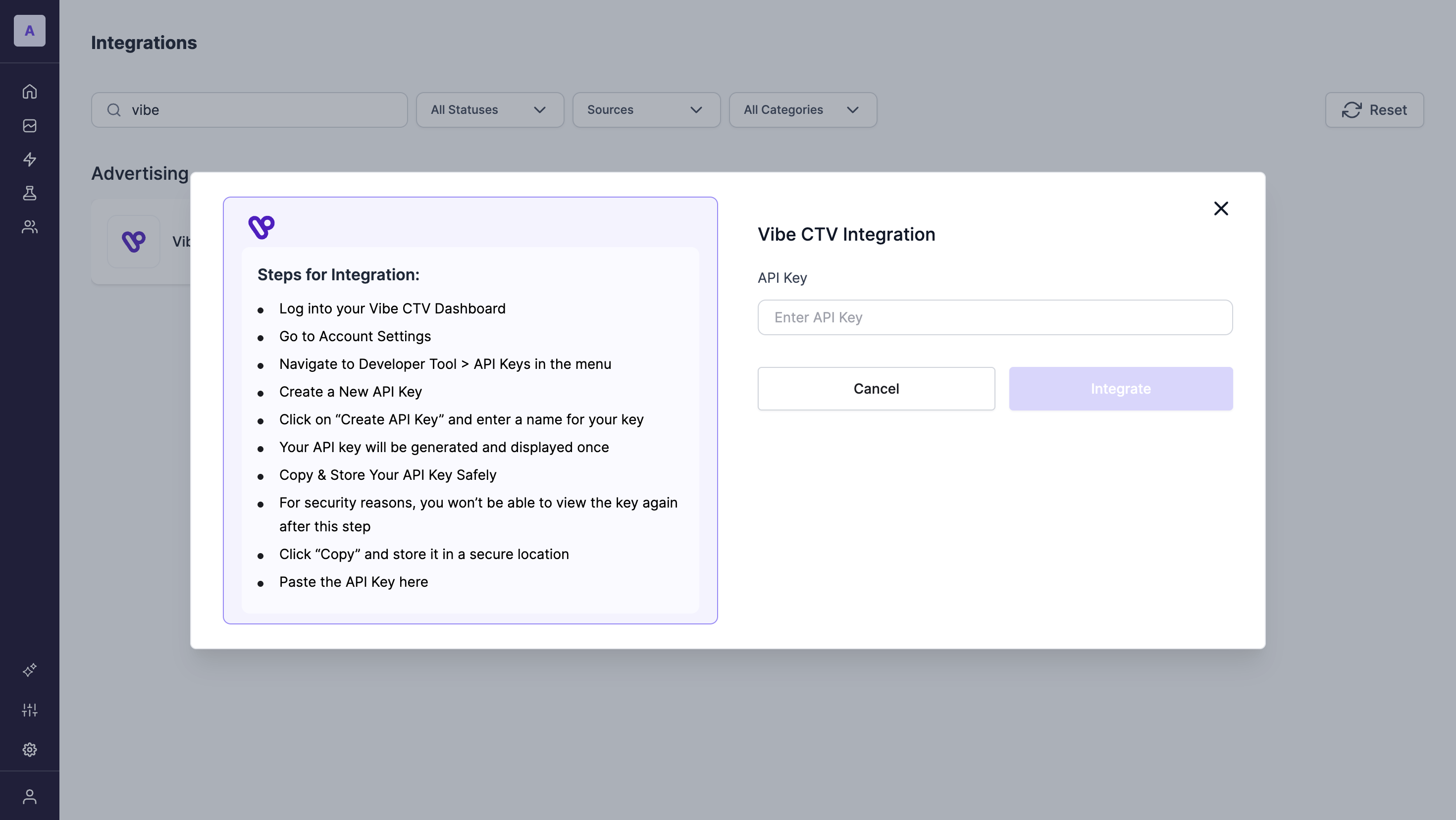
4. Enter Required Credentials
Provide the authentication details (API key)
5. Obtaining the API Key
- Log into your Vibe CTV Dashboard
- Go to Account Settings
- Navigate to Developer Tool > API Keys in the menu
- Create a New API Key
- Click on “Create API Key” and enter a name for your key
- Your API key will be generated and displayed once
- Copy & Store Your API Key Safely
- For security reasons, you won’t be able to view the key again after this step
- Click “Copy” and store it in a secure location
- Paste the API Key in the modal
- Data Transfer Setup by Lifesight
Once credentials are verified, Lifesight configures the data transfer and begins ingesting Vibe CTV campaign data.
Updated 10 months ago