
Segment sync
The Segment Sync feature enables you to seamlessly sync user segments from Lifesight's platform to your preferred marketing and advertising platforms. By leveraging Lifesight’s robust data capabilities, you can automate the process of keeping your audiences up to date across multiple channels, ensuring your marketing efforts are always reaching the right people. This integration provides a streamlined workflow for enhancing customer engagement, improving targeting accuracy, and driving marketing performance.
View interactive demo
 to view interactive demo in fullscreen](https://files.readme.io/78d0e1813daa607cf73e38c122c0e36be37e01c5671597362dd8a53fe4734c00-image.png)
Click here to view interactive demo in fullscreen
Steps to sync segments to ad platforms
- Navigate to Connect > Segments.
- Select the "Options" icon from a chosen segment and click on "Sync Settings"
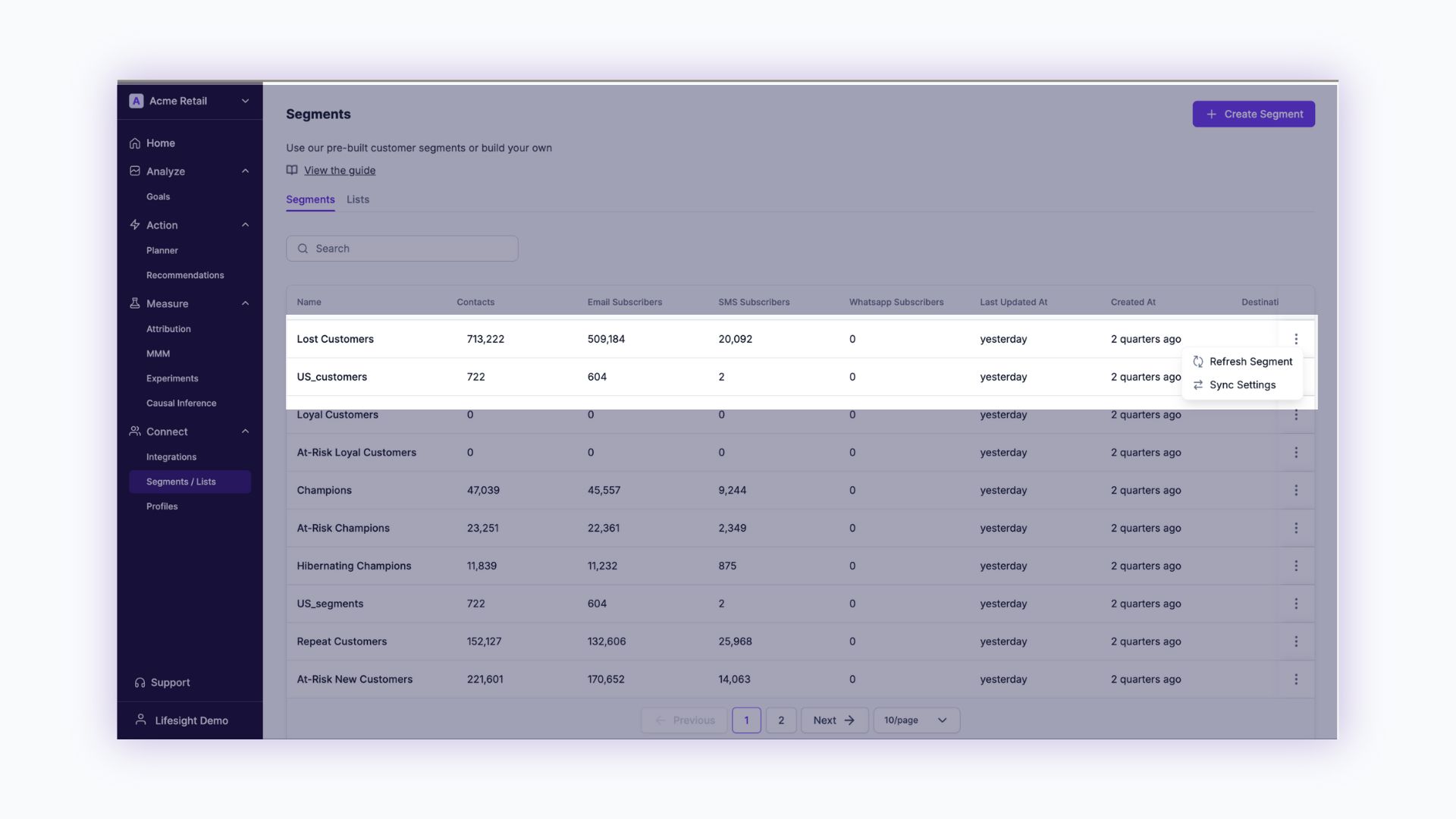
- Select an ad channel to sync your audience segment.
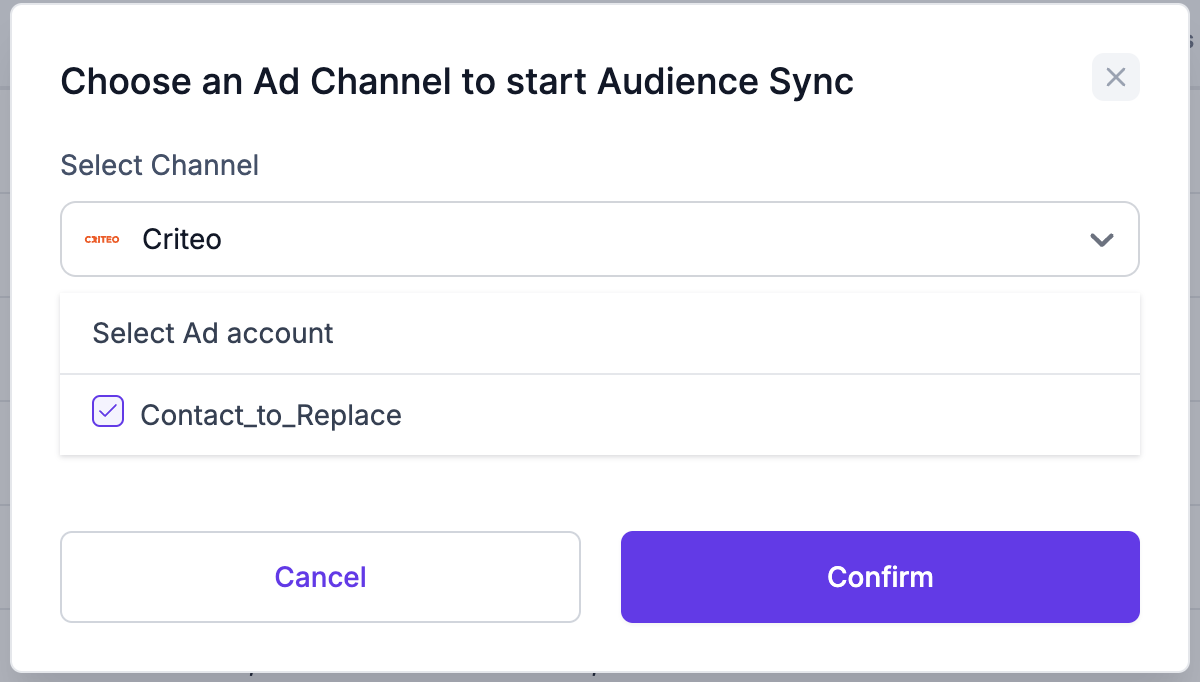
- Select one or more ad accounts and click on
Confirm - The Audience will be synced to the audiences section in the selected ad platform to run retargeting campaigns.
Updated over 1 year ago
Did this page help you?