
Criteo
Integrate your Criteo Ad Account with Lifesight
Criteo is a global commerce media platform specializing in performance marketing and dynamic retargeting. It helps brands re-engage with shoppers who have visited their website or app by delivering personalized product ads across a vast network of online publishers and retailers. Ads are often dynamic, showcasing products a user previously viewed or that are recommended by AI. They appear across websites and apps in formats like banners, videos, and native displays designed to convert interested shoppers.
Connect your Criteo Account
Connect your Criteo advertising account to the Lifesight Platform to unlock powerful insights into your campaign performance. This integration ingests your Criteo campaign data, allowing you to analyze performance metrics and measure your true marketing impact.
Setup Guide
You must have administrative permissions in your Criteo account to authorize third-party application access.
Follow these steps to connect your Criteo account to Lifesight:
-
Navigate to Integrations
From the main navigation menu on the left, click on the Integrations icon. -
Locate Criteo
On the Integrations page, use the search bar to find "Criteo". It will appear under the "Advertising" category.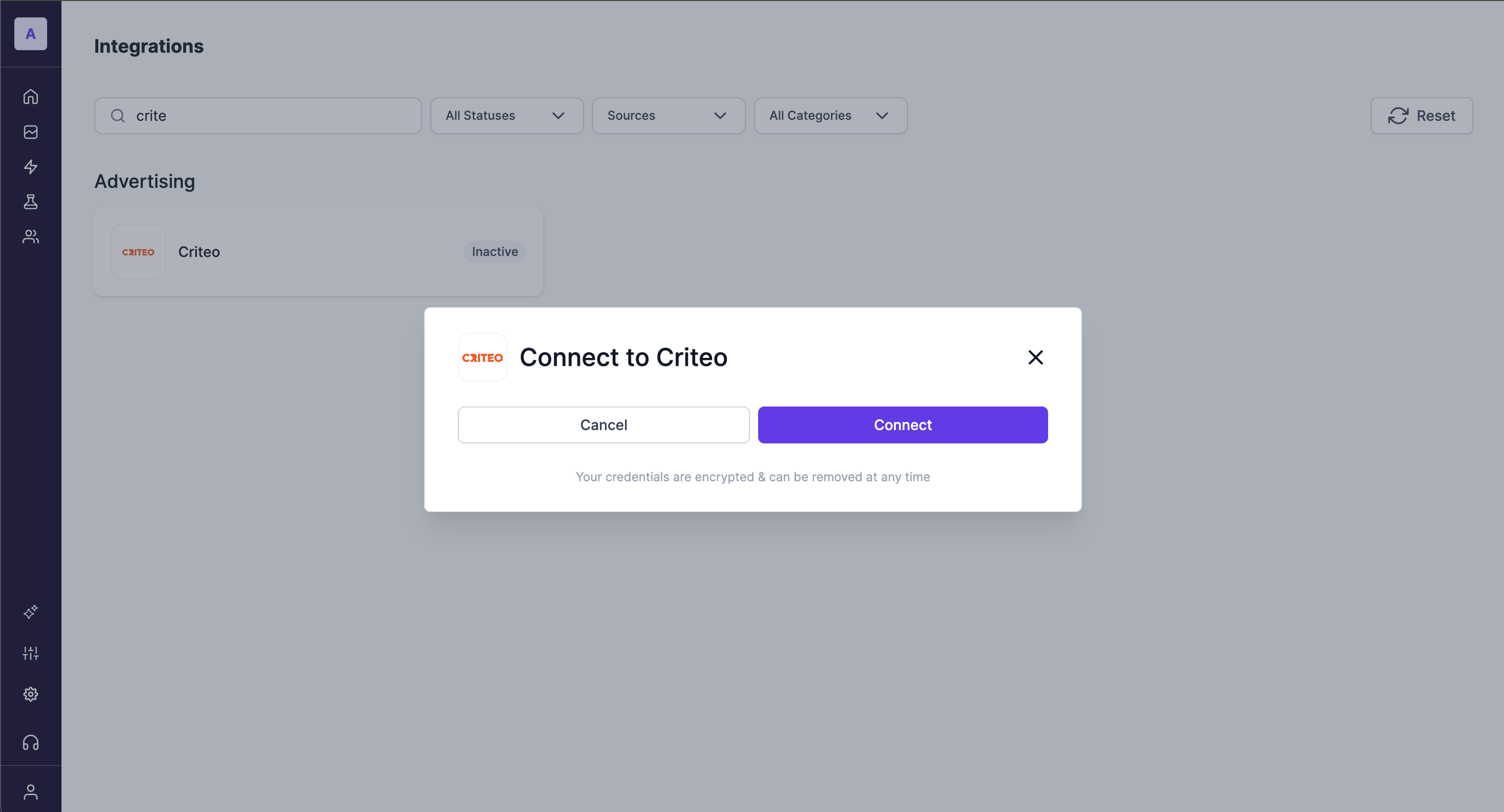
-
Initiate Connection
Click on the Criteo integration card. A pop-up modal will appear. Click the Connect button to begin the authorization process. -
Authorize Lifesight in Criteo
You will be redirected to a Criteo login page. Enter your Criteo credentials to log in and grant Lifesight permission to access your account data.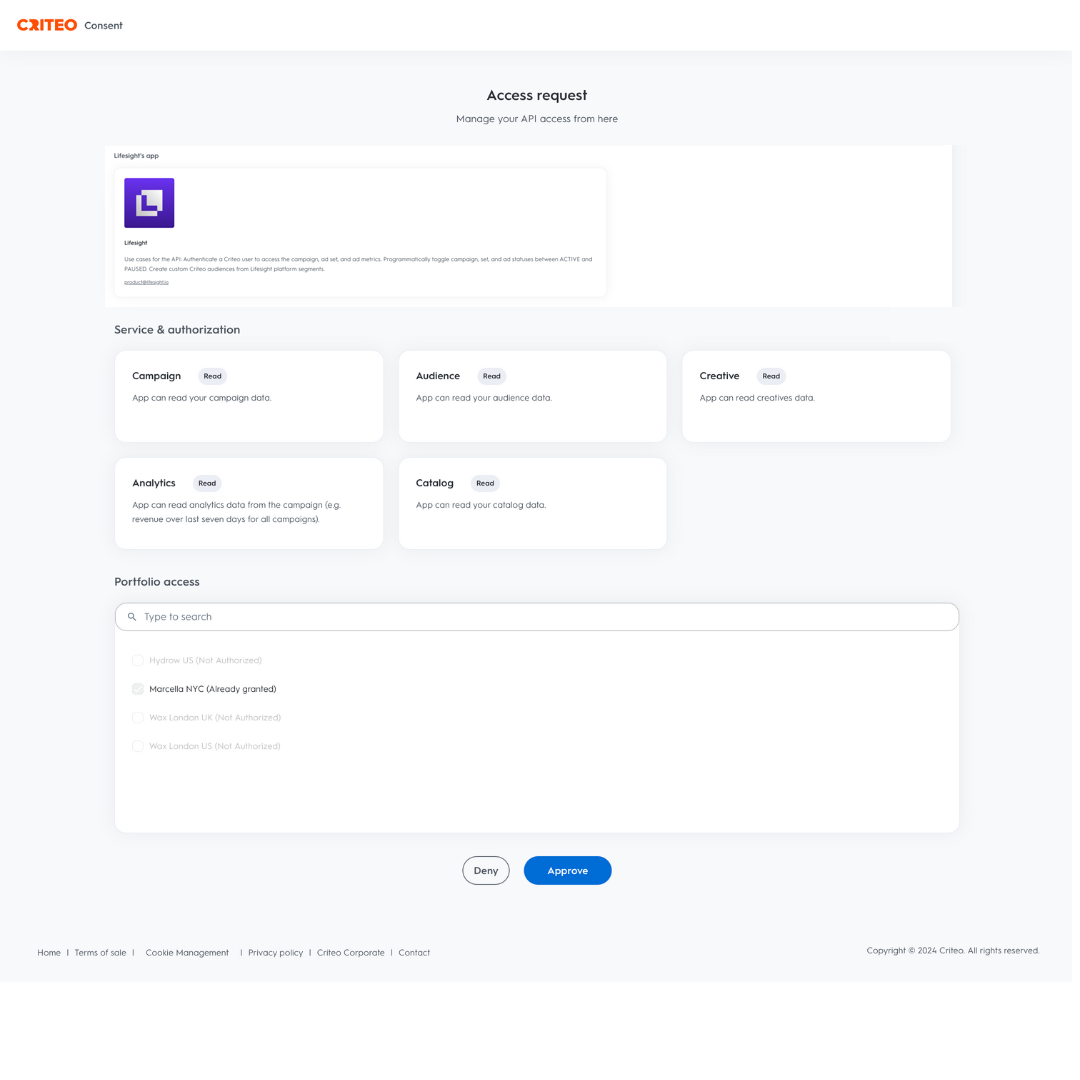
-
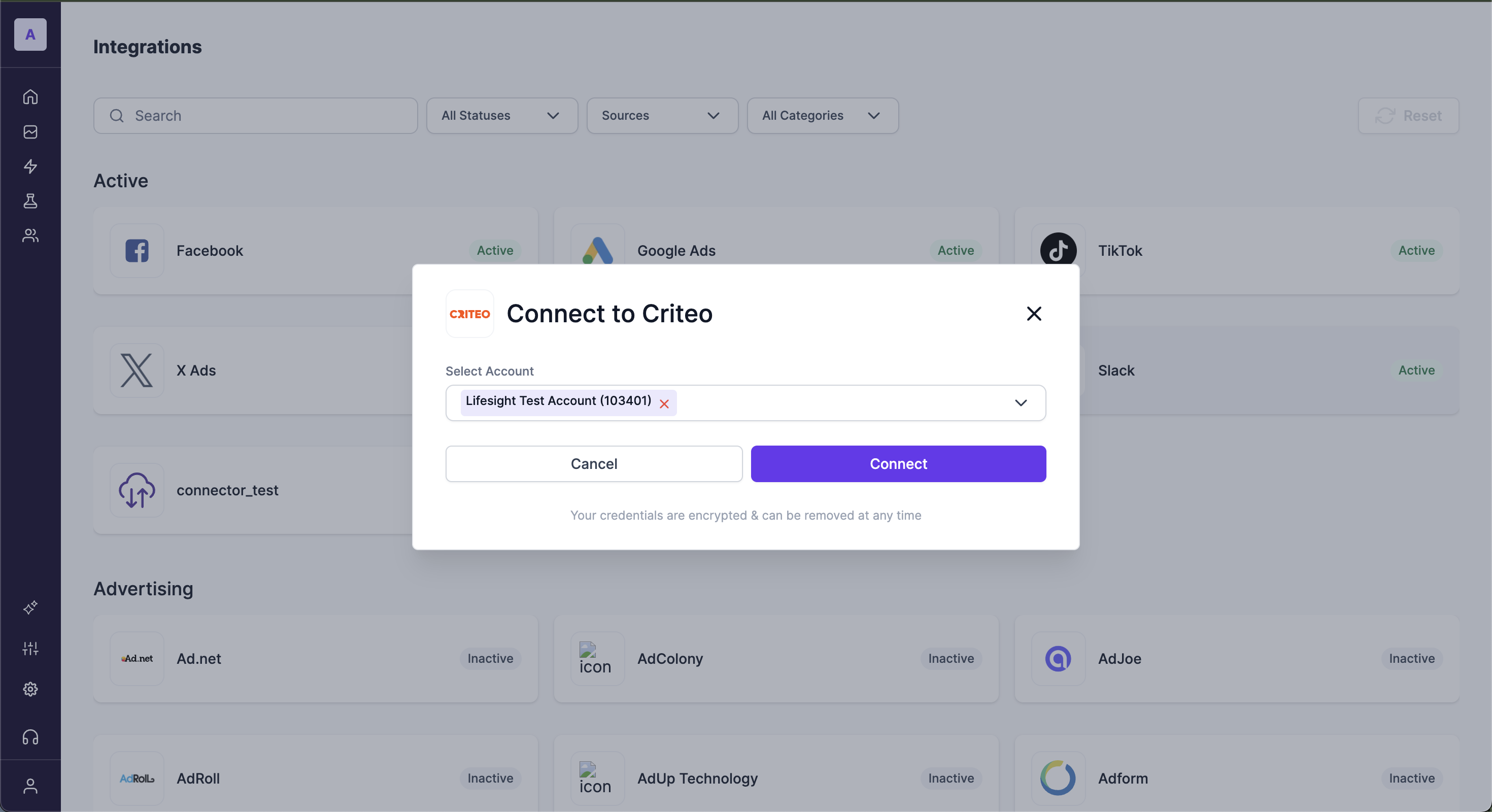
Select Your Ad Account
After authorizing, you will be returned to the Lifesight platform. Select the specific Criteo ad account you wish to connect from the dropdown menu.
-
Confirm and Finish
Click Connect to finalize the setup. The Criteo integration will now show as "Active" on your Integrations page.
Troubleshooting
- Connection Error: If you encounter an error during the connection process, verify that you are logged into the correct Criteo account and that your account has the necessary permissions to authorize new applications.
- Incorrect Account Connected: If you have connected the wrong Criteo ad account, simply disconnect the integration from the Integrations page and repeat the setup process, ensuring you select the correct account in Step 5.
Updated 9 months ago