
BigQuery
Integrate Google BigQuery to pull in Marketing data from your data warehouse
Google BigQuery is a fully managed, serverless data warehouse that enables scalable analysis of large datasets using SQL. It is widely used by data analysts and engineers for storing, querying, and processing structured data.
The Lifesight–BigQuery integration allows you to connect your datasets stored in BigQuery to the platform. Once integrated, Lifesight can ingest your selected dataset tables to unify them with other marketing and business data, enabling comprehensive attribution and measurement.
Data Being Brought into Lifesight
Lifesight does not automatically ingest all data from your BigQuery project. Instead, it only reads from the specific tables defined by you during setup.
This ensures:
- Full control over which datasets and tables are exposed to Lifesight.
- Compliance with your organization’s data governance and privacy policies.
- Flexibility to integrate only the data relevant for attribution, MMM, or reporting use cases.
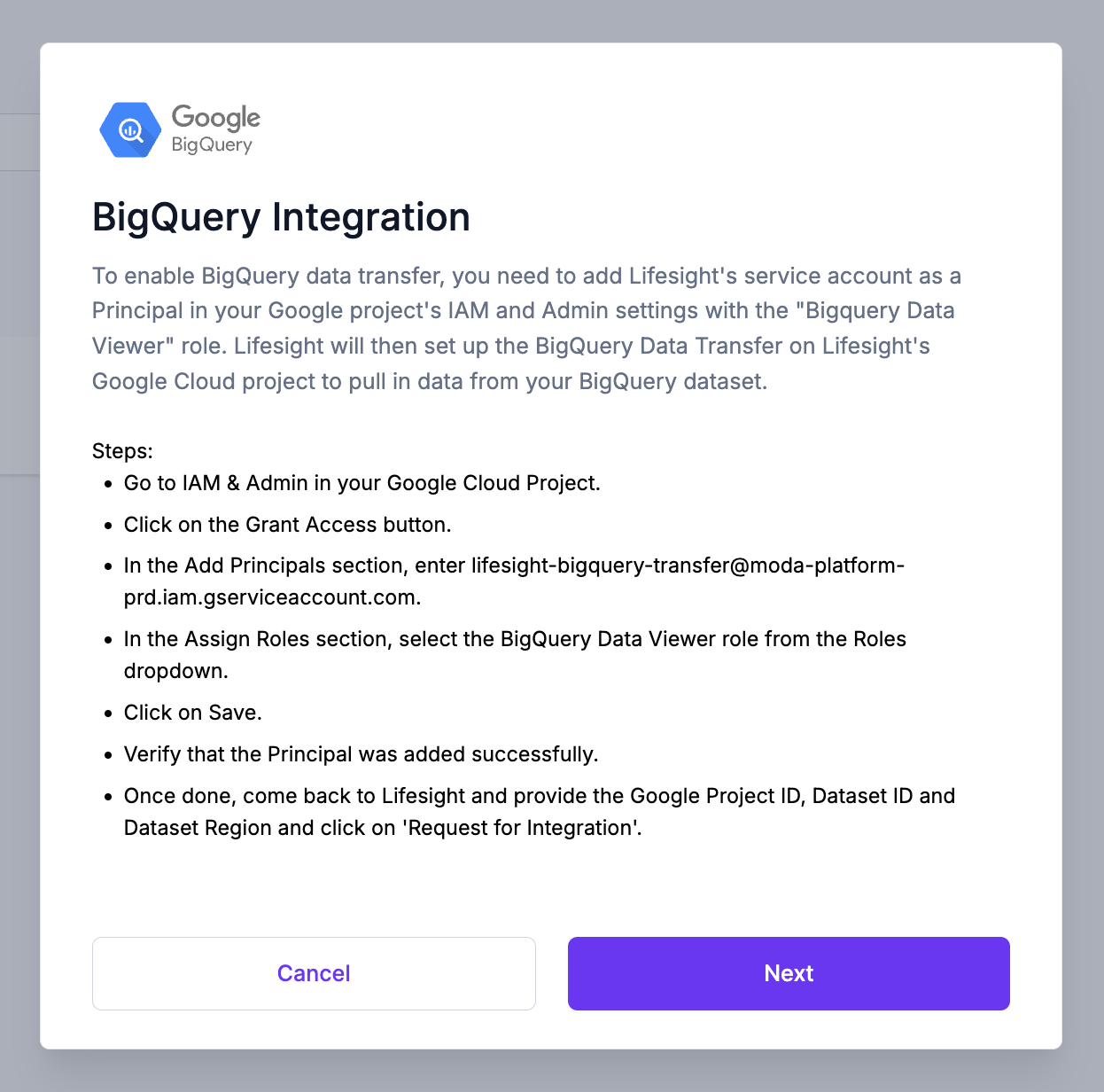
To enable BigQuery data transfer, you need to add Lifesight's service account as a Principal in your Google project's IAM and Admin settings with the BigQuery Data Viewer role. Lifesight will then set up the BigQuery Data Transfer on our Google Cloud project to pull in data from your BigQuery dataset.
Steps to Integrate with BigQuery
- Go to IAM & Admin in your Google Cloud Project.
- Click on the Grant Access button.
- In the Add Principals section, enter
lifesight-bigquery-transfer@moda-platform-prd.iam.gserviceaccount.com. - In the Assign Roles section, select the BigQuery Data Viewer role from the Roles dropdown.
- Click on Save.
- Verify that the Principal was added successfully.
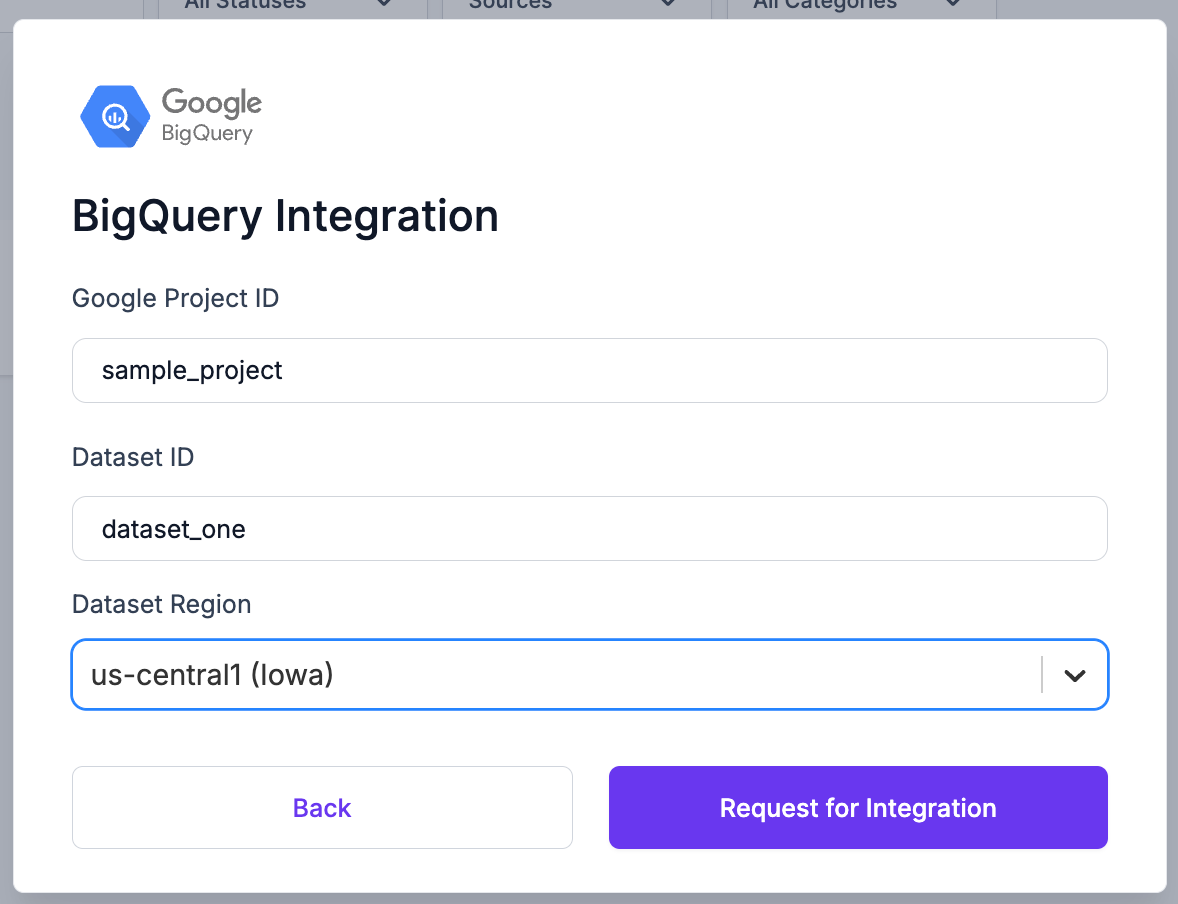
Completing these steps will allow Lifesight to read data from your datasets. Lifesight also need three additional pieces of information from you:
- The Project ID in which the dataset exists,
- The Dataset ID, and
- The Dataset Region (the region in which the dataset resides)
To finish the integration process, click on the BigQuery tile in
-
Navigate to the Integrations tab in the left-hand menu bar.
-
In the search field, type in "BigQuery" to locate the integration for this application.
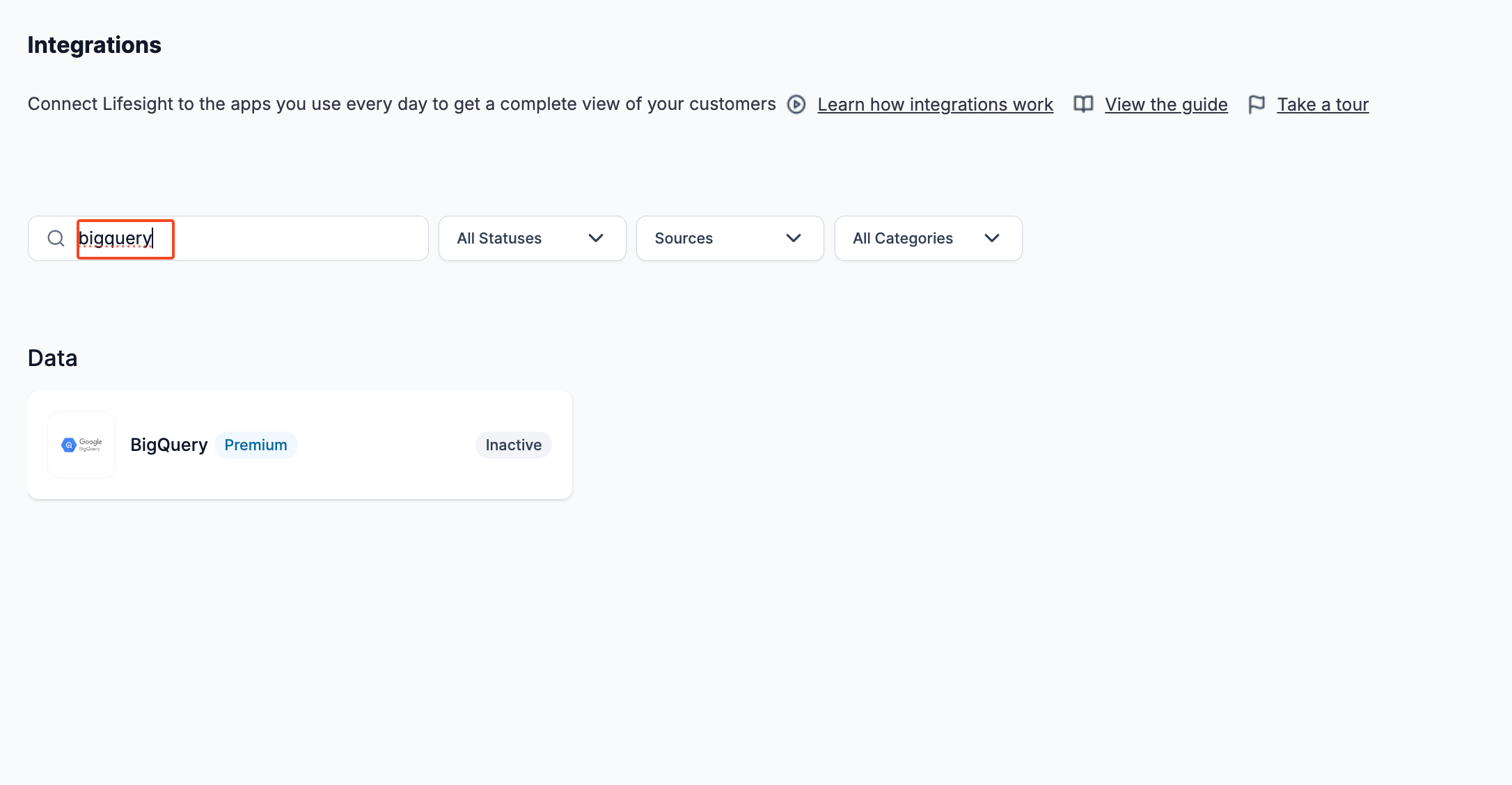
-
Click on the BigQuery tile and click on the Next button to enter BigQuery details
-
Enter the Google Project ID, Dataset ID, and pick the Dataset Region from the dropdown
-
Click on Request for Integration
Once you've added Lifesight’s service account lifesight-bigquery-transfer@moda-platform-prd.iam.gserviceaccount.com as a Principal with the "BigQuery Data Viewer" role and provided Lifesight with the aforementioned information, Lifesight will set up the Data Transfer to transfer data from your dataset to Lifesight’s.
Updated 10 months ago