
Conversions
Analyze conversion across Channels and Events
The Conversions tab on the Attribution Dashboard offers detailed insights into user behavior, extending beyond mere purchase transactions and analyzing non-purchase events. Whether you're analyzing visits, add-to-cart actions, initiated checkouts, form submissions, or signups, the Conversions tab offers a detailed and comprehensive view of how these events contribute to your overall marketing goals.
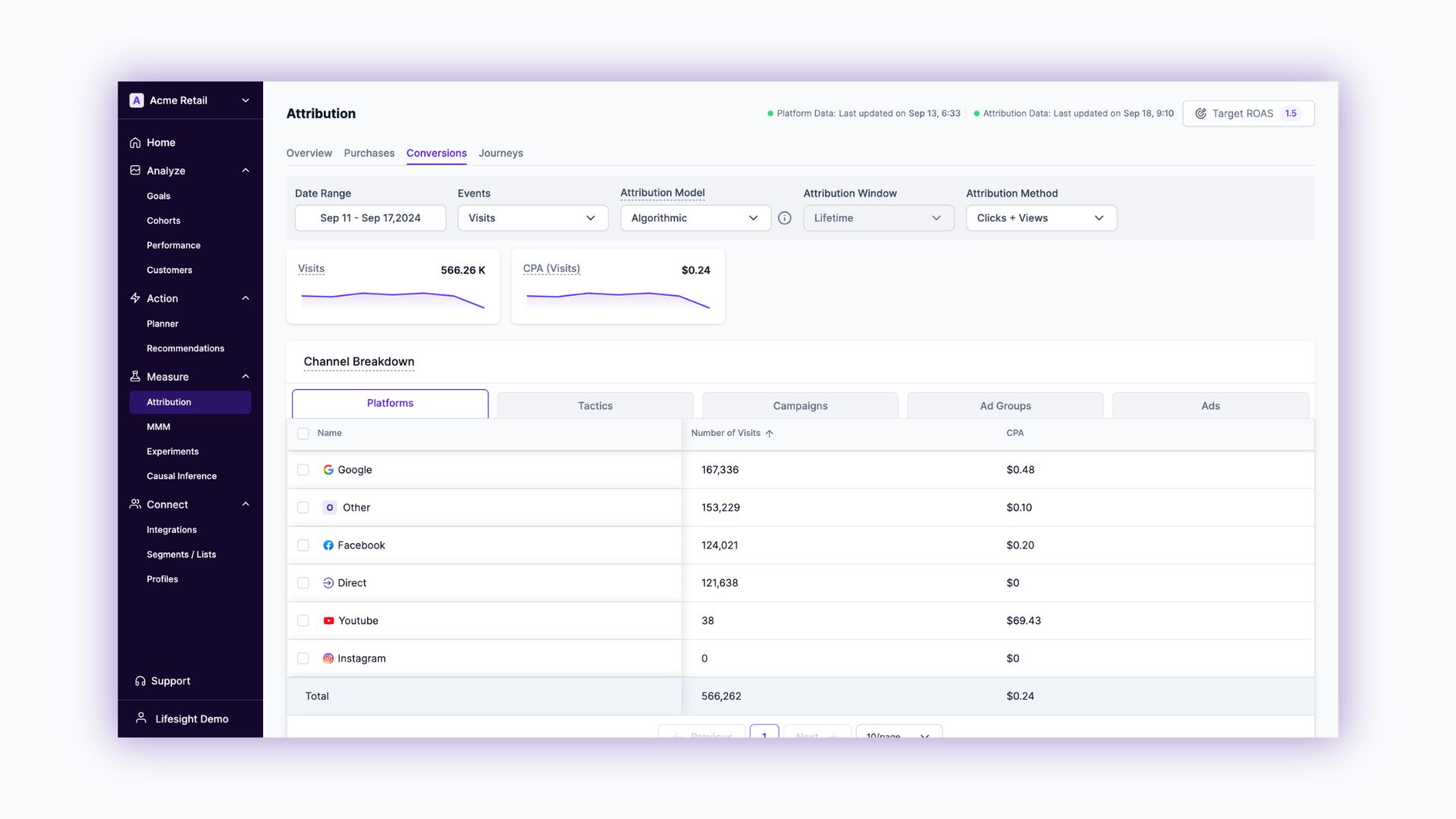
Summary
View Data range, Events, Attribution Model, Attribution Window, and Attribution Method filters to apply across your Conversion tab. Also, view the overall selected Event value and trend line; similarly for CPA (Event)
- Overall Number of Events: This metric shows the total count of the selected event over the chosen time period, giving you a clear picture of event frequency.
- CPA (Event): Cost Per Action for the selected event is displayed here, helping you evaluate the financial efficiency of your marketing efforts in driving these specific interactions.
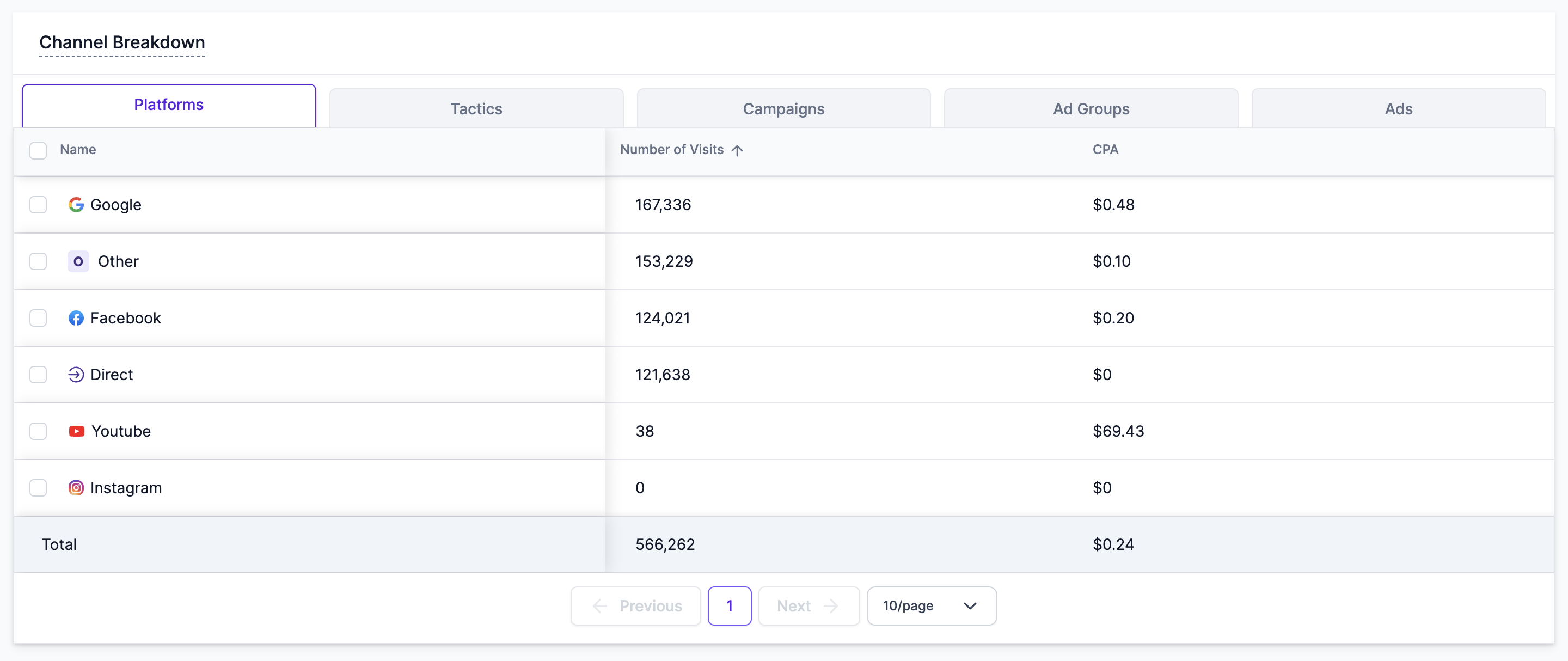
Channel Breakdown Table
- Channel Name: Lists all the marketing channels that have contributed to the selected event.
- Event Distribution by Channel: Provides a detailed count of how many times each channel has driven the selected event, allowing you to pinpoint the most effective channels.
- CPA (Event) by Channel: Shows the cost per action for each channel, giving you a granular view of how much you’re spending to drive events through specific channels.
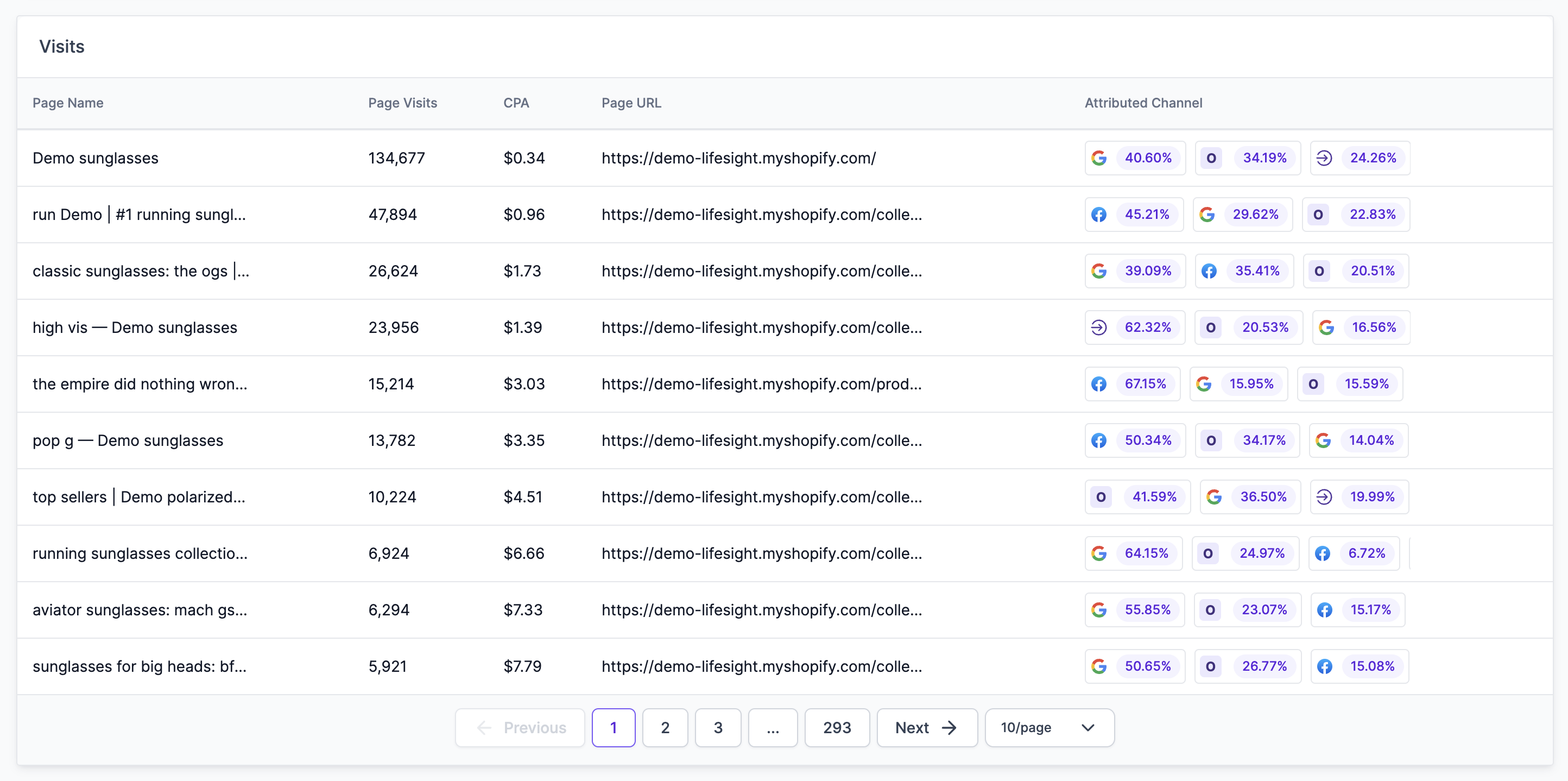
Visits
The Visits table provides detailed event-specific insights. Depending on the event you select, the tab dynamically adjusts to display the most relevant data, helping you gain a deeper understanding of user behavior and channel performance.
Common Metrics:
- Top Interactions: Whether it's the most visited pages, the most added products, or the most common forms submitted, this metric helps you understand what users are engaging with the most.
- Number of Interactions: Shows the frequency of the selected event (e.g., page visits, add-to-cart actions, checkouts, form submissions), giving you insight into user behavior.
- CPA for Interactions: Estimates the cost per action for the interactions associated with the selected event, allowing you to assess the cost-efficiency of your marketing efforts.
- Attributed Channels: Break down which channels are driving the interactions, along with their contribution percentages, providing clarity on which channels are most effective.
By providing a deep, event-specific analysis and ensuring a seamless user experience, the Conversions tab empowers you to unlock valuable insights into your non-purchase events. This tool is an essential addition to your marketing analytics suite, helping you optimize your strategies with precision and confidence.
Updated over 1 year ago