
Taboola
Taboola is a native advertising and content delivery platform. Taboola offers a range of native publishers where advertisers can advertise and deliver content. Taboola offers an extensive native ads network and allows users to set up marketing campaigns directly on the platform.

The key features of the integration include -
- Data Integration: The integration allows seamless transfer of data (historical spend, clicks, impressions, etc.) to the attribution and MMM modules. This process is crucial for tracking and analyzing the effectiveness of advertising campaigns and also for creating integrated MMM models.
- Campaign Performance Insights: Users have the advantage of accessing their Taboola campaign performance data directly within the Attribution dashboard. This feature provides valuable insights and analytics, making it easier to measure the success of campaigns and make data-driven decisions.
Integrating Taboola on your workspace
-
Navigate to the Integrations tab in the left-hand menu bar.
-
In the search field, type in "Taboola" to locate the integration.
-
Click on the Taboola tile to begin the integration process.
-
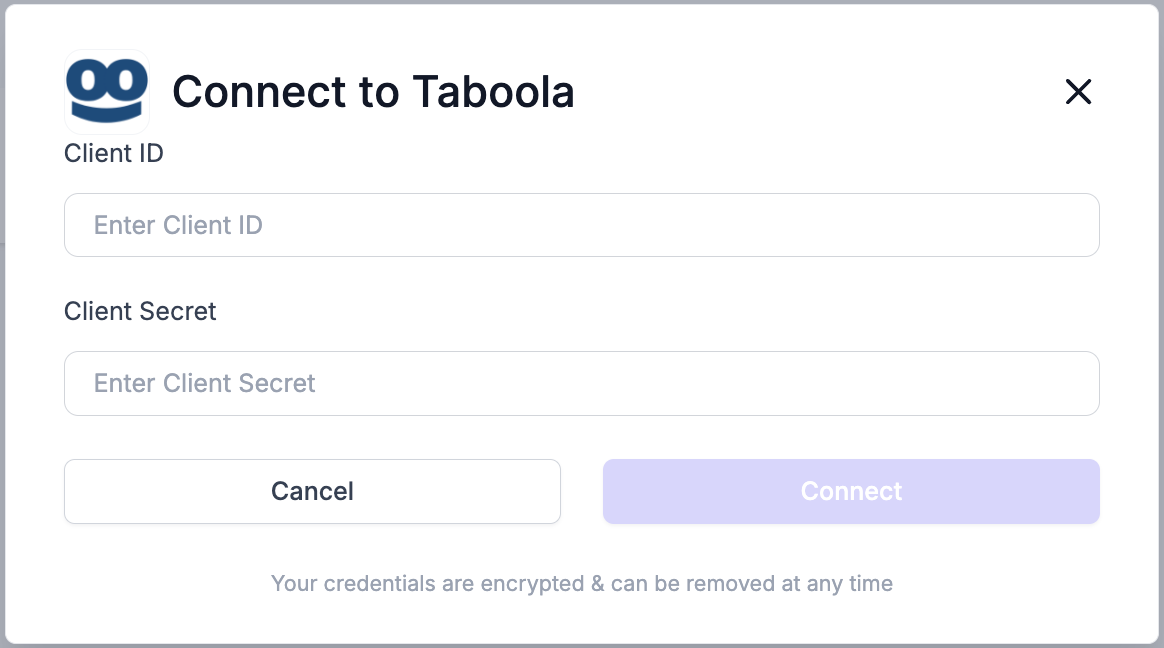
You will then be requested to enter the Client ID and Client Secret in the integration modal.
-
Ask your Taboola Account Manager to provide you with a client_id and client_secret. For more details, please refer to Taboola's documentation on authentication
-
Once done, click on "Connect" to complete the integration
-
The status will change to ‘Active’ and the ad data from the designated account will be available in the Attribution dashboard for unified reporting.
Updated over 1 year ago