
Target benchmark
Set the plan Attribution measures you against, so pacing and recommendations reflect the decision you're making now. #
The target scenario sets the plan your marketing is measured against in Attribution, so every pacing figure and recommendation reflects the goals you've committed to. It controls the benchmark, planned spend, and causal recommendations displayed in Attribution. Choosing the right scenario keeps your spend decisions tied to a plan that is current and relevant.

Set your target scenario
- Go to Measure > Attribution.
- Select the scenario chip or the causal configuration control in the header.
- Choose an available metric or scenario.
- Enter a benchmark value when the selected metric requires one. For example, if you choose iROAS as your metric, you might set a benchmark of 2.5x.
- Review the reference and forecast periods when they are provided.
- Select Confirm.
Reference and forecast periods
- Reference period: the historical period Lifesight uses as the starting point for comparison.
- Forecast period: the upcoming period your plan covers.
Reviewing both before you confirm makes sure your recommendations are based on the right timeframes.
See how recommendations are built
How Lifesight calculates them
For scenario-based causal recommendations, Lifesight compares spend in the reference period with spend in the forecast period. Recommendations are derived from the promoted MMM scenario output, so they reflect what your Marketing Mix Model expects each channel to deliver, not what platforms report.
What you'll see in the Breakdown
- Scale: the entity is under-pacing.
- Maintain: the entity is pacing near plan.
- Reduce: the entity is over-pacing.
Extra guidance on each recommendation
Where available, a recommendation can also include:
- The absolute daily gap: how far the entity's daily spend is from its planned daily rate.
- Next-period spend guidance: how much to spend going forward to get back on plan.
Confirm the benchmark is working
After confirmation, the selected benchmark appears in the scenario chip, so you can always see which plan you're measured against.
Review the Overview and Breakdown again after changing the scenario. Planned spend, pacing, and recommendations can all change with the active scenario. For example, a channel marked Maintain under one scenario may show Scale under a scenario with a higher planned budget.
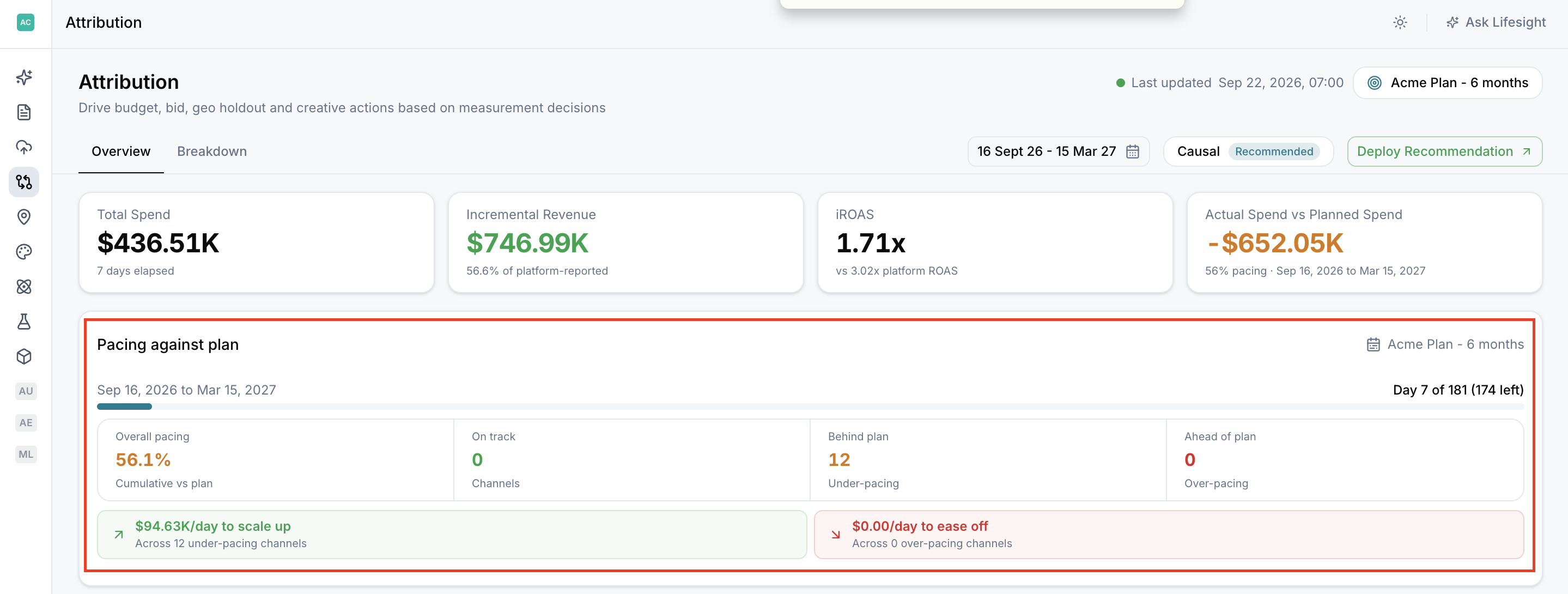
Note: Use a scenario and analysis period that are relevant to the current decision. Recommendations based on an outdated plan may no longer be actionable.
Frequently Asked Questions
What does the target scenario control?
The benchmark, planned spend, and causal recommendations displayed in Attribution.
Where do I change the target scenario?
Go to Measure > Attribution and select the scenario chip or the causal configuration control in the header.
Do I always need to enter a benchmark value?
Only when the selected metric requires one.
What are the reference and forecast periods?
The reference period is the historical period used for comparison. The forecast period is the upcoming period your plan covers. Lifesight compares spend across the two to build recommendations.
Where do the recommendations come from?
They are derived from your promoted MMM scenario output.
What do Scale, Maintain, and Reduce mean?
Scale means the entity is under-pacing, Maintain means it is pacing near plan, and Reduce means it is over-pacing.
Why did my recommendations change after switching scenarios?
Planned spend, pacing, and recommendations all depend on the active scenario. A different plan changes what counts as on track.
Does changing the scenario change my actual spend or revenue data?
No. It changes the plan you're measured against, not your underlying results.
How do I know which scenario is active?
The selected benchmark appears in the scenario chip in the Attribution header.
Why aren't my recommendations actionable?
The scenario or analysis period may be outdated. Choose a scenario and period that are relevant to your current decision.
Updated about 1 month ago