
Microsoft Ads
Connect Microsoft Ads to see what Bing search actually contributes, and whether it earns more budget.
Microsoft Advertising serves ads across Bing and the wider Microsoft Search and Audience Networks.
It is usually a smaller line than Google, and it is frequently left out of measurement for that reason, which is a mistake. Its audience skews towards desktop, older, and higher income users, so it often converts at a cost per acquisition that would be worth more budget if anyone had checked.
Connecting it means it gets measured on the same basis as everything else rather than being judged on platform reported numbers alone.
Work in progress. In the lifesight latest build this connector is not yet available to connect from the catalogue. Searching for Microsoft Ads under
Add Integration currently offers Add to wishlist rather than a connect flow. The steps below describe the connection flow this integration will use, and match how Microsoft Ads works in the current production release.
What Lifesight brings in
Lifesight reads the account hierarchy:
- Account - the Microsoft Advertising account
- Campaign - where objective and budget are set
- Ad Group - targeting and keyword themes
- Ad - the individual creative
The data pulled includes:
| Category | Data points |
|---|---|
| Performance metrics | Spend, Impressions, Clicks, Click Through Rate |
| Conversion metrics | Conversions, Conversion Value, Attributed Revenue |
| Cost metrics | Cost Per Click, Cost Per Mille |
| Hierarchy dimensions | Account Name, Campaign Name, Ad Group Name, Ad Name |
| Targeting dimensions | Country, Region, Device |
Before you start
You need a Microsoft account with access to the Microsoft Advertising accounts you want to sync. Read access is enough. If you use a manager account, sign in with it so that all accounts underneath become available at once.
Connecting Microsoft Ads
- Go to Data > Integrations and click Add Integration.
- Search for Microsoft Ads and click Connect on the tile.
- On the Authenticate step, click Sign in.
- Log in with your Microsoft account and approve the access Lifesight requests. Lifesight asks for read access to reporting data only.
- On the Select Accounts step, tick the accounts you want to sync.
- Click Connect.
The first sync covers your history. The integration shows Healthy once it completes.
After connecting
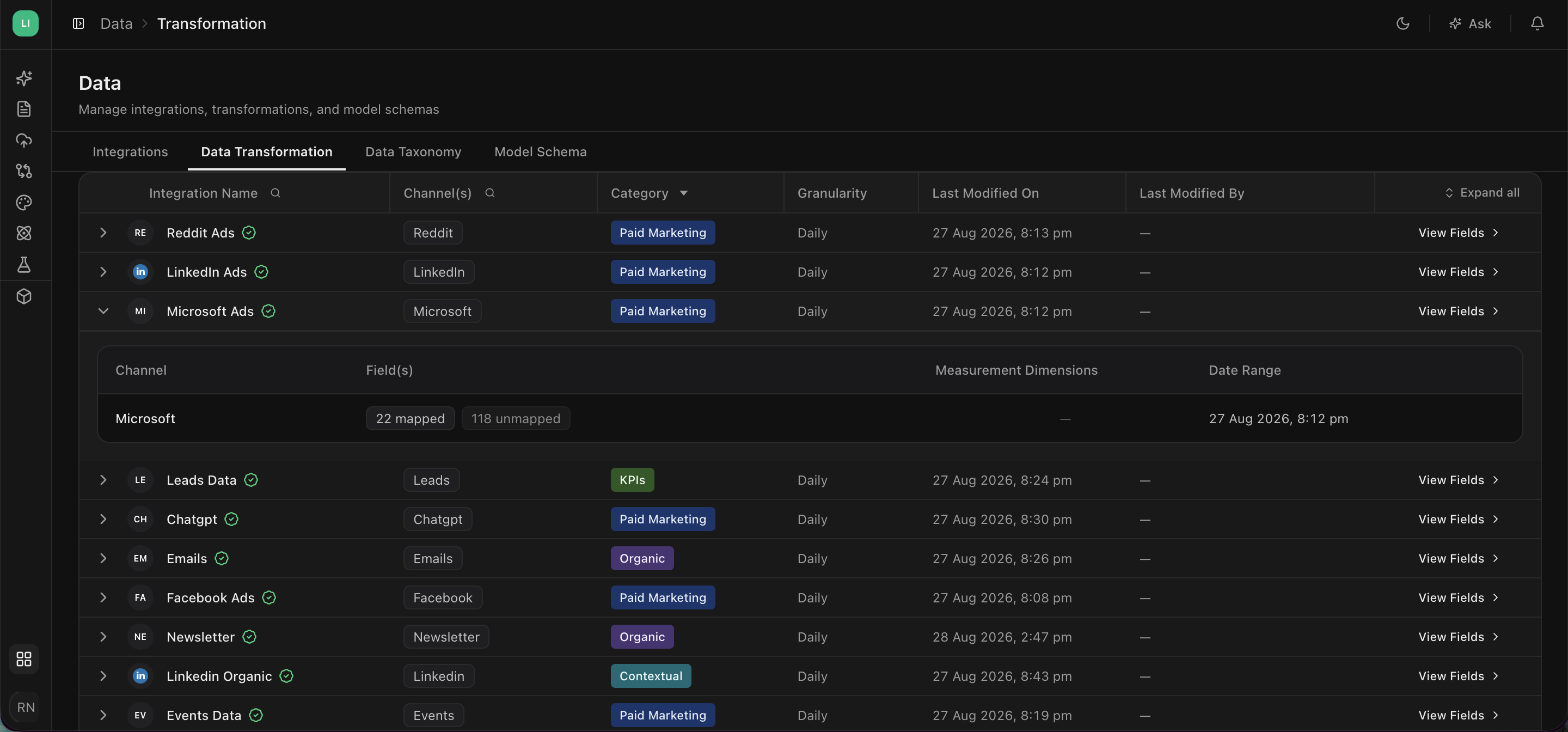
Open Data > Data Transformation, find Microsoft Ads, and confirm spend and revenue are mapped to the fields you expect.
In Data > Data Taxonomy, apply the same brand and non-brand split you used for Google. Search behaves the same way regardless of which search engine served it, and keeping the two platforms classified consistently is what lets you compare them fairly.
Troubleshooting
Accounts are missing from the list
The Microsoft login you used does not have access. Sign in with a manager account, or have access granted to your user first.
Spend does not match the Microsoft interface
Check the account timezone and confirm every relevant account was selected. Microsoft finalises some numbers over a few days, so very recent dates can move slightly.
The integration went to Reconnect
The Microsoft authorisation expired or was revoked. Open the integration and sign in again.
Updated about 1 hour ago