
Model Overview (Marketing Mix Modeling)
Measure the contribution of every channel, including the ones you cannot track, and use it to decide where the next dollar goes.
Causal MMM (Marketing Mix Modeling) shows you how all of your marketing works together to drive your business goals, so you can see what's actually growing revenue and where to invest next.
It's the foundation of your Unified Marketing Measurement (UMM) stack in Lifesight, giving you a top-down, holistic view of performance and a trusted baseline for every analysis that follows.
Causal MMM explains how paid media, organic activity, contextual factors (outside influences such as seasonality, holidays, or promotions), halo effects (when one channel lifts results in another), and baseline demand (sales that would happen without marketing) each contribute to a business outcome.
Unlike attribution, which starts with individual customer touchpoints, MMM uses aggregated time-series data (totals tracked over time, such as weekly sales and spend). This makes it well suited to measuring channels where user-level journeys are incomplete or unavailable, such as TV, CTV, or offline media.
What is a top-down approach?
Attribution models look at individual user touchpoints, which is a bottom-up approach. MMM starts with your total outcome, such as total weekly sales, and works out how much credit each channel, such as TV, Paid Search, or Social Media, should get for that result.
Go from raw data to confident decisions
Building and using a model follows five steps:
- Prepare your data and create a model schema (the structure that defines which variables your model uses).
- Create a model and define its variables, configuration, calibration evidence (results from experiments such as geo holdouts, used to ground the model in real-world lift), and causal relationships.
- Review the model in the Models workspace.
- Promote the model once its data, diagnostics, causal structure, and contribution results are reliable enough for decision-making.
- Put the model to work in Planner, or refresh and retrain it as new data and evidence become available.
Review every part of your model before you rely on it
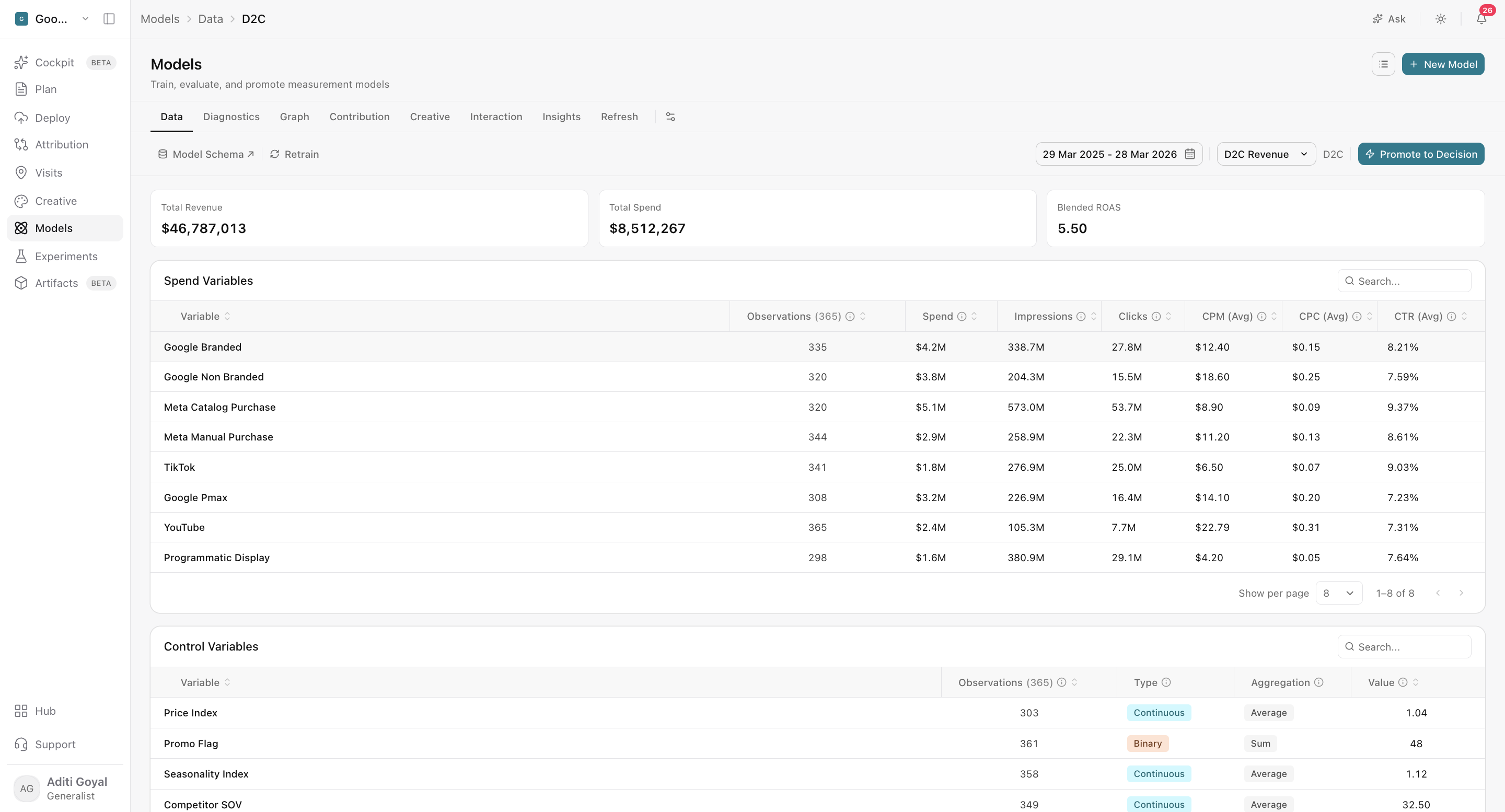
The Models workspace organizes your model results into tabs. Some tabs are hidden by default and can be turned on from Customize Tabs.
- Data: Confirm your data coverage, trends, model inputs, and correlations are sound.
- Diagnostics: Check model fit, backtesting, residuals (the gap between predicted and actual results), channel transformations, decomposition, and calibration evidence.
- Graph: See the model's causal structure, including the direct, indirect, and total effects of each channel.
- Contribution: Understand each channel's incremental outcome, efficiency, contribution share, uncertainty, and response curves.
- Creatives: Review how creative elements were modeled, their quality, and whether their impact is positive or negative.
- Interaction: Spot synergy (channels that work better together), cannibalization (channels that take credit from each other), and neutral relationships between media variables.
- Insights: Explore media and baseline analysis through ranked, time-based, and decomposition views.
- Refresh: Review refresh history after a model has been refreshed.
Note: Review your model as a complete system. A strong accuracy score doesn't replace backtesting, plausible causal relationships, stable channel behavior, or the right business context.
Keep your model accurate as your business changes
Models move through training, review, promotion, refresh, and retraining. Models that are still processing or have failed only show the tabs with available results. What you can review may also depend on the model's status and your permissions.
- Refresh your model when new time periods follow the same schema and model structure.
- Retrain your model when you need to change its variables, causal assumptions, calibration evidence, or configuration.
Get started
Start with Setting up your Mix Model, then use Model review to find your way around the Models workspace. Each tab has its own page explaining what the results mean and how to use them.
Frequently asked questions
What is Causal MMM in Lifesight?
Causal MMM (Marketing Mix Modeling) measures how paid media, organic activity, contextual factors, halo effects, and baseline demand each contribute to a business outcome. It uses causal relationships between these factors, rather than correlation alone, to give you a top-down view of what's actually driving results.
How is Causal MMM different from attribution?
Attribution starts with individual customer touchpoints and builds up. MMM starts with your total outcome and uses aggregated time-series data to determine how much credit each channel deserves. This makes MMM better for measuring channels where user-level data is incomplete or unavailable.
What does top-down measurement mean?
Top-down measurement starts with a total result, such as weekly sales, and works out how much of it each channel contributed. Bottom-up measurement, like attribution, starts from individual user interactions.
Why is Causal MMM the first step in Unified Marketing Measurement?
Causal MMM establishes a holistic, trusted baseline of how all your marketing works together. Other measurement methods in your UMM stack build on that baseline.
Which channels can Causal MMM measure?
Causal MMM can measure paid media, organic activity, and contextual factors. Because it uses aggregated data, it works well for channels without user-level tracking, such as TV, CTV, and offline media.
What are halo effects?
Halo effects are when activity in one channel lifts results in another. For example, a TV campaign that increases branded search. Causal MMM accounts for these effects when measuring contribution.
What is baseline demand?
Baseline demand is the portion of your outcome that would happen without marketing, driven by factors such as brand awareness or loyal customers.
How do I build a model in Lifesight?
Prepare your data and create a model schema, then create a model and define its variables, configuration, calibration evidence, and causal relationships. Review it in the Models workspace, promote it once it's reliable, and use it in Planner.
What is calibration evidence?
Calibration evidence is experiment results, such as geo holdout tests, that you add to a model to ground it in real-world incremental lift.
What can I review in the Models workspace?
The Models workspace includes the Data, Diagnostics, Graph, Contribution, Creatives, Interaction, Insights, and Refresh tabs. Some tabs are hidden by default and can be turned on from Customize Tabs.
Why can't I see all the tabs for my model?
Models that are still processing or have failed only show tabs with available results. Some tabs are also hidden by default and can be turned on from Customize Tabs. What you can see may also depend on the model's status and your permissions.
When should I promote a model?
Promote a model once its data, diagnostics, causal structure, and contribution results are reliable enough for decision-making. A promoted model can then be used in Planner.
Is a high accuracy score enough to trust a model?
No. Review the model as a complete system. Backtesting, plausible causal relationships, stable channel behavior, and business context all matter alongside accuracy.
What is the difference between refreshing and retraining a model?
Refresh a model when new time periods follow the same schema and structure. Retrain it when you need to change its variables, causal assumptions, calibration evidence, or configuration.
What can I do with a promoted model?
Use a promoted model in Planner to create budget scenarios and optimize your media mix, or refresh and retrain it as new data and evidence become available.
Related Articles
Updated about 2 hours ago