
Goals
Track your overall marketing Goal progress to stay on track to hit your target goals.
The purpose of the Goals tab is to track forecasted vs actual conversions based on the default scenario set for each MMM outcome (revenue, orders, leads, etc.)
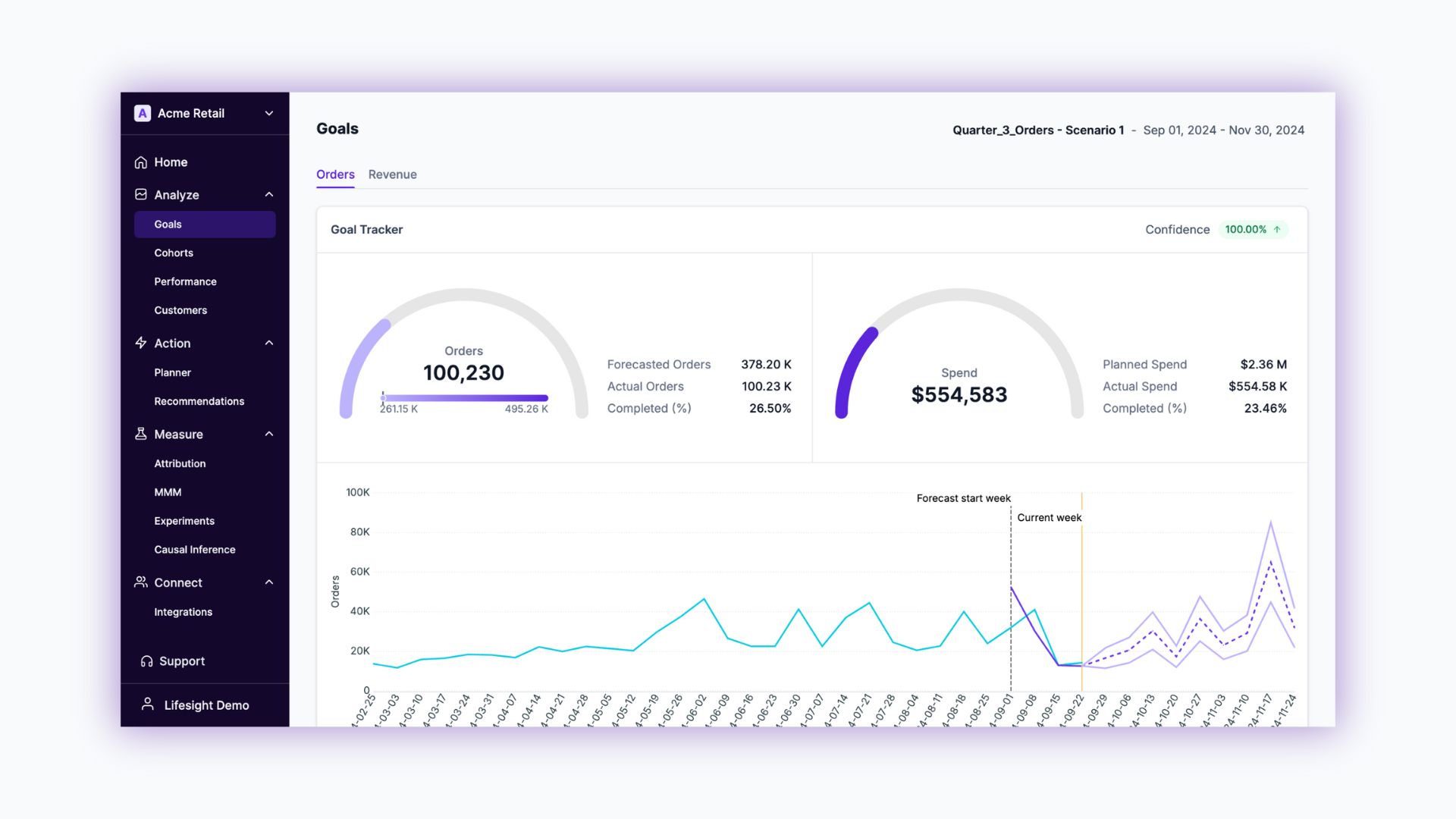
The Goals tab becomes active after you select a Default Scenario from your Scenario Planner.
View interactive demo
 to view demo in fullscreen](https://files.readme.io/c4b16cd2907abf2fdfec9aca3694aadfdd49ad9d3c93645c91394b2d5845f7bb-image.png)
Click here to view demo in fullscreen
Key components:
- Default Scenario- View the default scenario used to power a Goal KPI on the top right of the Goals dashboard.

- Goals - View multiple goals for each KPI based on your selected Default Scenario.
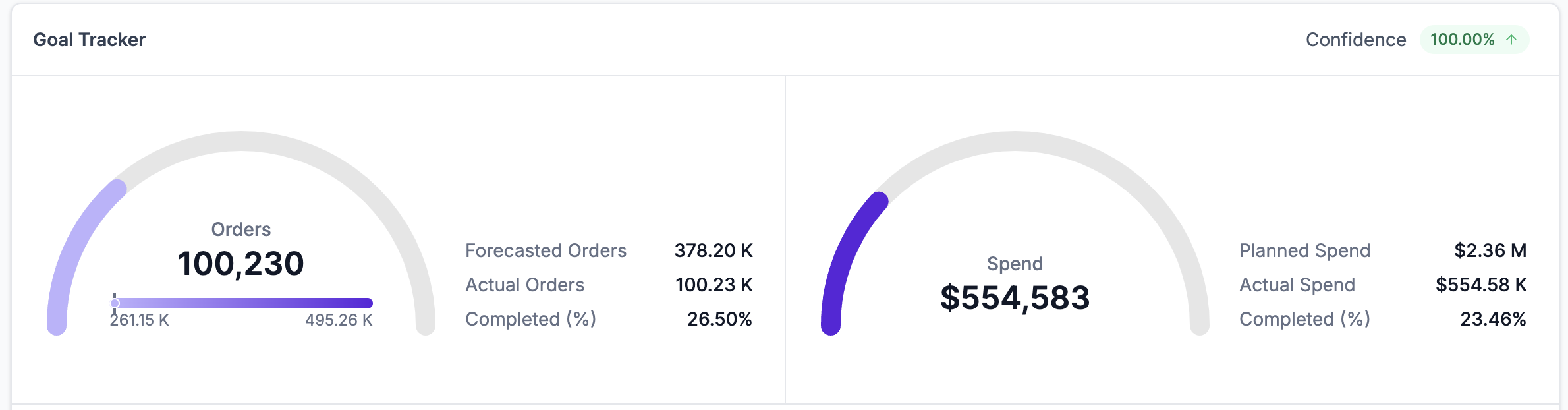
- Goal Tracker - View Actual VS Forecasted KPIs and their percentage of completion. Also, view your Planned spend vs Actual spend vs spend utilization percentage. This helps you understand if you are underspending/over spending in hitting your goals.
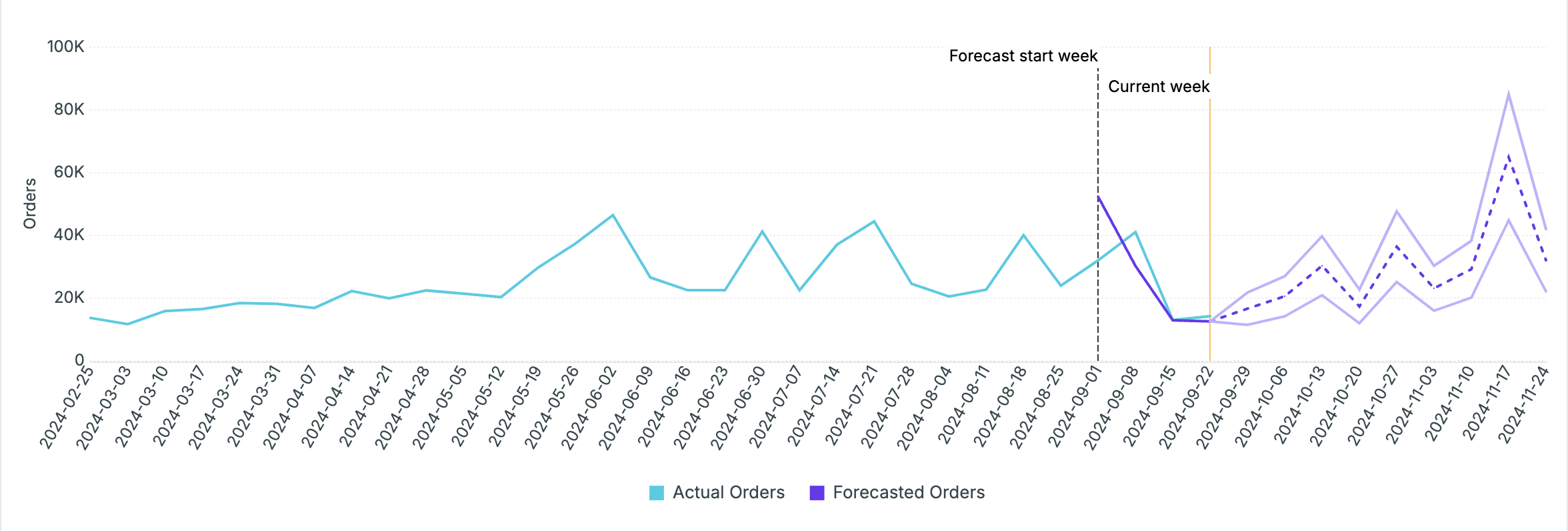
- Goal trend - View a graphical trend of Actual VS Forecasted KPI
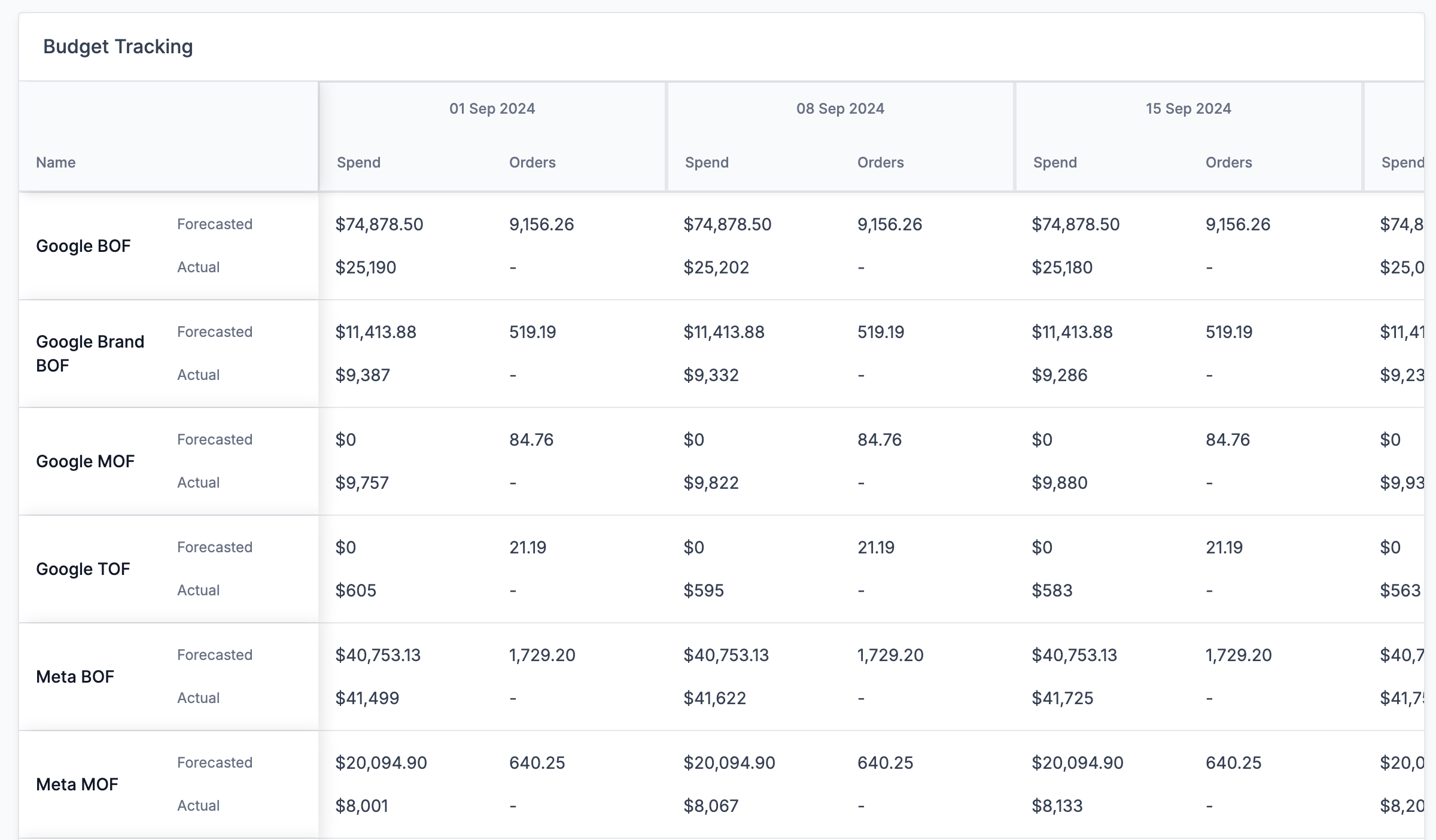
Budget Tracking
View channel-wise weekly actual vs forecasted metrics for Spend and KPI.
Updated about 1 year ago
Did this page help you?